How to install a Certbot certificate for Nginx
Installing a Certbot certificate for Nginx is finished only when the public hostname validates, the matching server block receives the certificate paths, and the live HTTPS listener serves the new certificate. A certificate request can succeed but still leave users on the wrong virtual host if server_name, DNS, or the redirect choice is wrong.
The Nginx installer plugin uses the ACME HTTP-01 challenge for ordinary hostnames, edits the matching Nginx server block, and stores certificate files under /etc/letsencrypt/live. Current upstream Certbot instructions prefer the classic snap on supported Linux systems because it keeps Certbot current and includes the web server installer plugins.
The commands below use the Debian and Ubuntu Nginx layout with snapd, systemctl, and a public site named site.example.net. Use a DNS-01 challenge instead when the certificate needs a wildcard name, port 80 cannot be reached from the public Internet, or a CDN prevents the certificate authority from reaching the origin server.
Related: Test Nginx configuration
Related: Redirect HTTP to HTTPS in Nginx
Related: Use a DNS challenge with Certbot
Steps to install a Certbot certificate for Nginx:
- Confirm that each hostname resolves to the Nginx server public address.
$ getent ahosts site.example.net
203.0.113.10    STREAM site.example.net
203.0.113.10    DGRAM
203.0.113.10    RAW
If the name also has an .AAAA record, that IPv6 address must reach the same Nginx server or HTTP-01 validation can fail over IPv6.
- Confirm that the site answers over plain HTTP on port 80.
$ curl -I http://site.example.net/
HTTP/1.1 200 OK
Server: nginx/1.28.0
##### snipped #####
The default Nginx plugin flow needs public access to /.well-known/acme-challenge/ on port 80 before it can issue the certificate.
- Check that Nginx has a server block for the names being placed on the certificate.
$ sudo nginx -T
nginx: the configuration file /etc/nginx/nginx.conf syntax is ok
nginx: configuration file /etc/nginx/nginx.conf test is successful
# configuration file /etc/nginx/sites-enabled/site.example.net:
server {
    listen 80;
    server_name site.example.net www.site.example.net;
    root /var/www/site.example.net;
}
##### snipped #####
If server_name does not match the requested names, certbot --nginx can stop before installation or modify a different server block.
- Back up the current Nginx configuration before letting Certbot edit it.
$ sudo cp -a /etc/nginx /root/nginx-before-certbot-$(date +%F)
Certbot has rollback support for many installer changes, but a plain configuration copy is still useful when a host has local includes, templates, or deployment tooling outside Certbot.
- Refresh the package index when snapd needs to be installed.
$ sudo apt update
- Install snapd when the server does not already have it.
$ sudo apt install --assume-yes snapd
Ubuntu servers usually include snapd already. On Debian, install it from the distribution packages and follow the platform instructions for enabling classic snap support before continuing.
- Remove older operating-system Certbot packages before installing the snap.
$ sudo apt remove --assume-yes certbot python3-certbot-nginx
Do not remove /etc/letsencrypt unless the existing certificate lineages are intentionally being retired.
- Install the Certbot snap.
$ sudo snap install --classic certbot
certbot 5.6.0 from Certbot Project installed
- Link the snap command into a standard command path.
$ sudo ln --symbolic /snap/bin/certbot /usr/local/bin/certbot
If /usr/local/bin/certbot already exists, confirm it is not an older package-manager binary before replacing it.
- Confirm that Certbot can see the Nginx plugin.
$ sudo certbot plugins
Saving debug log to /var/log/letsencrypt/letsencrypt.log

* nginx
Description: Nginx Web Server plugin
Interfaces: Authenticator, Installer, Plugin
Entry point: EntryPoint(name='nginx',
value='certbot_nginx._internal.configurator:NginxConfigurator',
group='certbot.plugins')
##### snipped #####
- Request and install the certificate with the Nginx plugin.
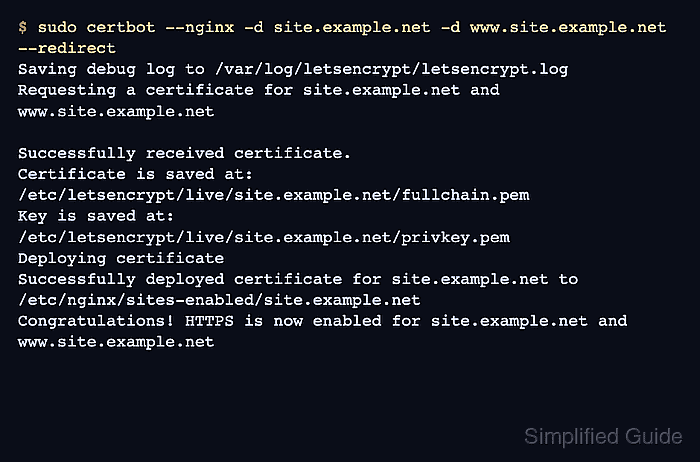
$ sudo certbot --nginx -d site.example.net -d www.site.example.net --redirect
Saving debug log to /var/log/letsencrypt/letsencrypt.log
Requesting a certificate for site.example.net and www.site.example.net

Successfully received certificate.
Certificate is saved at: /etc/letsencrypt/live/site.example.net/fullchain.pem
Key is saved at:         /etc/letsencrypt/live/site.example.net/privkey.pem
Deploying certificate
Successfully deployed certificate for site.example.net to /etc/nginx/sites-enabled/site.example.net
Congratulations! HTTPS is now enabled for site.example.net and www.site.example.net
Add another -d option for each hostname that should appear on the same certificate. Use --test-cert for a staging rehearsal before a production request.
- Test the Nginx configuration after Certbot edits it.
$ sudo nginx -t
nginx: the configuration file /etc/nginx/nginx.conf syntax is ok
nginx: configuration file /etc/nginx/nginx.conf test is successful
Do not reload Nginx until the edited SSL server block parses cleanly.
Related: Test Nginx configuration
- Reload Nginx to apply the certificate-backed server block.
$ sudo systemctl reload nginx
- Confirm that Nginx stayed active after reload.
$ systemctl is-active nginx
active
Related: Manage the Nginx service
- Verify that the hostname responds over HTTPS.
$ curl -I https://site.example.net/
HTTP/2 200
server: nginx
##### snipped #####
- Verify that plain HTTP redirects to HTTPS when --redirect was used.
$ curl -I http://site.example.net/
HTTP/1.1 301 Moved Permanently
Server: nginx
Location: https://site.example.net/
Tool: HTTP Redirect Checker
- Confirm that Certbot recorded the certificate lineage and names.
$ sudo certbot certificates
Saving debug log to /var/log/letsencrypt/letsencrypt.log
Certificate Name: site.example.net
    Domains: site.example.net www.site.example.net
    Expiry Date: 2026-09-10 12:00:00+00:00 (VALID: 89 days)
    Certificate Path: /etc/letsencrypt/live/site.example.net/fullchain.pem
    Private Key Path: /etc/letsencrypt/live/site.example.net/privkey.pem
The local lineage proves what Certbot saved. The HTTPS request proves what Nginx is actually serving to users.
- Inspect the served certificate from the public listener.
$ echo | openssl s_client -servername site.example.net -connect site.example.net:443 2>/dev/null | openssl x509 -noout -subject -issuer -dates
subject=CN=site.example.net
issuer=C=US, O=Let’s Encrypt, CN=E8
notBefore=Jun 12 12:00:00 2026 GMT
notAfter=Sep 10 12:00:00 2026 GMT
Check the hostname users reach, not only the local certificate file. A load balancer, CDN, IPv6 address, or old edge node can serve a different certificate than the origin host.
Related: Check a Certbot certificate chain
- Run a renewal dry run.
$ sudo certbot renew --dry-run
Saving debug log to /var/log/letsencrypt/letsencrypt.log
##### snipped #####
Congratulations, all simulated renewals succeeded:
  /etc/letsencrypt/live/site.example.net/fullchain.pem (success)
--dry-run uses the Let’s Encrypt staging service and does not replace the active production certificate.
Related: Test Certbot certificate renewal
- Confirm that the snap renewal timer exists.
$ systemctl status snap.certbot.renew.timer --no-pager
● snap.certbot.renew.timer - Timer renew for snap application certbot.renew
     Loaded: loaded (/etc/systemd/system/snap.certbot.renew.timer; enabled)
     Active: active (waiting)
##### snipped #####
The snap package normally creates its own renewal timer. If the unit name differs on the server, use systemctl list-timers and look for the timer that runs certbot renew. Distro-packaged installs may expose certbot.timer instead.