Certificate renewal tests catch failures that a valid current certificate cannot reveal. DNS records, webroot paths, web server plugins, firewall rules, and hook scripts can change after issuance, so a host may serve HTTPS correctly while its next automated Certbot renewal is already broken.
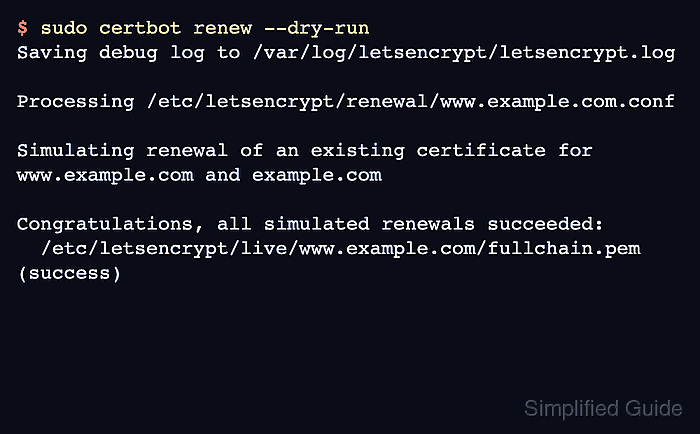
Certbot's dry-run renewal reuses saved settings and checks the renewal flow against a staging ACME service unless the host is configured to use a custom ACME directory. It obtains temporary test certificates without saving them to disk, which exercises validation without replacing the live certificate files.
The test belongs on the server that owns the Certbot renewal configuration. A clean dry run proves that Certbot can load the lineage, reach the selected authenticator, complete ACME validation against staging, and run applicable pre and post hooks. Deploy hooks and scheduler checks such as systemd timers remain separate proofs unless the renewal test explicitly includes them.
Steps to test Certbot certificate renewal:
- Open a terminal on the server that stores the Certbot certificates.
- List the saved certificate lineages.
$ sudo certbot certificates
Saving debug log to /var/log/letsencrypt/letsencrypt.log

Found the following certs:
  Certificate Name: www.example.com
    Domains: www.example.com example.com
    Expiry Date: 2026-07-25 06:50:00+00:00 (VALID: 42 days)
    Certificate Path: /etc/letsencrypt/live/www.example.com/fullchain.pem
    Private Key Path: /etc/letsencrypt/live/www.example.com/privkey.pem
Use the value after Certificate Name with --cert-name when only one lineage needs a renewal test. If Certbot reports no certificates, run the test on the host where the certificate was originally issued or create the certificate before testing renewal.
- Run a dry-run renewal for all saved lineages.
$ sudo certbot renew --dry-run
Saving debug log to /var/log/letsencrypt/letsencrypt.log

Processing /etc/letsencrypt/renewal/www.example.com.conf

Simulating renewal of an existing certificate for www.example.com and example.com

Congratulations, all simulated renewals succeeded:
  /etc/letsencrypt/live/www.example.com/fullchain.pem (success)
To test one lineage, run sudo certbot renew --cert-name www.example.com --dry-run instead. The dry run can temporarily adjust and reload web server configuration when installer plugins are involved. Verify any configured custom --server value points to a test ACME service before running a dry run.
If the output shows authorization, webroot, DNS, plugin, account, or hook errors, treat the scheduled renewal as blocked until the failing signal is fixed and the dry run succeeds.
- Include deploy hooks only when the deployment handoff is part of the renewal test.
$ sudo certbot renew --cert-name www.example.com --dry-run --run-deploy-hooks
Pre and post hooks run during a dry-run renewal when a renewal attempt happens. Deploy hooks do not run unless --run-deploy-hooks is included, and they operate against the current active certificate rather than a temporary staging certificate.
- Confirm the live certificate entry is still present after the dry run.
$ sudo certbot certificates --cert-name www.example.com
Saving debug log to /var/log/letsencrypt/letsencrypt.log

Found the following certs:
  Certificate Name: www.example.com
    Domains: www.example.com example.com
    Expiry Date: 2026-07-25 06:50:00+00:00 (VALID: 42 days)
    Certificate Path: /etc/letsencrypt/live/www.example.com/fullchain.pem
    Private Key Path: /etc/letsencrypt/live/www.example.com/privkey.pem
The dry run is complete when every tested lineage ends with (success) and the saved certificate entry remains the production lineage, not a staging certificate.
- Check the automated renewal trigger after the dry run succeeds.
A manual dry run proves that renewal can complete now. The timer or cron check proves whether the host will run certbot renew later without manual input.

Mohd Shakir Zakaria is a cloud architect with deep roots in software development and open-source advocacy. Certified in AWS, Red Hat, VMware, ITIL, and Linux, he specializes in designing and managing robust cloud and on-premises infrastructures.


