Creating a local systemd unit file is how a custom service, timer, socket, path watcher, mount, slice, or target becomes a managed object that the init system can load and activate by name. That matters when the job should survive reboots, follow dependency ordering, and show up through systemctl instead of living as an ad-hoc shell command or boot-script fragment.
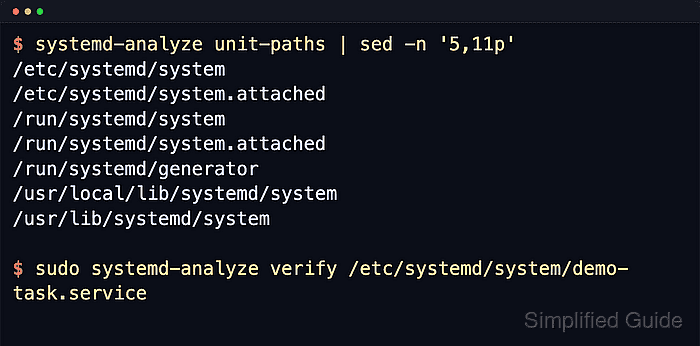
A unit file is a plain-text ini-style file with a type-specific extension such as .service, .timer, .socket, .path, .mount, .slice, or .target. Current systemd.unit load-path rules still put administrator-created system units in /etc/systemd/system ahead of /usr/local/lib/systemd/system and /usr/lib/systemd/system, while per-user units belong in /~/.config/systemd/user and are managed with systemctl –user.
The reliable flow is to save the file under the correct manager path, validate it with systemd-analyze verify, reload the manager with systemctl daemon-reload, and then activate the entry-point unit for that design. Keep executable paths absolute, use the type-specific section that matches the filename extension, enable the *.timer, *.socket, or *.path unit instead of its helper service, and expect UnitFileState=static when a helper unit intentionally has no [Install] section.
Related: How to create a systemd service unit
Related: How to create a systemd timer
Related: How to create a systemd socket unit
Related: How to create a systemd path unit
Related: How to create a systemd target unit
Tool: systemd Unit Generator
Steps to create a systemd unit file:
- Save the new unit file under the correct local manager path.
[Unit]
Description=Create a demo marker for unit-file-create

[Service]
Type=oneshot
ExecStart=/usr/bin/touch /run/demo-unit-created
RemainAfterExit=yes

[Install]
WantedBy=multi-user.target
This example uses a small system service because a *.service file is the simplest way to prove the full create, reload, enable, and verify flow. Use /~/.config/systemd/user plus systemctl –user for a per-user unit, switch the filename suffix and type-specific section for timers, sockets, paths, mounts, or slices, and keep the basename matched when a timer, socket, or path unit activates a companion service. Targets usually use [Unit] plus an optional [Install] section only.
- Verify that the new unit file parses cleanly before the manager tries to load it.
$ sudo systemd-analyze verify /etc/systemd/system/demo-unit.service
No output is the ideal result. systemd-analyze verify also loads referenced units, so read the filename on any warning before assuming the new file is wrong.
- Reload the systemd manager after writing the file on disk.
$ sudo systemctl daemon-reload
This reruns generators, rereads unit files, and rebuilds the dependency tree. Use systemctl –user daemon-reload for a per-user unit.
- Enable and start the unit that acts as the real entry point for the new workload.
$ sudo systemctl enable --now demo-unit.service
Created symlink /etc/systemd/system/multi-user.target.wants/demo-unit.service → /etc/systemd/system/demo-unit.service.
This demo activates the service directly because the service itself is the runnable unit. For paired designs, enable the *.timer, *.socket, or *.path unit instead of its helper service, while helper units without [Install] normally stay static and are pulled in by another unit.
- Confirm that systemd loaded the new file from the expected local path and applied it successfully.
$ systemctl show demo-unit.service -p FragmentPath -p LoadState -p ActiveState -p SubState -p Result -p UnitFileState
Result=success
LoadState=loaded
ActiveState=active
SubState=exited
FragmentPath=/etc/systemd/system/demo-unit.service
UnitFileState=enabled
Look for FragmentPath=/etc/systemd/system/demo-unit.service together with LoadState=loaded. This example also shows Result=success plus ActiveState=active and SubState=exited because RemainAfterExit=yes keeps the completed oneshot unit active after the marker file is created.
- Check the workload's own side effect instead of stopping at manager state alone.
$ ls -l /run/demo-unit-created
-rw-r--r-- 1 root root 0 Apr 22 03:14 /run/demo-unit-created
The marker file proves that the unit did more than load cleanly. Replace this check with the real service log, socket listener, mounted filesystem, queued job, or other job-specific result when adapting the pattern.

Mohd Shakir Zakaria is a cloud architect with deep roots in software development and open-source advocacy. Certified in AWS, Red Hat, VMware, ITIL, and Linux, he specializes in designing and managing robust cloud and on-premises infrastructures.


