Changing a unit file, a *.d drop-in, or a generator-backed source such as /etc/fstab does not update systemd's in-memory unit graph automatically. systemctl daemon-reload makes the manager reread those definitions so new or changed units can be used without rebooting the host.
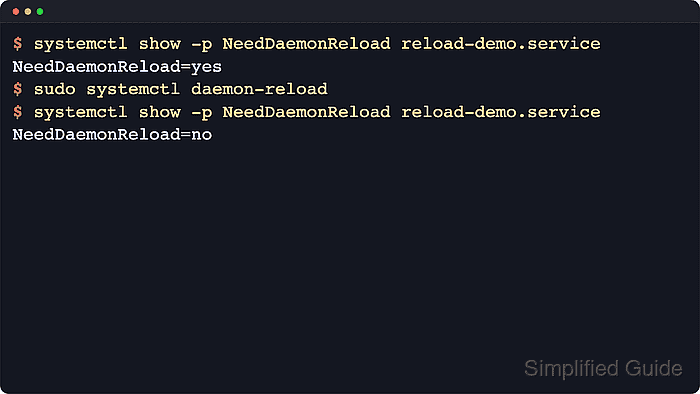
Current upstream systemctl documentation states that daemon-reload reruns generators, reloads unit files from disk, and recreates the entire dependency tree. That refresh applies to the system manager by default, or to the per-user manager when the command is run as systemctl --user daemon-reload.
daemon-reload only refreshes the manager's view of unit definitions. It does not restart a running service, and it does not ask an application to reread its own configuration file, so unit changes such as ExecStart=, dependencies, or environment overrides still need a follow-up start, restart, or service-specific reload action.
Related: How to edit a systemd unit override
Related: How to create a systemd unit file
Related: How to reexecute the systemd manager
Steps to reload the systemd manager configuration:
- Check whether the target unit is waiting for a manager reload.
$ systemctl show -p FragmentPath -p DropInPaths -p NeedDaemonReload reload-demo.service
FragmentPath=/etc/systemd/system/reload-demo.service
DropInPaths=
NeedDaemonReload=yes
Replace reload-demo.service with the real unit name. A NeedDaemonReload=yes result means the files on disk changed after systemd loaded the current definition.
- Reload the systemd manager configuration.
$ sudo systemctl daemon-reload
This reruns generators, reloads unit files, and rebuilds the dependency tree. Use systemctl --user daemon-reload for a per-user unit instead of the system manager.
- Confirm that the manager no longer reports a pending reload and now sees the drop-in path.
$ systemctl show -p DropInPaths -p NeedDaemonReload reload-demo.service
DropInPaths=/etc/systemd/system/reload-demo.service.d/override.conf
NeedDaemonReload=no
After the reload, populated DropInPaths= output shows that the override is part of the loaded unit definition instead of only existing on disk.
- Print the loaded unit definition after the manager reload.
$ systemctl cat reload-demo.service
# /etc/systemd/system/reload-demo.service
[Unit]
Description=Reload demo service

[Service]
Type=oneshot
RemainAfterExit=yes
ExecStart=/bin/sh -c "echo base-run >> /run/reload-demo.log"

# /etc/systemd/system/reload-demo.service.d/override.conf
[Service]
ExecStart=
ExecStart=/bin/sh -c "echo override-run >> /run/reload-demo.log"
systemctl cat prints the unit file and any loaded drop-ins. Running it after daemon-reload makes the on-disk definition and the manager state line up again.
- Restart the affected service so the changed unit settings take effect.
$ sudo systemctl restart reload-demo.service
Use start for a brand-new unit that is not running yet. Use reload only when the service itself supports rereading its own application configuration. Related: How to start a service using systemctl
Related: How to restart a service using systemctl
Related: How to reload a service using systemctl - Check the service state after applying the refreshed unit definition.
$ systemctl status --no-pager reload-demo.service
● reload-demo.service - Reload demo service
     Loaded: loaded (/etc/systemd/system/reload-demo.service; static)
    Drop-In: /etc/systemd/system/reload-demo.service.d
             └─override.conf
     Active: active (exited) since Tue 2026-04-21 22:14:50 UTC; 38ms ago
    Process: 207 ExecStart=/bin/sh -c echo override-run >> /run/reload-demo.log (code=exited, status=0/SUCCESS)
   Main PID: 207 (code=exited, status=0/SUCCESS)
        CPU: 5ms

Apr 21 22:14:50 host systemd[1]: Starting reload-demo.service - Reload demo service...
Apr 21 22:14:50 host systemd[1]: Finished reload-demo.service - Reload demo service.
The updated ExecStart= line and the listed drop-in confirm that the restarted unit is using the reloaded definition. systemctl daemon-reload and systemctl reload unit.service are different operations: the first refreshes systemd's unit database, while the second asks the service process to reread its own configuration.

Mohd Shakir Zakaria is a cloud architect with deep roots in software development and open-source advocacy. Certified in AWS, Red Hat, VMware, ITIL, and Linux, he specializes in designing and managing robust cloud and on-premises infrastructures.


