Symfony Security needs a user class before a login form, API authenticator, or access rule can identify an account. The class gives the security system a stable user identifier, roles, and password-hash support, while Doctrine gives the application a table that can store and reload the account.
Symfony Maker generates the default Doctrine-backed User entity and updates /config/packages/security.yaml with the matching provider. Using the default email identifier and password support creates a starting point that works with later registration and login features without hand-writing the security contracts.
The database schema still has to be created after the class is generated. A small local database and a disposable user row are enough to prove the entity, provider configuration, password hasher, and Doctrine mapping all agree before browser login or registration is added.
Related: How to create a Symfony registration form
Related: How to create a Symfony login form
Steps to create a Symfony security user:
- Open a terminal in the Symfony project directory.
Use the directory that contains composer.json, bin/console, and the src directory.
- Point Doctrine at a writable development database.
DATABASE_URL="sqlite:///%kernel.project_dir%/var/app.db"
Use the application's existing PostgreSQL, MySQL, or SQLite URL when one is already configured. The SQLite value above is only a local proof database.
Related: How to configure a SQLite database in Symfony - Generate the Doctrine-backed security user.
$ php bin/console make:user User

 Do you want to store user data in the database (via Doctrine)? (yes/no) [yes]:
 >
 Enter a property name that will be the unique "display" name for the user (e.g. email, username, uuid) [email]:
 >
 Will this app need to hash/check user passwords? Choose No if passwords are not needed or will be checked/hashed by some other system (e.g. a single sign-on server).

 Does this app need to hash/check user passwords? (yes/no) [yes]:
 >
 created: src/Entity/User.php
 created: src/Repository/UserRepository.php
 updated: src/Entity/User.php
 updated: config/packages/security.yaml

  Success!
The default answers create App\Entity\User with email as the identifier and password-hash support through PasswordAuthenticatedUserInterface.
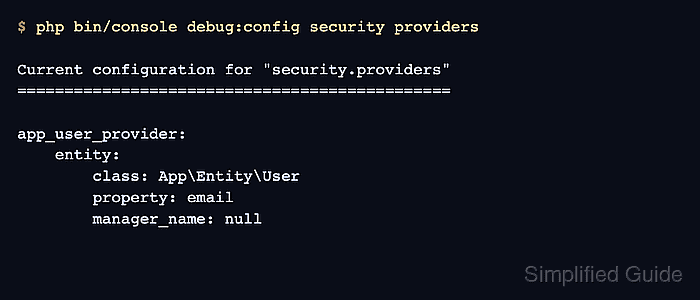
- Confirm that Symfony Security uses the generated entity provider.
$ php bin/console debug:config security providers Current configuration for "security.providers" ============================================== app_user_provider: entity: class: App\Entity\User property: email manager_name: null - Confirm that password hashing is configured for password-authenticated users.
$ php bin/console debug:config security password_hashers

Current configuration for "security.password_hashers"
=====================================================

Symfony\Component\Security\Core\User\PasswordAuthenticatedUserInterface:
    algorithm: auto
    migrate_from: {}
    hash_algorithm: sha512
    key_length: 40
    ignore_case: false
    encode_as_base64: true
    iterations: 5000
    cost: null
    memory_cost: null
    time_cost: null
The auto hasher lets Symfony choose and migrate the password algorithm for the user class.
- Create a migration for the generated user table.
$ php bin/console make:migration
created: migrations/Version20260625075108.php

  Success!

Review the new migration then run it with php bin/console doctrine:migrations:migrate
See https://symfony.com/doc/current/bundles/DoctrineMigrationsBundle/index.html
The version filename uses the current timestamp, so the filename will differ on each project. Review the migration before applying it to a database with existing data.
Related: How to create a Doctrine migration in Symfony - Apply the migration to create the user table.
$ php bin/console doctrine:migrations:migrate --no-interaction
[notice] Migrating up to DoctrineMigrations\Version20260625075108
[notice] finished in 17.2ms, used 24M memory, 1 migrations executed, 4 sql queries

 [OK] Successfully migrated to version: DoctrineMigrations\Version20260625075108
Run migrations through the application's normal deployment process outside local development.
Related: How to run Doctrine migrations in Symfony - Generate a temporary password hash for a proof user.
$ php bin/console security:hash-password '' 'App\Entity\User'

Symfony Password Hash Utility
=============================

 Type in your password to be hashed:
 >

 --------------- -----------------------------------------------------------------
  Key             Value
 --------------- -----------------------------------------------------------------
  Hasher used     Symfony\Component\PasswordHasher\Hasher\MigratingPasswordHasher
  Password hash   $2y$13$WZdqvmi27fmPDOn0oZv.WeO5z5JqCOtPbSYBqBUb0Z53k1sYVcd6i
 --------------- -----------------------------------------------------------------

 ! [NOTE] Self-salting hasher used: the hasher generated its own built-in salt.

 [OK] Password hashing succeeded
Use a disposable password for this smoke test. Do not pass a real password as a shell argument because it can appear in shell history and process lists.
- Insert a disposable user row with the generated hash.
$ php bin/console dbal:run-sql "INSERT INTO \"user\" (email, roles, password) VALUES ('reader@example.com', '[]', '$2y$13$WZdqvmi27fmPDOn0oZv.WeO5z5JqCOtPbSYBqBUb0Z53k1sYVcd6i')"

 [OK] 1 rows affected.
Replace the hash with the value printed by security:hash-password. Use an application registration form or an admin workflow for real accounts instead of manual SQL.
Related: How to create a Symfony registration form - Read the proof user through Doctrine.
$ php bin/console doctrine:query:dql 'SELECT u.email, u.roles FROM App\Entity\User u'
 array(1) {
  [0]=>
  array(2) {
    ["email"]=>
    string(18) "reader@example.com"
    ["roles"]=>
    array(0) {
    }
  }
}
The stored roles array can be empty because the generated getRoles() method adds ROLE_USER at runtime.
- Remove the disposable user row.
$ php bin/console dbal:run-sql "DELETE FROM \"user\" WHERE email = 'reader@example.com'"

 [OK] 1 rows affected.

Mohd Shakir Zakaria is a cloud architect with deep roots in software development and open-source advocacy. Certified in AWS, Red Hat, VMware, ITIL, and Linux, he specializes in designing and managing robust cloud and on-premises infrastructures.


