SQLite is a good database target for a Symfony development project when the application only needs a local file instead of a separate server. Doctrine can use the same DATABASE_URL layer as MySQL or PostgreSQL, so a developer can switch the local connection without rewriting bundle configuration.
Symfony's Doctrine recipe reads DATABASE_URL through config/packages/doctrine.yaml. A SQLite URL can point at a project file under the var directory, and .env.local is the right place for a developer-specific override that should not be committed with production or shared defaults.
PHP must load pdo_sqlite and sqlite3 before Doctrine can open the file. After the URL is set, a DBAL query should return the SQLite version, a short write/read check should round-trip a row, and the temporary proof table can be removed.
Steps to configure Symfony with SQLite:
- Confirm the PHP SQLite extensions are loaded.
$ php -m
##### snipped #####
pdo_sqlite
sqlite3
##### snipped #####
If either extension is missing, enable the SQLite extension for the same PHP binary that runs php bin/console.
- Create or edit .env.local in the project root.
DATABASE_URL="sqlite:///%kernel.project_dir%/var/app.db"
Use .env.local for local development overrides. Put the value in .env only when the SQLite path should be the shared project default.
- Check the configured Doctrine connection through DBAL.
$ php bin/console dbal:run-sql "SELECT sqlite_version() AS sqlite_version"
 ----------------
  sqlite_version
 ----------------
  3.46.1
 ----------------
A version row confirms Symfony Console read the SQLite DATABASE_URL and Doctrine opened the connection.
- Create a temporary proof table.
$ php bin/console dbal:run-sql "CREATE TABLE app_config_check (id INTEGER PRIMARY KEY AUTOINCREMENT, label VARCHAR(32) NOT NULL)"

 [OK] 0 rows affected.
Use Doctrine migrations for real application schema changes. This table is only a connection proof. Do not start application table names with sqlite_ because SQLite reserves that prefix for internal objects.
Related: How to run Doctrine migrations in Symfony - Insert a row through the configured connection.
$ php bin/console dbal:run-sql "INSERT INTO app_config_check (label) VALUES ('ready')" [OK] 1 rows affected. - Read the row back from SQLite.
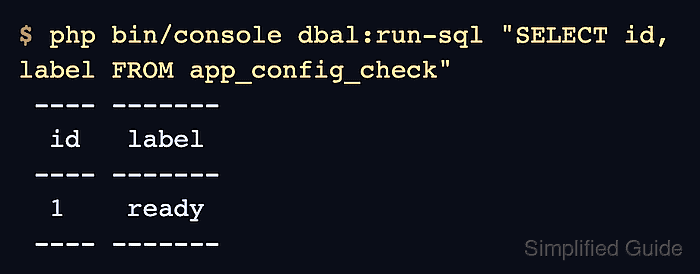
$ php bin/console dbal:run-sql "SELECT id, label FROM app_config_check"
 ---- -------
  id   label
 ---- -------
  1    ready
 ---- -------
- Check the database file that SQLite created.
$ ls -lh var/app.db
-rw-r--r-- 1 app app 12K Jun 25 10:15 var/app.db
If a custom path is used, create the parent directory first and make sure the PHP process can write there.
Tool: SQLite Manager - Remove the temporary proof table.
$ php bin/console dbal:run-sql "DROP TABLE app_config_check"

 [OK] 0 rows affected.

Mohd Shakir Zakaria is a cloud architect with deep roots in software development and open-source advocacy. Certified in AWS, Red Hat, VMware, ITIL, and Linux, he specializes in designing and managing robust cloud and on-premises infrastructures.


