Account creation in Symfony turns anonymous browser input into a persisted security user. The browser submits an email address, password, and terms checkbox, while the application validates the form, hashes the plaintext password, stores the User entity, and redirects the new account to a known route.
Symfony Maker provides make:user for the security user and make:registration-form for the controller, form type, and Twig template. Start from a Symfony web application with MakerBundle, SecurityBundle, Doctrine ORM, Form, Validator, and Twig installed, plus a Doctrine database URL that can accept a migration.
The registration generator asks for a route after successful submission. Use an existing dashboard or home route in a real application; a disposable project can create app_home first and keep email verification and automatic login disabled until the separate mailer and login flows are ready.
Related: How to run a Symfony project locally
Related: How to create a Symfony login form
Steps to create a Symfony registration form:
- Open a terminal in the Symfony project directory.
Use the directory that contains composer.json, bin/console, and the public document root.
- Create a post-registration route when the application does not already have one.
$ php bin/console make:controller HomeController

Do you want to generate PHPUnit tests? [Experimental] (yes/no) [no]:
>
created: src/Controller/HomeController.php
created: templates/home/index.html.twig

Success!

Next: Open your new controller class and add some pages!
Use an existing route such as app_dashboard or app_home when the application already has a logged-in landing page.
Related: How to create a Symfony route - Refresh the route cache after generating a new controller.
$ php bin/console cache:clear

 // Clearing the cache for the dev environment with debug true

 [OK] Cache for the "dev" environment (debug=true) was successfully cleared.
- Confirm the redirect route is visible to Symfony.
$ php bin/console debug:router app_home
+--------------+-----------------------------------------------------+
| Property     | Value                                               |
+--------------+-----------------------------------------------------+
| Route Name   | app_home                                            |
| Path         | /home                                               |
| Defaults     | _controller: App\Controller\HomeController::index() |
+--------------+-----------------------------------------------------+
- Point Doctrine at a writable development database.
- .env.local
DATABASE_URL="sqlite:///%kernel.project_dir%/var/app.db"
Use the application's existing PostgreSQL, MySQL, or SQLite URL when one is already configured. The SQLite value above is only a small local setup for trying the registration table.
Related: How to configure a SQLite database in Symfony - Generate the User security entity.
$ php bin/console make:user User

Do you want to store user data in the database (via Doctrine)? (yes/no) [yes]:
>
Enter a property name that will be the unique "display" name for the user (e.g. email, username, uuid) [email]:
>
Will this app need to hash/check user passwords? Choose No if passwords are not needed or will be checked/hashed by some other system (e.g. a single sign-on server).

Does this app need to hash/check user passwords? (yes/no) [yes]:
>
created: src/Entity/User.php
created: src/Repository/UserRepository.php
updated: src/Entity/User.php
updated: config/packages/security.yaml

Success!
The default answers create a Doctrine-backed App\Entity\User with email as the user identifier and a hashed password field.
- Generate the registration controller, form type, and template.
$ php bin/console make:registration-form

Creating a registration form for App\Entity\User

Do you want to add a #[UniqueEntity] validation attribute to your User class to make sure duplicate accounts aren't created? (yes/no) [yes]:
>
Do you want to send an email to verify the user's email address after registration? (yes/no) [yes]:
> no
Do you want to automatically authenticate the user after registration? (yes/no) [yes]:
> no
What route should the user be redirected to after registration?:
  [0 ] _preview_error
##### snipped #####
  [15] app_home
> app_home
Do you want to generate PHPUnit tests? [Experimental] (yes/no) [no]:
>
updated: src/Entity/User.php
created: src/Form/RegistrationFormType.php
created: src/Controller/RegistrationController.php
created: templates/registration/register.html.twig

Success!

Next:
Make any changes you need to the form, controller & template.

Then open your browser, go to "/register" and enjoy your new form!
Answering no to email verification keeps mail transport out of this registration check. Answering no to automatic authentication keeps the login flow owned by the login form setup.
- Confirm the registration route.
$ php bin/console debug:router app_register
+--------------+----------------------------------------------------------------+
| Property     | Value                                                          |
+--------------+----------------------------------------------------------------+
| Route Name   | app_register                                                   |
| Path         | /register                                                      |
| Defaults     | _controller: App\Controller\RegistrationController::register() |
+--------------+----------------------------------------------------------------+
- Create the Doctrine migration for the new user table.
$ php bin/console make:migration

created: migrations/Version20260625073235.php

Success!

Review the new migration then run it with php bin/console doctrine:migrations:migrate
The generated version name uses the current timestamp, so the filename will differ on each project.
Related: How to create a Doctrine migration in Symfony - Apply the migration.
$ php bin/console doctrine:migrations:migrate --no-interaction
[notice] Migrating up to DoctrineMigrations\Version20260625073235
[notice] finished in 15.7ms, used 24M memory, 1 migrations executed, 4 sql queries

 [OK] Successfully migrated to version: DoctrineMigrations\Version20260625073235
For SQLite development databases, running the migration creates the local database file when needed. For server databases, create the database itself before this point if the application user cannot create databases.
Related: How to run Doctrine migrations in Symfony - Open the registration page on the running development server.
http://127.0.0.1:8001/register
Use the port printed by the local server. A browser submit lets Symfony's stateless CSRF controller prepare the token cookie before the form posts.
Related: How to run a Symfony project locally - Submit a test account through the generated form.
Use a disposable address such as reader@example.com, enter a password that satisfies the generated length constraint, tick Agree terms, and submit. A successful submit redirects to the route chosen during make:registration-form.
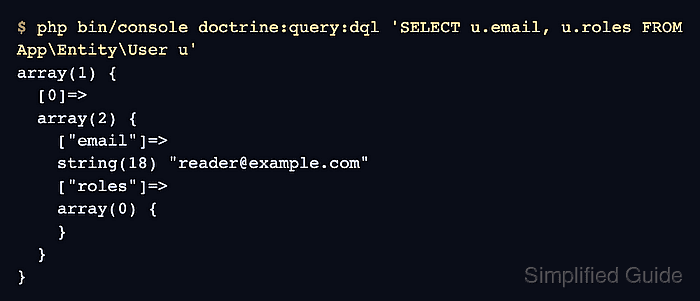
- Verify that Doctrine can read the stored user.
$ php bin/console doctrine:query:dql 'SELECT u.email, u.roles FROM App\Entity\User u'
array(1) {
  [0]=>
  array(2) {
    ["email"]=>
    string(18) "reader@example.com"
    ["roles"]=>
    array(0) {
    }
  }
}
The stored roles array can be empty because the generated getRoles() method adds ROLE_USER at runtime.

Mohd Shakir Zakaria is a cloud architect with deep roots in software development and open-source advocacy. Certified in AWS, Red Hat, VMware, ITIL, and Linux, he specializes in designing and managing robust cloud and on-premises infrastructures.


