Symfony uses its routing layer to decide which controller handles an incoming URL. Adding a route gives the application a named path that the HTTP kernel can match and that other code can reuse later for URL generation.
Current Symfony applications commonly define routes as PHP attributes next to the controller action. Keeping the path, route name, allowed method, and controller response in one file makes a small route easy to inspect without opening separate YAML or PHP routing files.
Use a project root that already runs php bin/console. In a development project, a simple /status endpoint should appear as app_status in the router, match /status through router:match, and return the controller response from the local server.
Related: How to create a Symfony controller
Steps to create a Symfony route:
- Create or open the controller file.
$ vi src/Controller/StatusController.php
- Add a GET route attribute to the controller action.
- StatusController.php
<?php

namespace App\Controller;

use Symfony\Component\HttpFoundation\Response;
use Symfony\Component\Routing\Attribute\Route;

class StatusController
{
    #[Route('/status', name: 'app_status', methods: ['GET'])]
    public function __invoke(): Response
    {
        return new Response('Application status: ok');
    }
}
The route name must be unique inside the application. The methods option keeps this route limited to GET requests instead of matching every HTTP method.
- Confirm that Symfony registered the route.
$ php bin/console debug:router app_status
+--------------+---------------------------------------------------------+
| Property     | Value                                                   |
+--------------+---------------------------------------------------------+
| Route Name   | app_status                                              |
| Path         | /status                                                 |
| Path Regex   | {^/status$}sDu                                          |
| Host         | ANY                                                     |
| Host Regex   |                                                         |
| Scheme       | ANY                                                     |
| Method       | GET                                                     |
| Requirements | NO CUSTOM                                               |
| Class        | Symfony\Component\Routing\Route                         |
| Defaults     | _controller: App\Controller\StatusController()          |
| Options      | compiler_class: Symfony\Component\Routing\RouteCompiler |
|              | utf8: true                                              |
+--------------+---------------------------------------------------------+
If a manually added controller class is not discovered in a long-running development project, run composer dump-autoload or php bin/console cache:clear once, then repeat the route check.
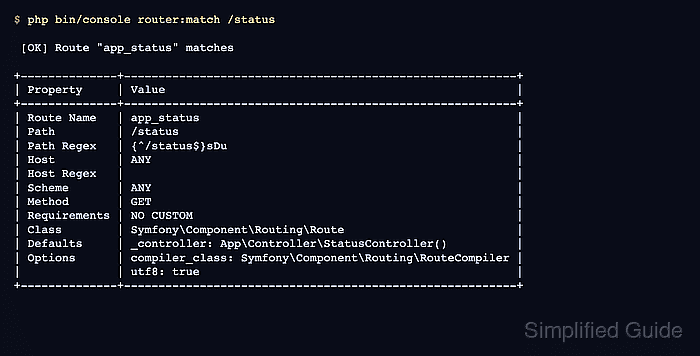
- Check which route matches the URL path.
$ php bin/console router:match /status [OK] Route "app_status" matches +--------------+---------------------------------------------------------+ | Property | Value | +--------------+---------------------------------------------------------+ | Route Name | app_status | | Path | /status | | Path Regex | {^/status$}sDu | | Host | ANY | | Host Regex | | | Scheme | ANY | | Method | GET | | Requirements | NO CUSTOM | | Class | Symfony\Component\Routing\Route | | Defaults | _controller: App\Controller\StatusController() | | Options | compiler_class: Symfony\Component\Routing\RouteCompiler | | | utf8: true | +--------------+---------------------------------------------------------+ - Start the local Symfony web server.
$ symfony server:start --no-tls --port=8000 -d
[OK] Web server listening
     http://127.0.0.1:8000
Use another free port when 8000 already belongs to another local project.
Related: How to run a Symfony project locally - Request the new route from the local server.
$ curl -sS http://127.0.0.1:8000/status
Application status: ok
- Stop the local server after the smoke test.
$ symfony server:stop

Mohd Shakir Zakaria is a cloud architect with deep roots in software development and open-source advocacy. Certified in AWS, Red Hat, VMware, ITIL, and Linux, he specializes in designing and managing robust cloud and on-premises infrastructures.


