Configuring Blackbox exporter for Prometheus lets Prometheus test external endpoints from the probe location instead of scraping application metrics directly. Add it when HTTP availability, status codes, TLS behavior, or response timing should appear as probe_* metrics in Prometheus.
Blackbox exporter exposes a /probe endpoint that receives the target URL and module name as request parameters. Prometheus sends those parameters with relabeling, keeps the probed URL as the instance label, and sends the actual scrape request to the Blackbox exporter host.
An http_2xx module plus a blackbox-http scrape job is enough for a first HTTP availability check. Replace the target URL and exporter hostname with values reachable from your monitoring network, validate both YAML files, reload Prometheus, and confirm that probe_success returns 1 for the configured target.
Steps to configure blackbox exporter for Prometheus:
- Confirm the target endpoint answers from the Blackbox exporter network.
$ curl -sS http://app.example.net/health
ok
Run this check from the Blackbox exporter host or from the same network path. A URL that works from a laptop can still fail from the probe location.
- Open the active Blackbox exporter configuration file.
$ sudoedit /etc/blackbox_exporter/blackbox.yml
Use the path from the exporter --config.file flag when the service was installed with a custom unit, container, or package layout.
- Add or confirm an HTTP module for successful 2xx responses.
modules:
  http_2xx:
    prober: http
    timeout: 5s
    http:
      valid_status_codes: []
      method: GET
      preferred_ip_protocol: ip4
An empty valid_status_codes list keeps the default HTTP 2xx success range. Remove preferred_ip_protocol if the endpoint should use the exporter default IP-family selection.
- Check the Blackbox exporter configuration syntax.
$ blackbox_exporter --config.file=/etc/blackbox_exporter/blackbox.yml --config.check
level=info msg="Config file is ok exiting..."
- Reload Blackbox exporter so it reads the module file.
$ curl -sS -X POST http://blackbox01.example.net:9115/-/reload
The reload endpoint reads the current config without restarting the process. If the endpoint is not exposed to your admin network, send SIGHUP or use the local service manager for the exporter process.
- Run a direct probe through Blackbox exporter.
$ curl -sS 'http://blackbox01.example.net:9115/probe?target=http://app.example.net/health&module=http_2xx'
# HELP probe_success Displays whether or not the probe was a success
# TYPE probe_success gauge
probe_success 1
##### snipped #####
A direct probe separates exporter and module problems from Prometheus scrape configuration problems.
- Open the active Prometheus configuration file.
$ sudoedit /etc/prometheus/prometheus.yml
Use the path from Prometheus' --config.file flag when the service does not use /etc/prometheus/prometheus.yml.
- Add a Blackbox exporter scrape job under scrape_configs.
scrape_configs:
  - job_name: blackbox-http
    metrics_path: /probe
    params:
      module: [http_2xx]
    static_configs:
      - targets:
          - http://app.example.net/health
    relabel_configs:
      - source_labels: [__address__]
        target_label: __param_target
      - source_labels: [__param_target]
        target_label: instance
      - target_label: __address__
        replacement: blackbox01.example.net:9115

  - job_name: blackbox-exporter
    static_configs:
      - targets:
          - blackbox01.example.net:9115
The blackbox-http job probes application URLs through /probe. The blackbox-exporter job scrapes the exporter's own /metrics endpoint so Prometheus can monitor the prober process.
- Check the Prometheus configuration syntax.
$ promtool check config /etc/prometheus/prometheus.yml
Checking /etc/prometheus/prometheus.yml
 SUCCESS: /etc/prometheus/prometheus.yml is valid prometheus config file syntax
Related: How to test Prometheus configuration
- Reload Prometheus.
$ curl -sS -X POST http://localhost:9090/-/reload
The HTTP reload endpoint requires Prometheus to run with --web.enable-lifecycle. Use SIGHUP or the local service manager when that endpoint is disabled.
Related: How to reload Prometheus configuration
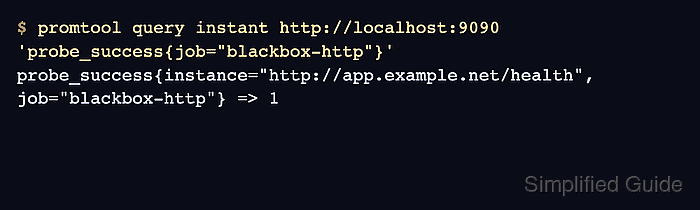
Related: How to manage the Prometheus service with systemctl - Query the probe success metric.
$ promtool query instant http://localhost:9090 'probe_success{job="blackbox-http"}'
probe_success{instance="http://app.example.net/health", job="blackbox-http"} => 1
Value 1 means the latest probe succeeded. Value 0 means Prometheus scraped the probe result but the target check failed. No returned series usually means the scrape job has not loaded or the target has not been scraped yet.
Related: How to run a PromQL query in Prometheus
Related: How to check Prometheus targets

Mohd Shakir Zakaria is a cloud architect with deep roots in software development and open-source advocacy. Certified in AWS, Red Hat, VMware, ITIL, and Linux, he specializes in designing and managing robust cloud and on-premises infrastructures.


