Prometheus needs a scrape job for each node exporter endpoint before Linux host metrics appear in queries, alerts, or dashboards. Adding a node exporter target to /etc/prometheus/prometheus.yml tells Prometheus to poll the host's /metrics endpoint, store the node_* time series, and mark the target up or down from the scrape result.
Node exporter listens on HTTP port 9100 by default. A static scrape target normally needs only the hostname or IP address plus that port because Prometheus already uses /metrics as the default scrape path.
Save the new job in the active Prometheus configuration file, validate it with promtool, reload Prometheus, and query both up{job=“node”} and a node_ metric. A target that answers from a laptop can still stay down from Prometheus, so run the reachability check from the Prometheus host or from the same network path.
Related: How to install node exporter on Linux
Related: How to add a Prometheus scrape config
Steps to configure Prometheus to scrape node exporter:
- Confirm node exporter answers from the Prometheus host.
$ curl http://node01.example.net:9100/metrics
# HELP go_gc_duration_seconds A summary of the pause duration of garbage collection cycles.
# TYPE go_gc_duration_seconds summary
##### snipped #####
# HELP node_load1 1m load average.
# TYPE node_load1 gauge
node_load1 0.42
Use the hostname, IP address, and port that Prometheus will scrape. Node exporter listens on port 9100 unless it was started with a custom web listen address.
- Open the active Prometheus configuration file.
$ sudo vi /etc/prometheus/prometheus.yml
Use the path from Prometheus' --config.file flag when the service was installed outside the distro package layout.
- Add a node exporter scrape job under scrape_configs.
scrape_configs:
  - job_name: node
    static_configs:
      - targets:
          - node01.example.net:9100
Keep any existing scrape_configs entries and add only the new job_name: node block when the file already contains other scrape jobs.
- Check the Prometheus configuration syntax.
$ promtool check config /etc/prometheus/prometheus.yml
Checking /etc/prometheus/prometheus.yml
 SUCCESS: /etc/prometheus/prometheus.yml is valid prometheus config file syntax
- Reload Prometheus.
$ curl -X POST http://localhost:9090/-/reload
A successful lifecycle reload returns an empty response body. The endpoint requires Prometheus to start with --web.enable-lifecycle; use systemctl reload prometheus or the local service manager when the endpoint is disabled.
Related: How to reload Prometheus configuration
Related: How to manage the Prometheus service with systemctl - Check the node exporter target state.
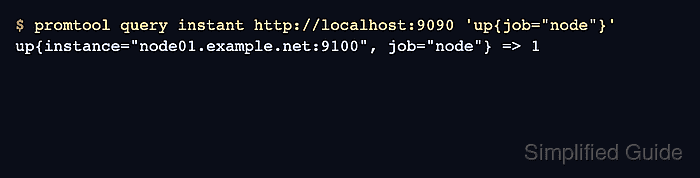
$ promtool query instant http://localhost:9090 'up{job="node"}'
up{instance="node01.example.net:9100", job="node"} => 1
Value 1 means Prometheus scraped the target successfully. Value 0 means Prometheus knows the target but the latest scrape failed.
Related: How to check Prometheus targets - Query a node exporter metric from Prometheus.
$ promtool query instant http://localhost:9090 'node_load1{job="node"}'
node_load1{instance="node01.example.net:9100", job="node"} => 0.42
A returned node_ metric proves the target is not only listed, but also sending host metrics into Prometheus.
Related: How to run a PromQL query in Prometheus

Mohd Shakir Zakaria is a cloud architect with deep roots in software development and open-source advocacy. Certified in AWS, Red Hat, VMware, ITIL, and Linux, he specializes in designing and managing robust cloud and on-premises infrastructures.


