Ollama can reuse models held in memory between API requests. Request-level keep_alive controls how long Ollama retains a model after a request, including indefinitely.
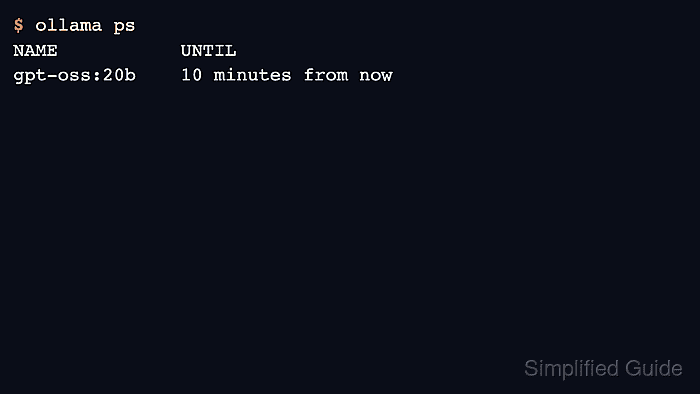
The idle interval starts after a request finishes, and another request can reset it. Longer residency occupies system or GPU memory between prompts; it does not reserve that memory against other models that Ollama needs to load.
A local Ollama server, an installed qwen2.5:0.5b model, and a POSIX shell with curl are required. Other clients must leave that model idle while its expiry is being checked, because new requests can move the unload deadline.
Steps to keep an Ollama model loaded between requests:
- Check the local server's currently loaded models.
$ ollama ps
NAME    ID    SIZE    PROCESSOR    CONTEXT    RUNNER    UNTIL
A header-only list means no model is loaded. The API URL and ollama ps must address the same server; a client with OLLAMA_HOST set elsewhere may list another server.
Related: How to list running Ollama models - Send a chat request with a 30-second keep-alive interval.
$ curl --fail-with-body --silent --show-error http://127.0.0.1:11434/api/chat \
  -H 'Content-Type: application/json' \
  -d '{
    "model": "qwen2.5:0.5b",
    "messages": [{"role": "user", "content": "What is 17 plus 25? Answer in one short sentence."}],
    "stream": false,
    "keep_alive": "30s"
  }'
{"model":"qwen2.5:0.5b","created_at":"2026-11-05T05:56:26.628118466Z","message":{"role":"assistant","content":"17 plus 25 equals 42."},"done":true,"done_reason":"stop","total_duration":46731836480,"load_duration":7728038420,"prompt_eval_count":45,"prompt_eval_cached_count":0,"prompt_eval_duration":4149888000,"eval_count":12,"eval_duration":34851184000}
keep_alive belongs at the top level of the request, alongside model and messages. An explicit duration such as 30s or 10m overrides the server's OLLAMA_KEEP_ALIVE default. That default applies when a model is loaded without a request override; the built-in value is five minutes. The same field is supported by
/api/generate.
Related: How to start the Ollama server
Related: How to pull an Ollama modelOLLAMA_KEEP_ALIVE is read from the server process's environment; setting it only in a client shell does not reconfigure an already running server. Windows app defaults and Linux service defaults use platform-specific server configuration, described in Ollama's server configuration instructions.
Related: How to manage the Ollama service - Check the model's remaining residency in ollama ps.
$ ollama ps
NAME            ID              SIZE      PROCESSOR    CONTEXT    RUNNER      UNTIL
qwen2.5:0.5b    a8b0c5157701    630 MB    100% CPU     4096       llamacpp    29 seconds from now
UNTIL shows the remaining idle time, so it decreases as time passes. The API's expires_at field gives the deadline as a timestamp.
Related: How to list running Ollama models - Leave the model idle for 35 seconds.
$ sleep 35
- Confirm that the expired model has left the running list.
$ ollama ps
NAME    ID    SIZE    PROCESSOR    CONTEXT    RUNNER    UNTIL
A header-only list means no model is loaded. Expiry releases memory without deleting the downloaded model. A connection error means the server is unavailable, not that the model expired.
- Send a chat request with immediate expiry after its response.
$ curl --fail-with-body --silent --show-error http://127.0.0.1:11434/api/chat \
  -H 'Content-Type: application/json' \
  -d '{
    "model": "qwen2.5:0.5b",
    "messages": [{"role": "user", "content": "What is 17 plus 25? Answer in one short sentence."}],
    "stream": false,
    "keep_alive": 0
  }'
{"model":"qwen2.5:0.5b","created_at":"2026-11-05T05:59:17.333691462Z","message":{"role":"assistant","content":"The sum of 17 and 25 is 42."},"done":true,"done_reason":"stop","total_duration":135234770020,"load_duration":9762123378,"prompt_eval_count":45,"prompt_eval_cached_count":0,"prompt_eval_duration":3656802000,"eval_count":16,"eval_duration":121801076000}
A numeric 0 unloads the model after this response completes. It does not skip the prompt or delete the downloaded model. Stopping an already loaded model without generating a reply is a separate operation.
Related: How to stop a running Ollama model - Confirm that immediate expiry removed the model from the running list.
$ ollama ps
NAME    ID    SIZE    PROCESSOR    CONTEXT    RUNNER    UNTIL
The completed chat response followed by a header-only running list shows that the request finished before the model was unloaded.
- Send another chat request with a ten-minute keep-alive interval.
$ curl --fail-with-body --silent --show-error http://127.0.0.1:11434/api/chat \
  -H 'Content-Type: application/json' \
  -d '{
    "model": "qwen2.5:0.5b",
    "messages": [{"role": "user", "content": "What is 17 plus 25? Answer in one short sentence."}],
    "stream": false,
    "keep_alive": "10m"
  }'
{"model":"qwen2.5:0.5b","created_at":"2026-11-05T06:00:27.055082466Z","message":{"role":"assistant","content":"17 plus 25 equals 42."},"done":true,"done_reason":"stop","total_duration":69250128157,"load_duration":17260382467,"prompt_eval_count":45,"prompt_eval_cached_count":0,"prompt_eval_duration":10334380000,"eval_count":12,"eval_duration":41638678000}
The completed assistant reply confirms that the model can load again after expiry. An explicit keep_alive value also updates an already loaded model's retention. Omitting the field can preserve that model's previous interval rather than reset it to the server default.
- Verify that the model remains loaded with the ten-minute deadline.
$ ollama ps
NAME            ID              SIZE      PROCESSOR    CONTEXT    RUNNER      UNTIL
qwen2.5:0.5b    a8b0c5157701    630 MB    100% CPU     4096       llamacpp    9 minutes from now
The model is now available in memory for another request. Its PROCESSOR and SIZE values depend on the model and hardware. An immediate manual unload is a separate operation.
Related: How to stop a running Ollama model - Send a chat request with indefinite model retention.
$ curl --fail-with-body --silent --show-error http://127.0.0.1:11434/api/chat \
  -H 'Content-Type: application/json' \
  -d '{
    "model": "qwen2.5:0.5b",
    "messages": [{"role": "user", "content": "What is 17 plus 25? Answer in one short sentence."}],
    "stream": false,
    "keep_alive": -1
  }'
{"model":"qwen2.5:0.5b","created_at":"2026-11-05T06:00:42.461363126Z","message":{"role":"assistant","content":"The sum of 17 and 25 is 42."},"done":true,"done_reason":"stop","total_duration":14907510090,"load_duration":1699375,"prompt_eval_count":45,"prompt_eval_cached_count":44,"prompt_eval_duration":1222433000,"eval_count":16,"eval_duration":13678401000}
A negative value such as -1 disables idle expiry. This does not reserve memory against other models or survive an Ollama server restart. Omitting keep_alive on a later request does not reliably restore timed expiry.
- Verify that the model remains loaded without an idle deadline.
$ ollama ps
NAME            ID              SIZE      PROCESSOR    CONTEXT    RUNNER      UNTIL
qwen2.5:0.5b    a8b0c5157701    630 MB    100% CPU     4096       llamacpp    Forever
Forever in UNTIL means idle expiry is disabled, so the model can stay in memory between requests. An explicit keep_alive value on each request makes the intended retention clear, even if the model has to load again. Manual unloading still releases the model.
Related: How to stop a running Ollama model