The running model list shows which Ollama models are currently loaded into memory. It is different from the installed model list because unloaded models remain installed but do not consume runtime memory.
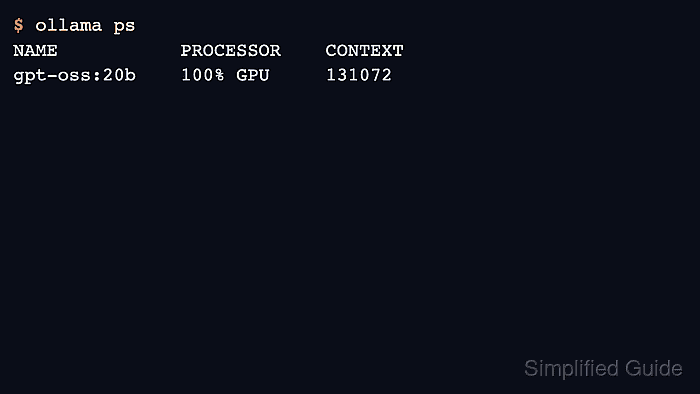
Use ollama ps for terminal checks and api/ps for automation. The output shows processor placement, context length, and unload time, which are the key signals for GPU and keep-alive debugging.
A blank process list is normal when no model is loaded. Run a short request first if the goal is to inspect a model's runtime placement.
Related: How to run a model in Ollama
Related: How to stop a running Ollama model
Related: How to check Ollama GPU support
Steps to list running Ollama models:
- Run a model so there is a process to inspect.
$ ollama run gpt-oss:20b "Return only OK." OK - List loaded models with the CLI.
$ ollama ps
NAME           ID              SIZE     PROCESSOR    CONTEXT    UNTIL
gpt-oss:20b    17052f91a42e    12 GB    100% GPU     131072     4 minutes from now
- Read the same runtime list through the API.
$ curl -s http://localhost:11434/api/ps
{"models":[{"name":"gpt-oss:20b","processor":"100% GPU","context_length":131072}]}
- Use the PROCESSOR column to verify GPU offload.
$ printf '%s\n' '100% GPU'
100% GPU
Related: How to check Ollama GPU support
- Stop the model when the process list should be empty.
$ ollama stop gpt-oss:20b
$ ollama ps
NAME    ID    SIZE    PROCESSOR    CONTEXT    UNTIL

Author: Mohd
Shakir Zakaria
Mohd Shakir Zakaria is a cloud architect with deep roots in software development and open-source advocacy. Certified in AWS, Red Hat, VMware, ITIL, and Linux, he specializes in designing and managing robust cloud and on-premises infrastructures.


Mohd Shakir Zakaria is a cloud architect with deep roots in software development and open-source advocacy. Certified in AWS, Red Hat, VMware, ITIL, and Linux, he specializes in designing and managing robust cloud and on-premises infrastructures.