Stopping a running Ollama model unloads it from memory without deleting the downloaded model. It is useful after a large model test, before changing memory-related settings, or when another workload needs GPU or system RAM.
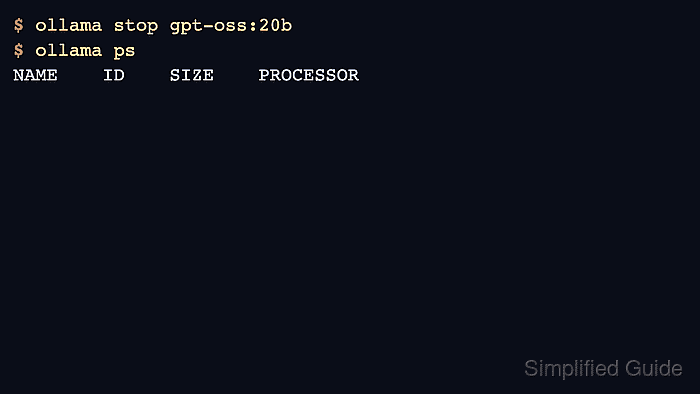
Use ollama ps to identify loaded models and ollama stop to unload the target name. The installed model remains visible in ollama list after it leaves the process list.
If the model reloads immediately, another client may still be sending requests. Stop the client or reduce keep-alive behavior before assuming ollama stop failed.
Related: How to list running Ollama models
Related: How to set Ollama model keep alive
Related: How to run a model in Ollama
Steps to stop a running Ollama model:
- List currently loaded models.
$ ollama ps
NAME           ID              SIZE     PROCESSOR    CONTEXT    UNTIL
gpt-oss:20b    17052f91a42e    12 GB    100% GPU     131072     4 minutes from now
- Stop the target model by name.
$ ollama stop gpt-oss:20b - Confirm the model is no longer loaded.
$ ollama ps NAME ID SIZE PROCESSOR CONTEXT UNTIL - Confirm the model is still installed.
$ ollama list NAME ID SIZE gpt-oss:20b 17052f91a42e 13 GB - Use keep_alive zero for request-level immediate unloads.
$ curl -s http://localhost:11434/api/generate -d '{"model":"gpt-oss:20b","prompt":"OK","stream":false,"keep_alive":0}'
{"done":true}
Related: How to set Ollama model keep alive

Author: Mohd
Shakir Zakaria
Mohd Shakir Zakaria is a cloud architect with deep roots in software development and open-source advocacy. Certified in AWS, Red Hat, VMware, ITIL, and Linux, he specializes in designing and managing robust cloud and on-premises infrastructures.


Mohd Shakir Zakaria is a cloud architect with deep roots in software development and open-source advocacy. Certified in AWS, Red Hat, VMware, ITIL, and Linux, he specializes in designing and managing robust cloud and on-premises infrastructures.