A manual NFS mount is the quickest way to prove that a Linux client can reach a server export before adding any persistent boot-time configuration. It keeps the test reversible: the remote directory is attached only until it is unmounted, and a wrong server path or client permission problem can be fixed without editing /etc/fstab.
Linux clients mount NFS exports through the kernel mount helper installed by nfs-common on Ubuntu and Debian or nfs-utils on RHEL-family systems. The server must already export the directory to the client host or network, and the local mount point should be empty because mounted filesystems hide any files already under that path.
Use files.example.net:/srv/nfs/projects as the example export and /mnt/projects as the local mount point. Confirm the export when discovery is available, mount it once with mount -t nfs4, verify the live source with findmnt, and unmount it when the temporary access check is complete.
Steps to manually mount an NFS export on Linux:
- Open a terminal on the Linux client with sudo privileges.
- Install the NFS client package if mount.nfs is not already available.
$ sudo apt install nfs-common
Use sudo dnf install nfs-utils on RHEL, CentOS Stream, Fedora, and compatible systems.
- Confirm the server advertises the export from the client network when export discovery is supported.
$ showmount --exports files.example.net
Export list for files.example.net:
/srv/nfs/projects 192.0.2.0/24
Some NFSv4-only servers do not answer showmount because the older mount protocol is disabled. If the server owner provided the exact export path, continue with the direct mount test and compare failures with the server-side export list.
Related: How to list NFS exports from a client
Related: How to list NFS exports on a server - Create the local mount point.
$ sudo mkdir --parents /mnt/projects
Files already inside /mnt/projects become hidden while the NFS export is mounted there.
- Mount the export manually.
$ sudo mount -t nfs4 files.example.net:/srv/nfs/projects /mnt/projects
Use the server-required filesystem type or options when the export is not NFSv4, such as nfs with vers=3 for an older server.
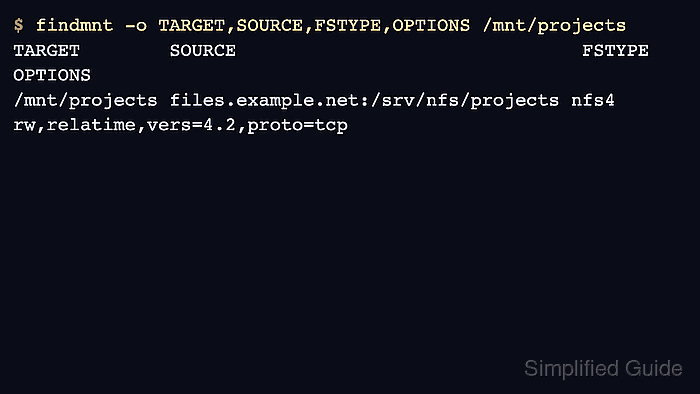
- Verify that the mounted path resolves to the expected server export.
$ findmnt -o TARGET,SOURCE,FSTYPE,OPTIONS /mnt/projects
TARGET        SOURCE                               FSTYPE OPTIONS
/mnt/projects files.example.net:/srv/nfs/projects nfs4   rw,relatime,vers=4.2,proto=tcp
- List the mounted directory as a user who should have access to the export.
$ ls /mnt/projects
README.txt  reports
If the mount succeeds but the directory cannot be read or written, check the export rule, filesystem permissions, UID/GID mapping, and any Kerberos security option required by the server.
- Unmount the temporary manual mount when the access check is complete.
$ sudo umount /mnt/projects
- Confirm the path is no longer mounted.
$ mountpoint /mnt/projects
/mnt/projects is not a mountpoint
Use a persistent /etc/fstab entry or an automounter only after the manual mount proves the server name, export path, client package, and permissions are correct.

Mohd Shakir Zakaria is a cloud architect with deep roots in software development and open-source advocacy. Certified in AWS, Red Hat, VMware, ITIL, and Linux, he specializes in designing and managing robust cloud and on-premises infrastructures.


