Autofs gives a Linux client an on-demand mount point for an NFS export without keeping the remote filesystem mounted while it is idle. It fits shared directories such as /mnt/projects where users and jobs expect the same local path, but the client should contact the server only when something opens that path.
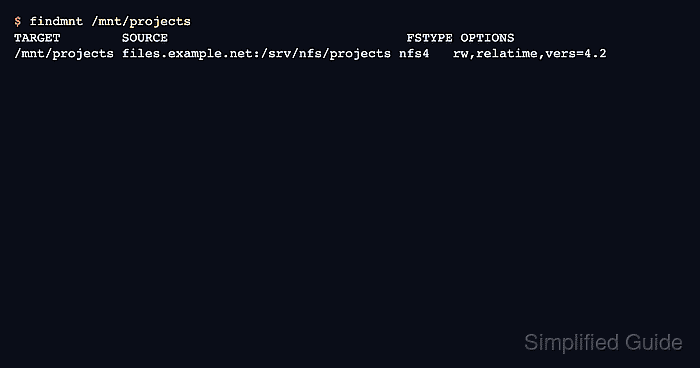
This setup uses an autofs direct map. The master map registers /- as the watched mount point type, and the map file uses the full local path /mnt/projects as the key for files.example.net:/srv/nfs/projects.
The NFS export should mount manually before autofs manages it. Keep the manual test separate from the map change so server export errors, client package problems, and path permission issues are resolved before the on-demand trigger is added.
Steps to automount an NFS export with autofs:
- Install the autofs and NFS client packages.
$ sudo apt install autofs nfs-common
Use sudo dnf install autofs nfs-utils on RHEL, CentOS Stream, Fedora, and compatible systems.
- Create the local path that autofs will watch.
$ sudo mkdir --parents /mnt/projects
Files already inside /mnt/projects become hidden while the NFS filesystem is mounted there.
- Mount the export manually.
$ sudo mount -t nfs4 files.example.net:/srv/nfs/projects /mnt/projects
Use the server-required type or options when the export is not NFSv4, such as nfs with vers=3 for an older server.
Related: How to mount an NFS export on Linux
- Verify that the manual mount uses the expected server export.
$ findmnt -o TARGET,SOURCE,FSTYPE /mnt/projects
TARGET        SOURCE                               FSTYPE
/mnt/projects files.example.net:/srv/nfs/projects nfs4
- Unmount the manual test mount.
$ sudo umount /mnt/projects
- Open a master-map drop-in for the direct map.
$ sudoedit /etc/auto.master.d/projects.autofs
Packaged autofs configurations normally include files ending in .autofs from /etc/auto.master.d.
- Register the direct map and idle timeout.
/- /etc/auto.projects --timeout=60
The /- entry tells autofs that the map file contains full mount paths. --timeout=60 lets autofs unmount idle entries after about one minute when no process is using them.
- Open the direct map file named in the master map.
$ sudoedit /etc/auto.projects
- Add the NFS export entry to the direct map.
/mnt/projects -fstype=nfs4,rw files.example.net:/srv/nfs/projects
For a Kerberos-protected export, add the matching security option, such as sec=krb5p, and confirm the client has valid Kerberos credentials before triggering the mount.
- Check that automount can read the direct map.
$ sudo automount -m

autofs dump map information
===========================

global options: none configured

Mount point: /-

source(s):

  instance type(s): file
  map: /etc/auto.projects

  /mnt/projects | -fstype=nfs4,rw files.example.net:/srv/nfs/projects
The dump should show Mount point: /- and the full /mnt/projects key.
- Enable and start the autofs service.
$ sudo systemctl enable --now autofs.service
- Reload autofs so a service that was already running rereads the maps.
$ sudo systemctl reload autofs.service
Use sudo systemctl restart autofs.service instead if your distribution's unit does not support reload.
- Confirm that the autofs service is active.
$ systemctl is-active autofs.service
active
- Access the path to trigger the NFS mount.
$ ls /mnt/projects
README.txt  reports
The first access can pause while autofs contacts the NFS server and starts the mount.
- Verify that /mnt/projects is mounted from the expected export.
$ findmnt -o TARGET,SOURCE,FSTYPE /mnt/projects
TARGET        SOURCE                               FSTYPE
/mnt/projects files.example.net:/srv/nfs/projects nfs4
If the path stays unmounted or the command hangs, inspect sudo journalctl -u autofs.service -b and confirm the server still exports /srv/nfs/projects to the client.

Mohd Shakir Zakaria is a cloud architect with deep roots in software development and open-source advocacy. Certified in AWS, Red Hat, VMware, ITIL, and Linux, he specializes in designing and managing robust cloud and on-premises infrastructures.


