An NFS permission denial usually means the client reached the mounted export but the server rejected a file operation for the user behind the request. It often appears after a mount succeeds, when an application account or shell user cannot create, list, rename, or change files under the shared path.
The server decision combines the active export rule with filesystem ownership, mode bits, ACLs, and the identity sent by the client. With sec=sys, numeric UID, GID, and supplementary group values matter; with Kerberos security flavors, a missing credential or mismatched sec= value can block access before Unix mode bits become the deciding factor.
Test as the affected user, not only as root, because root_squash maps client UID 0 to the export's anonymous UID and GID. Tie each fix to the observed signal. Reload exports when /etc/exports changed, adjust account or group mapping when numeric IDs do not match, and change directory modes only after confirming the server path should allow that access.
Related: How to list NFS exports on a server
Related: How to reload NFS exports
Related: How to enable root_squash for an NFS export
Steps to troubleshoot NFS permission denied errors:
- Reproduce the denied operation from the client as the affected user.
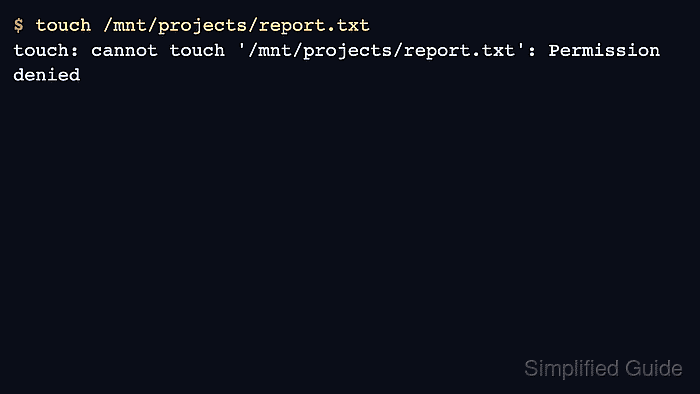
$ sudo -u projectuser touch /mnt/projects/report.txt
touch: cannot touch '/mnt/projects/report.txt': Permission denied
Use the same account, service context, and mounted path that first reported the failure. If only client-root access fails, root_squash may be working as intended.
- Identify the active NFS mount and security flavor.
$ findmnt -t nfs,nfs4 /mnt/projects
TARGET        SOURCE                              FSTYPE OPTIONS
/mnt/projects files.example.net:/srv/nfs/projects nfs4   rw,relatime,vers=4.2,proto=tcp,sec=sys
If the mount is read-only or uses a different sec= flavor than the export permits, fix that boundary before changing ownership or modes.
- Check the active export rule on the NFS server.
$ sudo exportfs -v
/srv/nfs/projects
        192.0.2.0/24(sync,wdelay,hide,no_subtree_check,sec=sys,rw,root_squash,no_all_squash)
If the output shows ro, a missing client selector, or a different sec= value from the client mount, correct the saved export definition and reload it before changing filesystem ownership.
Related: How to list NFS exports on a server
- Check the server-side directory ownership and mode with numeric IDs.
$ ls -ldn /srv/nfs/projects
drwxrws--- 2 0 2000 4096 Jul  5 09:20 /srv/nfs/projects
Numeric IDs avoid name-service confusion. A trailing + on the mode, such as drwxrws---+, means POSIX ACL entries also affect access and should be inspected before changing the base mode.
- Check the affected user's numeric identity on the client.
$ id projectuser
uid=1001(projectuser) gid=1001(projectuser) groups=1001(projectuser)
For sec=sys mounts, the server receives these numeric IDs. For centrally managed accounts, fix the identity service or group membership source rather than only one client host.
- Add the affected user to the shared group when that group should grant access.
$ sudo usermod --append --groups projectusers projectuser
Start a new login session for projectuser or restart the affected service so the process receives the updated supplementary group list.
- Correct the exported directory group when the server path uses the wrong group.
$ sudo chgrp projectusers /srv/nfs/projects
Change ownership only after confirming which group should control the shared data. A group change on an active export affects every client using that path.
- Set group-write and setgid mode on the exported directory.
$ sudo chmod 2770 /srv/nfs/projects
The setgid bit keeps new entries under the directory's group. Use a narrower mode or a POSIX ACL when only selected users should write.
Tool: chmod Calculator
- Reload exports only if the saved export rule changed.
$ sudo exportfs -rv
exporting 192.0.2.0/24:/srv/nfs/projects
Ownership, mode, and ACL changes take effect through the filesystem and normally do not require an export reload.
Related: How to reload NFS exports
- Confirm that the client session now includes the shared group.
$ id projectuser
uid=1001(projectuser) gid=1001(projectuser) groups=1001(projectuser),2000(projectusers)
If the group is still missing, refresh the user's login session, restart the affected service, or fix the directory-service membership before retesting the NFS path.
- Retest the original client write as the affected user.
$ sudo -u projectuser touch /mnt/projects/report.txt
No output from touch means the file was created or its timestamp was updated successfully.
- Verify the created file ownership through the mounted path.
$ sudo -u projectuser stat -c '%U %G %A %n' /mnt/projects/report.txt
projectuser projectusers -rw-r--r-- /mnt/projects/report.txt
If the owner or group appears as nobody, compare the NFSv4 identity mapping domain and clear stale idmap cache entries before changing directory permissions again.
Related: How to troubleshoot NFS ID mapping - Remove the temporary probe file.
$ sudo -u projectuser rm /mnt/projects/report.txt

Mohd Shakir Zakaria is a cloud architect with deep roots in software development and open-source advocacy. Certified in AWS, Red Hat, VMware, ITIL, and Linux, he specializes in designing and managing robust cloud and on-premises infrastructures.


