Listing NFS exports from the client side confirms that the server advertises the path you plan to mount before any local mount point or /etc/fstab entry is changed. Client-side export discovery catches wrong server names, blocked RPC services, and export rules that do not include the client network.
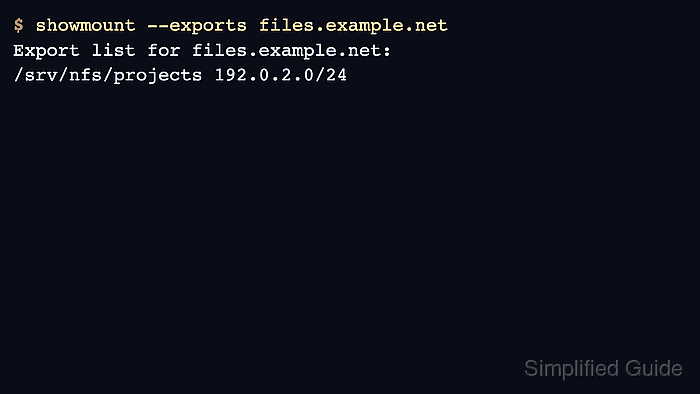
On Linux, showmount queries the server's mount discovery service, and --exports asks for the exported directories plus the client selectors shown by that service. Ubuntu and Debian provide it in nfs-common, while Red Hat-family systems provide it in nfs-utils.
A visible export does not prove that every mount option, UID mapping, or Kerberos rule will permit file access. Some NFSv4-only servers do not answer showmount because the check depends on the older mount protocol, so a timeout or empty list should be compared with the server-side export table before changing client mount files.
Related: How to mount an NFS export on Linux
Related: How to list NFS exports on a server
Steps to list NFS exports from a client:
- Open a terminal on the Linux client that will mount the NFS export.
- Install the NFS client utility package if showmount is not available.
Use nfs-common on Ubuntu and Debian clients, or nfs-utils on RHEL, CentOS Stream, Fedora, and compatible systems.
- Query the server's export list from the client.
$ showmount --exports files.example.net
Export list for files.example.net:
/srv/nfs/projects 192.0.2.0/24
showmount --exports and showmount -e perform the same export-list request. Run the command from a client on the same network path that will later mount the share.
- Confirm that the expected export path and client selector appear in the output.
The selector after the path can be a host name, an IP address, a subnet such as 192.0.2.0/24, or a broad value such as (everyone) depending on the server.
- Query the server IP address directly if the hostname result is empty or points to an unexpected system.
$ showmount --exports 192.0.2.40
Export list for 192.0.2.40:
/srv/nfs/projects 192.0.2.0/24
This separates DNS or host-alias mistakes from the export configuration itself.
- Recognize a mount-discovery failure before editing client mount files.
$ showmount --exports files.example.net
clnt_create: RPC: Program not registered
Do not add the export to /etc/fstab until the expected path is visible to the client or the server owner confirms that the server is NFSv4-only and has a known export path for a direct NFSv4 mount test.

Mohd Shakir Zakaria is a cloud architect with deep roots in software development and open-source advocacy. Certified in AWS, Red Hat, VMware, ITIL, and Linux, he specializes in designing and managing robust cloud and on-premises infrastructures.


