A DRBD resource defines the replicated block device that two Linux nodes share. Creating one ties a resource name such as webdata to a backing block device, internal metadata, node IDs, and the network addresses that the peers use for replication.
drbdadm reads the skeleton /etc/drbd.conf file and the resource files under /etc/drbd.d. Keep the same .res file on every participating node, and make each on section match the node's hostname output so DRBD can select the correct local disk and address.
Creating metadata writes DRBD control data to the backing device, so use an unused block device or a device whose data source has already been chosen and backed up. After drbdadm up, a new two-node resource normally appears as Secondary on both nodes and Inconsistent until a separate initial synchronization source is selected.
Related: How to install DRBD on Ubuntu
Related: How to install DRBD on Red Hat-compatible Linux
Steps to create a DRBD resource:
- Check the local node name on the first DRBD host.
$ hostname
alpha
The on “alpha” block in the resource file must match this hostname. Repeat the check on the peer node and use its exact hostname in the second on block.
- Confirm the backing block device exists on the first node.
$ lsblk /dev/vg_drbd/webdata
NAME             MAJ:MIN RM  SIZE RO TYPE MOUNTPOINTS
vg_drbd-webdata 253:2    0  100G  0 lvm
Do not run create-md against a mounted filesystem or the wrong disk. Internal metadata writes to the backing device and can overwrite data if the DRBD source node was not planned first.
- Open the resource file on the first node.
$ sudoedit /etc/drbd.d/webdata.res
- Define the resource, local disk, node IDs, and replication path.
resource "webdata" {
  net {
    protocol C;
  }
  device minor 1;
  disk "/dev/vg_drbd/webdata";
  meta-disk internal;
  on "alpha" {
    node-id 0;
  }
  on "beta" {
    node-id 1;
  }
  connection {
    host "alpha" address 192.0.2.10:7789;
    host "beta" address 192.0.2.11:7789;
  }
}
Use persistent block-device names such as LVM paths or /dev/disk/by-id entries instead of bus-based names such as /dev/sdb. The same lower-level device path must exist on both nodes unless a host-specific override is intentionally configured.
- Copy the same resource file to the peer node.
$ scp /etc/drbd.d/webdata.res admin@beta:/tmp/webdata.res
- Install the resource file on the peer node.
$ ssh admin@beta 'sudo install --mode=0644 /tmp/webdata.res /etc/drbd.d/webdata.res'
Configuration management can replace the copy and install commands when it produces byte-identical resource files on both nodes.
- Validate that drbdadm can parse the resource on each node.
$ sudo drbdadm dump webdata
resource webdata {
    device               minor 1;
    disk                 /dev/vg_drbd/webdata;
    meta-disk            internal;
    on alpha {
        node-id 0;
    }
##### snipped #####
    net {
        protocol           C;
    }
}
Related: How to validate DRBD configuration
- Create DRBD metadata for the resource on each node.
$ sudo drbdadm create-md webdata
initializing activity log
initializing bitmap (32 KB) to all zero
New drbd meta data block successfully created.
Run create-md only after confirming which node contains data that must be preserved. Choosing the wrong initial synchronization source later can overwrite the good copy.
Related: How to create DRBD metadata
- Bring the resource up on each node.
$ sudo drbdadm up webdata
drbdadm up attaches the backing device, creates the DRBD minor, applies the activity log, and connects to the configured peer.
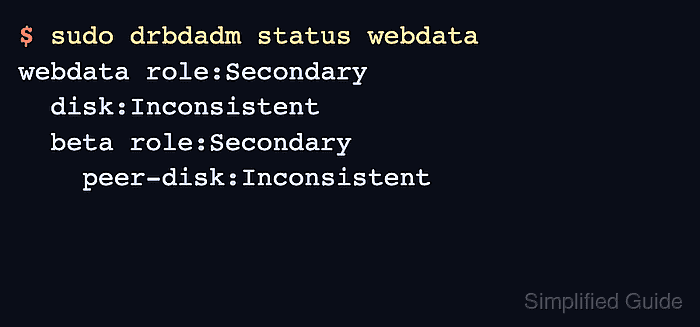
- Check the resource state from the first node.
$ sudo drbdadm status webdata
webdata role:Secondary
  disk:Inconsistent
  beta role:Secondary
    peer-disk:Inconsistent
Inconsistent on both disks is expected before the first synchronization source is selected. Promote only the node that should seed the initial copy.
Related: How to check DRBD resource status
Related: How to promote a DRBD resource to primary

Mohd Shakir Zakaria is a cloud architect with deep roots in software development and open-source advocacy. Certified in AWS, Red Hat, VMware, ITIL, and Linux, he specializes in designing and managing robust cloud and on-premises infrastructures.


