Creating DRBD metadata initializes the on-disk control area that a configured resource needs before it can attach its lower-level device. Operators run drbdadm create-md after writing a resource file, adding a new backing volume, replacing lost metadata, or preparing a node to join a replicated block-device pair.
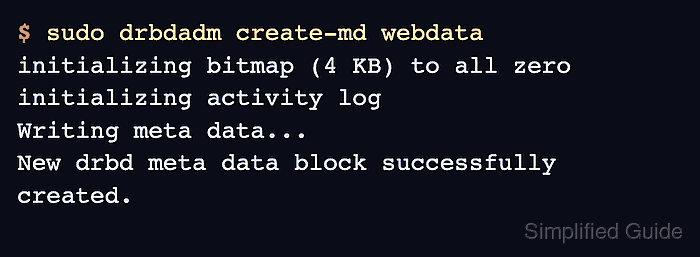
drbdadm reads the resource definition from /etc/drbd.conf and /etc/drbd.d/, then calls drbdmeta with the resource's device minor, metadata format, backing disk, and metadata placement. For a resource that uses meta-disk internal, metadata is stored at the end of the same lower-level device that will hold application data.
Internal metadata can overwrite data near the end of an existing filesystem if the backing device was not prepared with enough space. Confirm the resource file, lower-level device, node name, peer count, and backup boundary before writing metadata, then repeat the metadata creation on every node that has a local disk for the resource.
Related: How to create a DRBD resource
Related: How to back up DRBD metadata before a change
Related: How to back up and restore DRBD metadata
Steps to create DRBD metadata:
- Parse the resource configuration on the current node.
$ sudo drbdadm dump webdata
# resource webdata on node-a: not ignored, not stacked
# defined at /etc/drbd.d/webdata.res:1
resource webdata {
    device               minor 1;
    disk                 /dev/vg_drbd/webdata;
    meta-disk            internal;
    on node-a {
        node-id 0;
    }
    on node-b {
        node-id 1;
    }
##### snipped #####
    net {
        protocol           C;
    }
}
The on node-a block must match the local hostname, and the disk line must name the intended lower-level block device.
Related: How to validate DRBD configuration - Check that the configured lower-level device is the intended unused block device.
$ lsblk /dev/vg_drbd/webdata
NAME             MAJ:MIN RM  SIZE RO TYPE MOUNTPOINTS
vg_drbd-webdata 253:2    0  100G  0 lvm
Do not create metadata on a mounted filesystem, the wrong logical volume, or a device whose existing data has not been backed up and planned for DRBD internal metadata.
- Preview the lower-level metadata command.
$ sudo drbdadm --dry-run create-md webdata
drbdmeta 1 v09 /dev/vg_drbd/webdata internal create-md 1
The final number is the peer bitmap slot count that drbdadm passes to drbdmeta for this resource. Use the documented max-peers or direct drbdmeta path only when deliberately reserving metadata space for future peers.
- Create metadata on the current node.
$ sudo drbdadm create-md webdata
initializing bitmap (4 KB) to all zero
initializing activity log
Writing meta data...
New drbd meta data block successfully created.
If drbdadm warns about existing data, stop and confirm the resource file, backing device, backup state, and initial synchronization plan before answering yes.
- Dump the metadata to confirm that it can be read.
$ sudo drbdadm dump-md webdata
# DRBD meta data dump
#

version "v09";

max-peers 1;
# md_size_sect 80
# md_offset 134213632
# al_offset 134180864
# bm_offset 134176768
##### snipped #####
al-stripes 1;
al-stripe-size-4k 8;
dump-md reads the metadata area without bringing the resource up. Keep metadata dumps node-specific when saving them for maintenance or rollback.
Related: How to back up and restore DRBD metadata - Repeat metadata creation on each peer node that owns a disk for the resource.
$ ssh node-b sudo drbdadm create-md webdata
initializing bitmap (4 KB) to all zero
initializing activity log
Writing meta data...
New drbd meta data block successfully created.
DRBD metadata is node-local. Do not copy one node's metadata block or metadata dump onto another node unless a documented recovery process explicitly requires it.
- Preview the next resource attach path after metadata exists on every node.
$ sudo drbdadm --dry-run up webdata
drbdsetup new-resource webdata 0
drbdsetup new-minor webdata 1 0
drbdsetup new-peer webdata 1 --_name=node-b --protocol=C
drbdsetup new-path webdata 1 ipv4:192.0.2.10:7789 ipv4:192.0.2.11:7789
drbdmeta 1 v09 /dev/vg_drbd/webdata internal apply-al
drbdsetup attach 1 /dev/vg_drbd/webdata /dev/vg_drbd/webdata internal
drbdsetup connect webdata 1
--dry-run shows the attach and connect operations without applying them. Bring the resource up only after every node has matching configuration and metadata.
Related: How to create a DRBD resource
Related: How to check DRBD resource status

Mohd Shakir Zakaria is a cloud architect with deep roots in software development and open-source advocacy. Certified in AWS, Red Hat, VMware, ITIL, and Linux, he specializes in designing and managing robust cloud and on-premises infrastructures.


