Installing DRBD on Red Hat-compatible Linux prepares a node to run replicated block devices with the supported LINBIT userspace tools and kernel driver. On RHEL, AlmaLinux, Rocky Linux, and CentOS Stream, the kernel module package must come from a repository that matches the running kernel closely enough for modprobe to load it.
LINBIT provides DRBD packages and support for RHEL environments, while Red Hat support remains focused on the operating system. The LINBIT customer helper registers the node, writes the entitled repository files, and prints the package set for a standalone DRBD node that is not being installed as a LINSTOR SDS satellite or controller.
Run the repository registration and package install on every DRBD node before creating resources. If Secure Boot is enabled or a RHEL-compatible distribution is between kernel minor releases, the package transaction can still need key enrollment, a matching kernel, or a different kmod-drbd candidate before the drbd kernel module loads.
Related: How to install DRBD on Ubuntu
Related: How to create a DRBD resource
Related: How to check DRBD resource status
Steps to install DRBD on Red Hat-compatible Linux:
- Open a terminal with sudo privileges on the first DRBD node.
- Check the Red Hat-compatible release.
$ cat /etc/redhat-release
Rocky Linux release 9.4 (Blue Onyx)
- Check the running kernel release.
$ uname --kernel-release
5.14.0-427.13.1.el9_4.x86_64
kmod-drbd is built for specific RHEL kernel ABI levels. Keep this value visible when reviewing the package transaction.
- Install the helper prerequisites.
$ sudo dnf install curl python3 ca-certificates
- Download the LINBIT node management helper.
$ curl -O https://my.linbit.com/linbit-manage-node.py
- Make the helper executable.
$ chmod +x ./linbit-manage-node.py
- Register the node and configure LINBIT repository access.
$ sudo ./linbit-manage-node.py
The helper prompts for LINBIT customer or evaluation credentials. Run it on each node instead of copying repository files between different OS releases.
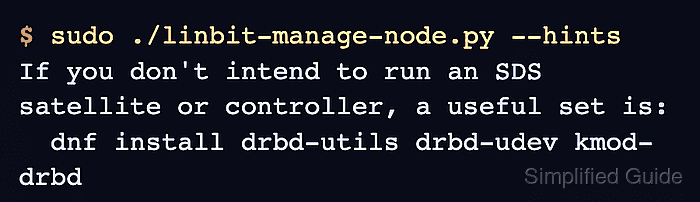
- Print the package hints when the install command is not visible anymore.
$ sudo ./linbit-manage-node.py --hints
If you don't intend to run an SDS satellite or controller, a useful set is:
  dnf install drbd-utils drbd-udev kmod-drbd
- Install the standalone DRBD packages.
$ sudo dnf install drbd-utils drbd-udev kmod-drbd
Dependencies resolved.
================================================================================
 Package          Architecture Version                         Repository  Size
================================================================================
Installing:
 drbd-utils       x86_64       9.34.3-1.el9                    drbd-9     726 k
 drbd-udev        noarch       9.34.3-1.el9                    drbd-9     7.8 k
 kmod-drbd        x86_64       9.2.15_5.14.0_427.13.1-1        drbd-9     520 k
##### snipped #####
Complete!
If dnf selects a kmod-drbd build for a newer RHEL kernel than the node can install, review the transaction before accepting it. On RHEL-derived distributions, dnf install --nobest kmod-drbd can allow a lower matching kmod-drbd package when the best candidate has unmet kernel dependencies.
- Load the DRBD kernel module.
$ sudo modprobe drbd
If modprobe reports a signature or key error on a Secure Boot host, enroll the LINBIT key from /etc/pki/linbit/SECURE-BOOT-KEY-linbit.com.der with mokutil and reboot before retrying.
- Confirm the installed kernel module version.
$ modinfo drbd
filename:       /lib/modules/5.14.0-427.13.1.el9_4.x86_64/extra/drbd/drbd.ko.xz
version:        9.2.15
license:        GPL
- Confirm that drbdadm reports the installed userspace and kernel versions.
$ drbdadm --version
DRBDADM_VERSION=9.34.3
DRBD_KERNEL_VERSION=9.2.15
DRBDADM_VERSION identifies the userspace utilities. DRBD_KERNEL_VERSION should no longer be 0 after the drbd module is loaded.
- Remove the downloaded helper script after the node is registered and verified.
$ rm ./linbit-manage-node.py

Mohd Shakir Zakaria is a cloud architect with deep roots in software development and open-source advocacy. Certified in AWS, Red Hat, VMware, ITIL, and Linux, he specializes in designing and managing robust cloud and on-premises infrastructures.


