Promoting a DRBD resource to primary makes the local node writable for that replicated block device. This is needed before mounting a conventional filesystem, starting a service that writes to the device, or taking over a resource in a manually managed active/passive pair.
The drbdadm primary command changes the local node role for an already configured resource. In DRBD single-primary mode, which is the default, only one connected node can be Primary at a time, so the old primary must be stopped, unmounted, and demoted before promoting the takeover node.
Manual promotion belongs only on resources whose role is not controlled by a cluster manager or automatic promotion. If Pacemaker, DRBD Reactor, LINSTOR, a systemd-managed mount, or another upper layer owns the resource, promote through that manager or let the mount request trigger auto-promotion instead of forcing a local role change behind it.
Related: How to check DRBD resource status
Related: How to run a manual DRBD failover
Related: How to configure DRBD auto-promote
Steps to promote a DRBD resource to primary:
- Check the resource state on the node that should become writable.
$ sudo drbdadm status wwwdata
wwwdata role:Secondary
  disk:UpToDate
  node-b role:Secondary
    peer-disk:UpToDate
Do not promote a secondary while another connected node is still Primary unless the resource is intentionally configured for dual-primary access with a cluster filesystem or another write-coordination layer.
Related: How to check DRBD resource status
- Promote the resource on the intended node.
$ sudo drbdadm primary wwwdata
drbdadm primary normally returns no output when the role change succeeds.
- Verify that the local node is now Primary.
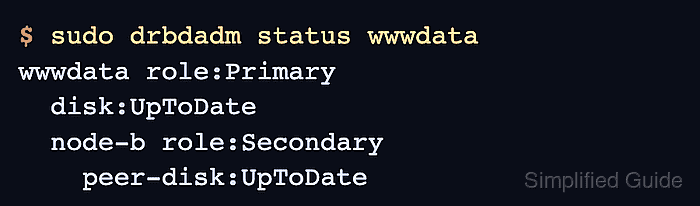
$ sudo drbdadm status wwwdata wwwdata role:Primary disk:UpToDate node-b role:Secondary peer-disk:UpToDate - Mount the DRBD volume.
$ sudo mount /dev/drbd/by-res/wwwdata/0 /srv/wwwdata
Replace wwwdata, volume 0, and /srv/wwwdata with the resource, volume, and mount point used by the local resource configuration. If a service opens the device instead of a manual mount, start that service after the resource reports role:Primary.
- Confirm that the filesystem is mounted read/write through the DRBD device.
$ findmnt /srv/wwwdata
TARGET       SOURCE        FSTYPE OPTIONS
/srv/wwwdata /dev/drbd1000 xfs    rw,relatime
If another service opens the device instead of a manual mount, check that service's status or application-level write test after the resource reports role:Primary.

Mohd Shakir Zakaria is a cloud architect with deep roots in software development and open-source advocacy. Certified in AWS, Red Hat, VMware, ITIL, and Linux, he specializes in designing and managing robust cloud and on-premises infrastructures.


