Validating a DRBD configuration catches resource-file syntax errors and host mapping mistakes before a storage change reaches the running kernel driver. Operators use the parser pass after editing a .res file, changing peer addresses, or preparing a resource definition that will be copied to more than one node.
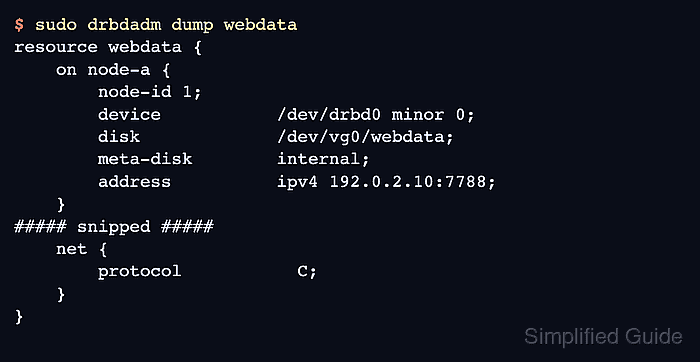
drbdadm dump parses the configuration and prints the normalized resource definition. A clean dump confirms that drbdadm can read the file for the current node, while parser output points to the file and token that must be corrected before the resource is installed or adjusted.
Use --config-to-test for a candidate file that is not yet in /etc/drbd.d/. After the file is in the active configuration tree, run drbdadm dump again and use drbdadm --dry-run adjust to preview the drbdsetup and drbdmeta calls that would be made. Run the same checks on every node that has an on section for the resource.
Related: How to create a DRBD resource
Related: How to check DRBD resource status
Steps to validate DRBD configuration:
- Confirm the local node name used by DRBD resource files.
$ hostname --short
node-a
The on node-a section in a resource file must match the node name that drbdadm uses on that host. If it does not match, drbdadm can report that the resource is not defined for the current host.
- Save the candidate resource file outside the active include directory.
$ sudo vi /tmp/webdata.res
Replace webdata, node-a, node-b, and the 192.0.2.0/24 addresses with the values planned for the resource.
- Parse the candidate file before installing it.
$ sudo drbdadm --config-to-test /tmp/webdata.res dump webdata
# resource webdata on node-a: not ignored, not stacked
# defined at /tmp/webdata.res:5
resource webdata {
    on node-a {
        node-id 1;
        device           /dev/drbd0 minor 0;
        disk             /dev/vg0/webdata;
        meta-disk        internal;
        address          ipv4 192.0.2.10:7788;
    }
    on node-b {
        node-id 0;
        device           /dev/drbd0 minor 0;
        disk             /dev/vg0/webdata;
        meta-disk        internal;
        address          ipv4 192.0.2.11:7788;
    }
    net {
        protocol           C;
    }
}
--config-to-test is for dump and sh-nop checks. Do not use it with adjust.
- Fix parser errors before moving the file into the live configuration tree.
$ sudo drbdadm --config-to-test /tmp/broken.res dump broken
/tmp/broken.res:6: Parse error: 'protocol | on | disk | net | syncer | startup | handlers | connection | ignore-on | stacked-on-top-of | skip' expected,
    but got 'protcol' (TK 281)
Do not install or apply a file that fails the parser check. A misspelled keyword or incomplete resource block can prevent the resource from being adjusted on that node.
- Install the validated file in the active DRBD include directory.
$ sudo install -m 0644 /tmp/webdata.res /etc/drbd.d/webdata.res
Back up the existing resource file first when replacing an active resource definition.
Related: How to back up DRBD metadata before a change - Parse the active configuration.
$ sudo drbdadm dump webdata # resource webdata on node-a: not ignored, not stacked # defined at /etc/drbd.d/webdata.res:1 resource webdata { on node-a { node-id 1; device /dev/drbd0 minor 0; disk /dev/vg0/webdata; meta-disk internal; address ipv4 192.0.2.10:7788; } ##### snipped ##### net { protocol C; } } - Preview the runtime changes without applying them.
$ sudo drbdadm --dry-run adjust webdata
drbdsetup new-resource webdata 1
drbdsetup new-minor webdata 0 0
drbdsetup new-peer webdata 0 --_name=node-b --protocol=C
drbdsetup new-path webdata 0 ipv4:192.0.2.10:7788 ipv4:192.0.2.11:7788
drbdmeta 0 v09 /dev/vg0/webdata internal apply-al
drbdsetup attach 0 /dev/vg0/webdata /dev/vg0/webdata internal
drbdsetup connect webdata 0
--dry-run prints the lower-level calls instead of executing them. Review disk paths, peer names, addresses, and protocol before running a real adjust.
- Repeat the active parse and dry run on each peer node.
$ ssh node-b sudo drbdadm dump webdata
# resource webdata on node-b: not ignored, not stacked
##### snipped #####
A resource can parse on one node and fail on another when hostnames, local addresses, device paths, or backing disks differ.

Mohd Shakir Zakaria is a cloud architect with deep roots in software development and open-source advocacy. Certified in AWS, Red Hat, VMware, ITIL, and Linux, he specializes in designing and managing robust cloud and on-premises infrastructures.


