How to run XCUITest tests with a different locale
Localized iOS screens need UI automation that exercises the language and region choices real users select. A locale-specific XCUITest run catches translated strings, date and number formatting, and right-to-left layout changes that a default English simulator can miss.
Xcode test plans store localization choices in named test configurations. Keeping the language and region in the .xctestplan file makes the same locale run available from Xcode and from xcodebuild, instead of depending on a developer's current simulator settings.
Start from an app with a UI Testing Bundle, at least one localized string, and stable accessibility identifiers on the controls under test. Use one named locale configuration first, prove it with a localized assertion, and add more languages after the single-locale result is visible in the test report.
Related: How to create an XCUITest test plan
Related: How to write a first XCUITest UI test
Related: How to run XCUITest tests locally
Related: How to use launch arguments in XCUITest
Steps to run XCUITest tests with a different locale:
- Open MyAppUITests.xctestplan in Xcode.
Create a test plan first if the scheme still runs individual test bundles.
Related: How to create an XCUITest test plan - Add a test configuration named French France.
- Select French France and set Language to French and Region to France in the localization options.
Use a second configuration such as Arabic Saudi Arabia when the app needs right-to-left layout coverage. Keep each locale as a separate named configuration so failures identify the affected language and region.
- Inspect the saved test plan file from the project root.
$ plutil -p MyAppUITests.xctestplan { "configurations" => [ 0 => { "name" => "Default" "options" => { } } 1 => { "name" => "French France" "options" => { "language" => "fr" "region" => "FR" } } ] "testTargets" => [ 0 => { "target" => { "name" => "MyAppUITests" } } ] } - Add a UI test that asserts a localized screen state.
- LocaleUITests.swift
import XCTest

final class LocaleUITests: XCTestCase {
    private var app: XCUIApplication!

    override func setUpWithError() throws {
        continueAfterFailure = false
        app = XCUIApplication()
    }

    func testWelcomeTitleUsesFrenchText() throws {
        app.launch()

        let welcomeTitle = app.staticTexts["welcome-title"]
        XCTAssertTrue(
            welcomeTitle.waitForExistence(timeout: 5),
            "Localized welcome title did not appear"
        )
        XCTAssertEqual(welcomeTitle.label, "Bienvenue")
    }
}
The locale comes from the selected test-plan configuration. Keep app-specific fixture flags in launchArguments or launchEnvironment only when the test also needs a test account, mock backend, or feature flag.
Related: How to use launch arguments in XCUITest - Create a directory for the localized result bundle.
$ mkdir -p TestResults
- Run only the localized test configuration on an iOS Simulator.
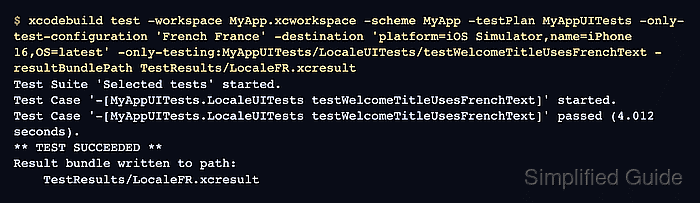
$ xcodebuild test \
  -workspace MyApp.xcworkspace \
  -scheme MyApp \
  -testPlan MyAppUITests \
  -only-test-configuration 'French France' \
  -destination 'platform=iOS Simulator,name=iPhone 16,OS=latest' \
  -only-testing:MyAppUITests/LocaleUITests/testWelcomeTitleUsesFrenchText \
  -resultBundlePath TestResults/LocaleFR.xcresult
Test Suite 'Selected tests' started.
Test Case '-[MyAppUITests.LocaleUITests testWelcomeTitleUsesFrenchText]' started.
Test Case '-[MyAppUITests.LocaleUITests testWelcomeTitleUsesFrenchText]' passed (4.012 seconds).
** TEST SUCCEEDED **
Result bundle written to path:
    TestResults/LocaleFR.xcresult
Match the configuration name exactly as it appears in the test plan. Omit -only-test-configuration when the plan should run every locale configuration. Use -project MyApp.xcodeproj instead of -workspace MyApp.xcworkspace when the app does not use a workspace.
Related: How to run XCUITest with xcodebuild in CI - Confirm that xcodebuild wrote the locale-specific result bundle.
$ ls -d TestResults/LocaleFR.xcresult
TestResults/LocaleFR.xcresult
Open the bundle in Xcode when a failure needs screenshots, attachments, or the full test report. The passing test case should appear under the French France configuration.
Related: How to save XCUITest result bundles