CI runners need a repeatable way to launch iOS UI tests without opening Xcode. xcodebuild drives the same XCTest runner from Terminal, so a macOS job can build the app, start an iOS Simulator destination, run the UI test bundle, and return a normal process exit code for the pipeline.
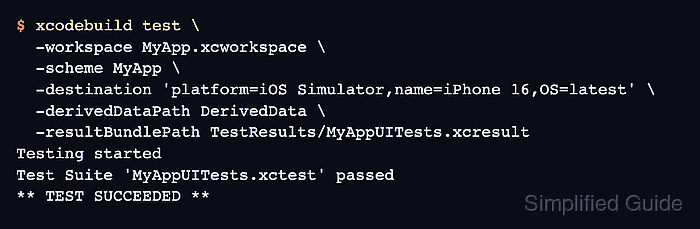
A CI command should name the workspace or project, scheme, simulator destination, derived data directory, and result bundle path explicitly. Those values keep the job independent of a developer's local Xcode state and leave the .xcresult bundle in a path the CI system can upload as an artifact.
A workspace named MyApp.xcworkspace, a scheme named MyApp, and an iOS Simulator destination named iPhone 16 keep the placeholders concrete without exposing a real app. Use a macOS runner with full Xcode and a matching simulator runtime; the Command Line Tools package alone does not include the Simulator utilities needed for XCUITest.
Related: How to run XCUITest tests in GitHub Actions
Related: How to run XCUITest tests locally
Related: How to save XCUITest result bundles
Steps to run XCUITest with xcodebuild in CI:
- Confirm the CI runner is using full Xcode.
$ xcodebuild -version
Xcode 16.4
Build version 16F6
If this command reports that the active developer directory is /Library/Developer/CommandLineTools, the runner has only the Command Line Tools package selected and cannot run iOS Simulator UI tests.
- List the destinations available to the scheme.
$ xcodebuild -workspace MyApp.xcworkspace -scheme MyApp -showdestinations

Available destinations for the "MyApp" scheme:
    { platform:iOS Simulator, id:<SIMULATOR-UDID>, OS:18.5, name:iPhone 16 }
Use -project MyApp.xcodeproj instead of -workspace MyApp.xcworkspace when the scheme belongs to a standalone project.
- Remove an old result bundle at the CI artifact path.
$ rm -rf TestResults/MyAppUITests.xcresult
Remove only a result bundle path inside the CI workspace. Do not point this cleanup command at shared derived data, source files, or a developer home directory.
- Run the XCUITest scheme on the simulator destination.
$ xcodebuild test \
  -workspace MyApp.xcworkspace \
  -scheme MyApp \
  -destination 'platform=iOS Simulator,name=iPhone 16,OS=latest' \
  -derivedDataPath DerivedData \
  -resultBundlePath TestResults/MyAppUITests.xcresult
Testing started
Test Suite 'MyAppUITests.xctest' passed
** TEST SUCCEEDED **
Use build-for-testing in a separate build stage and test-without-building in the test stage only when the CI job preserves the compiled test products, the same DerivedData path, or the generated .xctestrun file.
- Check that the result bundle exists before the CI artifact upload step.
$ ls -ld TestResults/MyAppUITests.xcresult
drwxr-xr-x  6 ci  staff  192 Jun 26 09:15 TestResults/MyAppUITests.xcresult
Upload TestResults/MyAppUITests.xcresult as a CI artifact even when the test job fails, so failures still have logs, screenshots, and attachments available for review.

Mohd Shakir Zakaria is a cloud architect with deep roots in software development and open-source advocacy. Certified in AWS, Red Hat, VMware, ITIL, and Linux, he specializes in designing and managing robust cloud and on-premises infrastructures.


