Xcode test results are easiest to review when the run leaves a named .xcresult bundle behind. Saving the bundle from an XCUITest run keeps activity logs, screenshots, failures, and attachments available after Terminal scrollback or CI logs have moved on.
xcodebuild writes the bundle when the test action includes -resultBundlePath. A fixed path such as TestResults/MyAppUITests.xcresult keeps the artifact easy to upload from CI and easy to inspect later with Xcode or xcresulttool.
Start from a scheme that already runs UI tests in Xcode or with a normal xcodebuild test command. Use a full Xcode installation with a matching simulator runtime selected; the Command Line Tools package alone does not include the Simulator tools needed for XCUITest.
Steps to save XCUITest result bundles:
- Remove any stale result bundle at the target path.
$ rm -rf TestResults/MyAppUITests.xcresult
xcodebuild fails when -resultBundlePath points to an existing bundle. Remove only a known result bundle path inside the project or CI workspace.
- Run the UI test scheme with a result bundle path.
$ xcodebuild test \
  -workspace MyApp.xcworkspace \
  -scheme MyApp \
  -destination 'platform=iOS Simulator,name=iPhone 16,OS=latest' \
  -derivedDataPath DerivedData \
  -resultBundlePath TestResults/MyAppUITests.xcresult
Testing started
Test Suite 'MyAppUITests.xctest' passed
** TEST SUCCEEDED **
Use -project MyApp.xcodeproj instead of -workspace MyApp.xcworkspace when the scheme belongs to a standalone project.
Related: How to run XCUITest with xcodebuild in CI - Confirm that the bundle directory was created.
$ ls -ld TestResults/MyAppUITests.xcresult
drwxr-xr-x  6 ci  staff  192 Jun 26 09:15 TestResults/MyAppUITests.xcresult
Keep the .xcresult suffix in the path so Xcode and result tools recognize the bundle as a test result artifact.
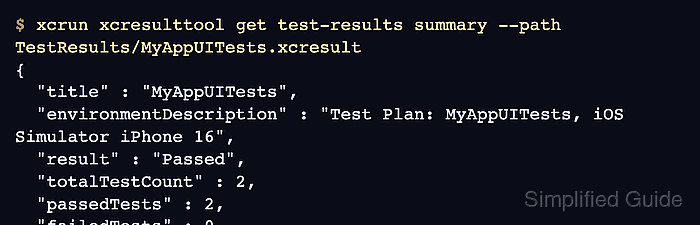
- Inspect the saved test summary with xcresulttool.
$ xcrun xcresulttool get test-results summary --path TestResults/MyAppUITests.xcresult
{
  "title" : "MyAppUITests",
  "environmentDescription" : "Test Plan: MyAppUITests, iOS Simulator iPhone 16",
  "result" : "Passed",
  "totalTestCount" : 2,
  "passedTests" : 2,
  "failedTests" : 0,
  "skippedTests" : 0,
  "testFailures" : []
}
The summary should match the test count and pass or fail state printed by xcodebuild. Upload TestResults/MyAppUITests.xcresult as a CI artifact with an always-run artifact step so failed tests still keep their logs, screenshots, and attachments.

Mohd Shakir Zakaria is a cloud architect with deep roots in software development and open-source advocacy. Certified in AWS, Red Hat, VMware, ITIL, and Linux, he specializes in designing and managing robust cloud and on-premises infrastructures.


