How to install Tomcat on Red Hat, CentOS, and Fedora
A Red Hat-family server should install Tomcat from the distribution package when the host will run Java web applications under systemd. The RPM package creates the tomcat service, places editable configuration under /etc/tomcat, and leaves application deployment work for a separate step after the servlet container responds locally.
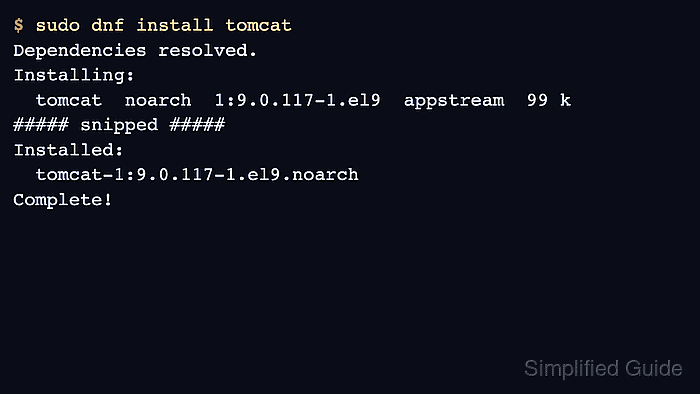
The package name is tomcat on current Fedora, CentOS Stream, and supported RHEL releases that include the community Tomcat RPM. The major Tomcat version comes from the platform repository, so RHEL 8.8 and later RHEL 8 builds, RHEL 9.2 and later RHEL 9 builds, and CentOS Stream 9 provide the Tomcat 9 line, while Fedora 44 and RHEL 10 provide the Tomcat 10.1 line.
Older RHEL 8 and RHEL 9 minor releases may not have a platform tomcat package, and RHEL systems need the relevant subscribed repositories enabled before dnf can find it. A completed install should show the RPM installed, the tomcat service active, and an HTTP response from 127.0.0.1:8080. Install optional web application packages only when the host needs the packaged examples, docs, or Manager application.
Steps to install Tomcat on Red Hat, CentOS, and Fedora:
- Open a terminal on the target server with sudo privileges.
- Check which Tomcat package the enabled repositories provide.
$ sudo dnf info tomcat
Available Packages
Name         : tomcat
Epoch        : 1
Version      : 9.0.117
Release      : 1.el9
Architecture : noarch
Repository   : appstream
Summary      : Apache Servlet/JSP Engine, RI for Servlet 4.0/JSP 2.3 API
##### snipped #####
Fedora and RHEL 10 normally show a Tomcat 10.1 package instead of the Tomcat 9 package shown here from a CentOS Stream 9 check. If dnf reports that no matching package is available on RHEL, confirm the host is on a release that provides the platform tomcat RPM and that the subscribed repositories are enabled.
- Install the Tomcat RPM.
$ sudo dnf install tomcat
Dependencies resolved.
================================================================================
 Package        Arch      Version             Repository                 Size
================================================================================
Installing:
 tomcat         noarch    1:9.0.117-1.el9     appstream                  99 k
##### snipped #####
Transaction Summary
================================================================================
Install  42 Packages

Total download size: 59 M
Installed size: 185 M
Is this ok [y/N]: y
##### snipped #####
Installed:
  tomcat-1:9.0.117-1.el9.noarch
  tomcat-lib-1:9.0.117-1.el9.noarch
  tomcat-servlet-4.0-api-1:9.0.117-1.el9.noarch
Complete!
The package pulls in a Java runtime when the host does not already have a suitable one. Use a dedicated JAVA_HOME override later if the application requires a specific JDK rather than the runtime selected by the package manager.
- Confirm the installed package version.
$ rpm -q tomcat
tomcat-9.0.117-1.el9.noarch
The exact version and release string should match the repository used by the host. Fedora and RHEL 10 report a 10.1 package line, while RHEL 8, RHEL 9, and CentOS Stream 9 use the 9.0 package line.
- Review the package-managed configuration and service paths before making application changes.
$ rpm -qc tomcat
/etc/logrotate.d/tomcat.disabled
/etc/sysconfig/tomcat
/etc/tomcat/catalina.policy
/etc/tomcat/catalina.properties
/etc/tomcat/context.xml
/etc/tomcat/logging.properties
/etc/tomcat/server.xml
/etc/tomcat/tomcat-users.xml
/etc/tomcat/tomcat.conf
/etc/tomcat/web.xml
The default HTTP connector is defined in /etc/tomcat/server.xml and listens on port 8080. The package also installs tomcat.service under /usr/lib/systemd/system and keeps the default web application base under /var/lib/tomcat/webapps.
- Enable Tomcat at boot and start it now.
$ sudo systemctl enable --now tomcat
Created symlink /etc/systemd/system/multi-user.target.wants/tomcat.service -> /usr/lib/systemd/system/tomcat.service.
Use tomcat.service for the default instance. The package also includes a tomcat@.service template for named instances, but that is separate from the default install path.
- Confirm the service is active.
$ systemctl is-active tomcat
active
If the service is not active, inspect the service status and the Tomcat logs before changing application files.
$ systemctl status tomcat
##### snipped #####
Related: How to check Tomcat service status on Linux
Related: How to view Tomcat logs on Linux - Request the local connector.
$ curl -I http://127.0.0.1:8080/
HTTP/1.1 404
Content-Type: text/html;charset=utf-8
Content-Language: en
Content-Length: 764
##### snipped #####
A 404 response from Tomcat is still a successful connector test when no default web application is deployed. A 200 OK response is also valid when the host has an application or optional webapp package at the root context. A connection failure means the service did not bind to 8080 or local firewall policy is blocking the request.
- Open the port only when clients must reach Tomcat directly instead of through a reverse proxy.
$ sudo firewall-cmd --permanent --add-port=8080/tcp
success
$ sudo firewall-cmd --reload
success
Do not expose 8080 to untrusted networks just to prove the install. Many production deployments keep Tomcat bound to a private interface or localhost and publish the application through Apache HTTP Server or Nginx.