Tomcat port conflicts usually appear when another service already owns 8080 or a reverse proxy expects Tomcat on a different backend port. Changing the HTTP connector port moves the listener without changing deployed applications, so the edit must land in the active server.xml file and be followed by a restart plus a request to the new port.
On package-managed Ubuntu and Debian hosts, the active file is /etc/tomcat10/server.xml and the service unit is tomcat10. Other packages or tarball installs use the same connector attribute, but the path and service name may follow that instance's CATALINA_BASE.
Pick a port that is not already in use and normally keep it above 1024 unless the service is explicitly configured to bind privileged ports. Changing the Tomcat listener does not update firewall rules, monitoring checks, or Apache and Nginx upstream definitions that still point to the old port.
Steps to change the Tomcat HTTP connector port:
- Check the current connector ports in server.xml.
$ sudo grep -n 'Connector port=' /etc/tomcat10/server.xml
70:    <Connector port="8080" protocol="HTTP/1.1"
92:    <Connector port="8443" protocol="org.apache.coyote.http11.Http11NioProtocol"
The HTTP connector is the line using protocol="HTTP/1.1". The 8443 line is the HTTPS connector and should not be changed for a plain HTTP port move.
- Back up the Tomcat server configuration file.
$ sudo cp /etc/tomcat10/server.xml /etc/tomcat10/server.xml.bak
- Open the configuration file in a text editor.
$ sudoedit /etc/tomcat10/server.xml
If the host uses tomcat11 or a tarball install, edit that instance's matching server.xml file and use its matching service name in the restart step.
- Change only the HTTP connector port value.
<Connector port="8180" protocol="HTTP/1.1"
           connectionTimeout="20000"
           redirectPort="8443" />
Do not leave two services bound to the same IP address and port. If another process already listens on 8180, Tomcat will fail to start after the restart.
- Test the Tomcat configuration with the package-managed CATALINA_BASE and CATALINA_HOME values.
$ sudo env CATALINA_BASE=/var/lib/tomcat10 CATALINA_HOME=/usr/share/tomcat10 /usr/share/tomcat10/bin/configtest.sh
Jun 10, 2026 8:28:58 PM org.apache.catalina.startup.VersionLoggerListener log
INFO: CATALINA_BASE:         /var/lib/tomcat10
Jun 10, 2026 8:28:58 PM org.apache.coyote.AbstractProtocol init
INFO: Initializing ProtocolHandler ["http-nio-8180"]
Jun 10, 2026 8:28:58 PM org.apache.catalina.startup.Catalina load
INFO: Server initialization in [316] milliseconds
The http-nio-8180 line confirms Tomcat parsed the connector with the new port. Stop and restore the backup if the command reports an XML parsing error or another configuration error.
- Restart the Tomcat service to apply the connector change.
$ sudo systemctl restart tomcat10
- Confirm that Java is listening on the new port.
$ sudo ss -ltnp 'sport = :8180'
State  Recv-Q Send-Q Local Address:Port Peer Address:Port Process
LISTEN 0      100                *:8180            *:*    users:(("java",pid=5115,fd=36))
If the listener does not appear, check sudo systemctl status tomcat10 and the Tomcat logs before retrying the restart.
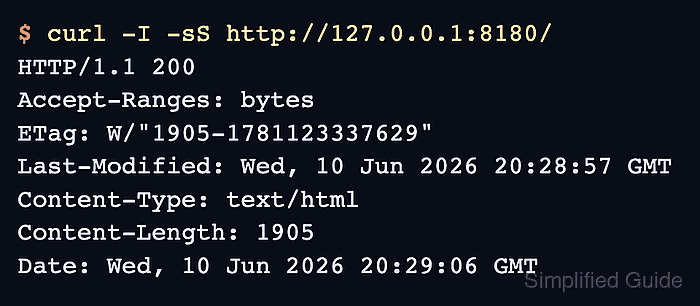
- Request Tomcat on the new connector port.
$ curl -I -sS http://127.0.0.1:8180/
HTTP/1.1 200
Accept-Ranges: bytes
ETag: W/"1905-1781123337629"
Last-Modified: Wed, 10 Jun 2026 20:28:57 GMT
Content-Type: text/html
Content-Length: 1905
Date: Wed, 10 Jun 2026 20:29:06 GMT
Use the application context path instead of / when the target web application is not deployed at the root context.
- Update dependent reverse proxy, health check, or firewall references that still use the old port.

Mohd Shakir Zakaria is a cloud architect with deep roots in software development and open-source advocacy. Certified in AWS, Red Hat, VMware, ITIL, and Linux, he specializes in designing and managing robust cloud and on-premises infrastructures.


