How to receive remote syslog messages with rsyslog
A central rsyslog receiver is ready when it listens on the chosen syslog transport and stores a message that came from another host. Configure the UDP listener and a dedicated receiver file, then prove the path with one tagged event from a separate sender.
Network syslog input in rsyslog is handled by input modules. The UDP path loads imudp and binds an input on port 514, while a dedicated ruleset sends only receiver traffic to /var/log/remote.log instead of mixing it with the collector's local facility rules.
Commands here assume a Linux receiver already running rsyslog and a firewall that allows the selected port. UDP 514 matches many network devices, but it has no delivery guarantee or sender authentication; use TCP or TLS for delivery-sensitive forwarding and restrict the listener to trusted source networks.
Steps to receive remote syslog messages with rsyslog:
- Sign in to the host that will collect remote syslog messages and choose the receiver details.
Receiver host: log-receiver.example.com
Transport: UDP
Port: 514
Destination file: /var/log/remote.log
Use one receiver file for the first test so the success signal is easy to find. Split messages by hostname or device only after the basic listener works. Related: How to store remote syslog messages by hostname in rsyslog
- Create a receiver rule file that loads imudp, defines a dedicated ruleset, and binds UDP port 514 to that ruleset.
module(load="imudp")

ruleset(name="remote") {
    action(type="omfile" file="/var/log/remote.log" fileCreateMode="0640")
}

input(type="imudp" port="514" ruleset="remote")
The dedicated ruleset keeps network messages out of the receiver's default local-log rules. Use a separate input binding when different ports or interfaces need different storage behavior. Related: How to bind rsyslog inputs to rulesets
- Validate the rsyslog configuration before restarting the service.
$ sudo rsyslogd -N1
rsyslogd: version 8.2512.0, config validation run (level 1), master config /etc/rsyslog.conf
rsyslogd: End of config validation run. Bye.
Fix syntax errors before continuing. A restart can fail or leave the receiver on the old configuration if the rule file has a malformed module, input, ruleset, or action line. Related: How to test rsyslog configuration syntax
- Restart rsyslog so the listener is created from the new rule file.
$ sudo systemctl restart rsyslog
Ubuntu containers and other non-systemd test environments may need to start rsyslogd directly, but production Linux hosts usually apply this change through the service manager. Related: How to manage the syslog service
- Confirm that the receiver is listening on UDP port 514.
$ sudo ss -lunp 'sport = :514'
State  Recv-Q Send-Q Local Address:Port Peer Address:PortProcess
UNCONN 0      0            0.0.0.0:514       0.0.0.0:*
UNCONN 0      0               [::]:514          [::]:*
The important field is Local Address:Port. If no row shows :514, rsyslog did not create the UDP listener from the input rule.
- Allow inbound UDP 514 on the receiver firewall when a host firewall blocks new inbound traffic.
$ sudo ufw allow 514/udp
Rule added
Rule added (v6)
Use the firewall system that actually controls the receiver. In cloud and data-center networks, the matching security group, ACL, or perimeter firewall must also allow the sender's source address.
- Send one tagged message from a separate source host to the receiver.
$ logger --server log-receiver.example.com --udp --port 514 --tag sg-remote-test "sg-remote-receive-check from remote host"
Run this command on the sender, not on the receiver. Use a unique token so the stored entry cannot be confused with an older test message. Related: How to send a test syslog message
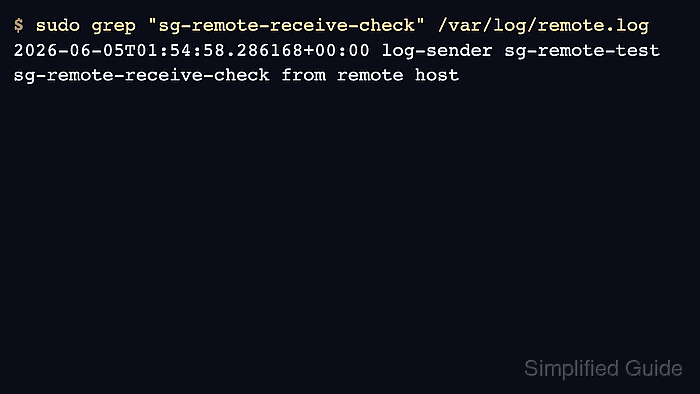
- Search the receiver file for the unique token.
$ sudo grep "sg-remote-receive-check" /var/log/remote.log
2026-06-05T01:54:58.286168+00:00 log-sender sg-remote-test sg-remote-receive-check from remote host
The sender hostname, tag, and message text prove that the receiver accepted the remote event and wrote it through the dedicated ruleset.
- Tighten the receiver after the first test succeeds.
Do not leave unauthenticated UDP syslog open to broad networks. Limit source addresses at the firewall, use TCP or TLS when delivery and peer identity matter, and rotate the receiver file before it grows without bounds. Related: How to forward syslog messages over TLS with rsyslog
Related: How to rotate syslog log files with logrotate - Troubleshoot from the receiver outward if the token is missing.
Check the listener row, firewall path, sender target hostname or IP, and the receiver file permission before changing unrelated filters. Related: How to troubleshoot missing syslog messages