A remote or file-based rsyslog input can enter the default rule flow when it is declared without a ruleset binding. Binding the input to a named ruleset sends messages from that listener through one isolated action sequence, which keeps remote collector traffic, application-file traffic, or test traffic away from unrelated local logging rules.
In RainerScript, the ruleset is defined with ruleset(name="remote_bound") { ... }, and the input references it with Ruleset="remote_bound". rsyslog must read the ruleset definition before it reads the input that binds to it, so place the ruleset above the input in the same drop-in file or in an earlier included file.
imtcp on local port 5514 provides a repeatable listener test with logger. A nonprivileged test port keeps the proof separate from the production syslog listener; after validation, remove the temporary default proof action and restart the service when the packaged unit does not expose a reload action.
Steps to bind rsyslog inputs to rulesets:
- Choose the input, ruleset name, and proof destinations.
Input module: imtcp
Listener: 127.0.0.1:5514
Bound ruleset: remote_bound
Bound proof file: /var/log/rsyslog-remote-bound.log
Default proof file: /var/log/rsyslog-default-flow.log
Port 5514 avoids the privileged default syslog port during proof. Use the production port only after the binding has been validated and any firewall rule is intentional.
- Create a dedicated drop-in file for the listener and ruleset.
$ sudoedit /etc/rsyslog.d/40-input-bind-ruleset.conf
- Add the ruleset before the input that references it.
module(load="imtcp")

template(name="BindProofFormat" type="string"
         string="%syslogtag% %msg%\n")

ruleset(name="remote_bound") {
    action(type="omfile"
           file="/var/log/rsyslog-remote-bound.log"
           template="BindProofFormat")
}

*.* action(type="omfile"
           file="/var/log/rsyslog-default-flow.log"
           template="BindProofFormat")

input(type="imtcp"
      port="5514"
      address="127.0.0.1"
      Ruleset="remote_bound"
      Name="remote-bound-test")
If another active file already loads imtcp, keep only one module(load="imtcp") line before validating the configuration.
The *.* action is a temporary proof action for the default ruleset. It writes every message that reaches the default rule flow, so use it on a test host or remove it immediately after the binding check.
The same input-level Ruleset parameter is available on imfile and other input modules that document it. Check the module page before assuming a specific input supports ruleset binding.
- Validate the full rsyslog configuration.
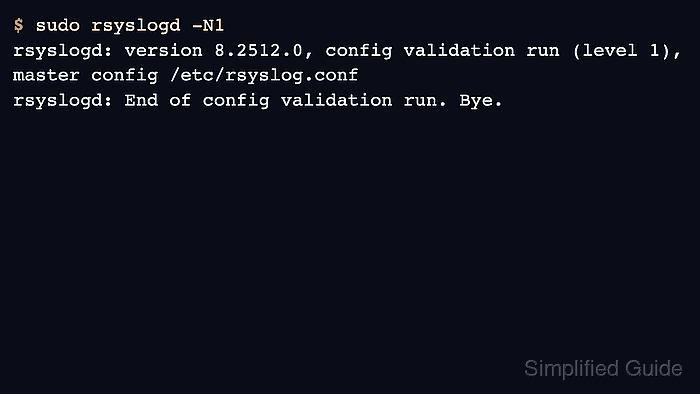
$ sudo rsyslogd -N1
rsyslogd: version 8.2512.0, config validation run (level 1), master config /etc/rsyslog.conf
rsyslogd: End of config validation run. Bye.
Run validation from the master configuration so rsyslog reads /etc/rsyslog.conf and the included drop-in files in service order. Related: How to test rsyslog configuration syntax
- Restart rsyslog to open the TCP listener and proof files.
$ sudo systemctl restart rsyslog
On systemd hosts, restart the rsyslog unit unless the distribution's unit explicitly documents a reload action for this daemon. Related: How to manage the syslog service
- Clear the two proof files before sending the test message.
$ sudo truncate -s 0 /var/log/rsyslog-remote-bound.log /var/log/rsyslog-default-flow.log
- Send a test message to the bound TCP input.
$ logger --tcp --server 127.0.0.1 --port 5514 --tag remote-bind "remote bind test message"
Related: How to send a test syslog message
- Read the bound ruleset proof file.
$ sudo cat /var/log/rsyslog-remote-bound.log
remote-bind remote bind test message
The message appearing in /var/log/rsyslog-remote-bound.log confirms that the listener passed the event into the remote_bound ruleset action.
- Confirm that the temporary default proof file stayed empty for the same test message.
$ sudo wc -c /var/log/rsyslog-default-flow.log
0 /var/log/rsyslog-default-flow.log
A zero-byte default proof file means the test message did not continue through the default ruleset action.
- Remove the temporary default proof action after the binding has been confirmed.
*.* action(type="omfile"
           file="/var/log/rsyslog-default-flow.log"
           template="BindProofFormat")
Leave the bound ruleset action or replace it with the intended production destination, then run sudo rsyslogd -N1 and sudo systemctl restart rsyslog again.

Mohd Shakir Zakaria is a cloud architect with deep roots in software development and open-source advocacy. Certified in AWS, Red Hat, VMware, ITIL, and Linux, he specializes in designing and managing robust cloud and on-premises infrastructures.


