Forwarding syslog across an untrusted network should not expose log text or accept a collector just because a TCP port is open. The sender needs to trust the collector's CA, verify the collector certificate name, and prove that a tagged message reaches the remote syslog destination through the TLS listener.
rsyslog sends TLS syslog through an omfwd action over TCP, usually to port 6514. The ossl netstream driver supplies the OpenSSL TLS layer, StreamDriverMode="1" makes the action TLS-only, and StreamDriverAuthMode="x509/name" checks the certificate against StreamDriverPermittedPeers instead of accepting any certificate signed by the trusted CA.
The example uses loghub.example.net as the collector name and /etc/rsyslog.d/certs/ca.pem as the trusted CA file on the sender. The collector must already listen for TLS syslog and present a certificate whose SAN or CN matches the configured peer name. If the collector requires mutual TLS, install the sender certificate and key from the collector administrator and add the client certificate settings before validating rsyslog.
Steps to forward syslog messages over TLS with rsyslog:
- Install the OpenSSL netstream driver on Debian or Ubuntu senders when it is not already present.
$ sudo apt install rsyslog-openssl
Use the distro package that provides the ossl rsyslog driver. If the environment standardizes on GnuTLS, use the matching package and change StreamDriver="ossl" to StreamDriver="gtls" consistently.
- Install the CA certificate that signs the collector certificate.
$ sudo install -d -m 0750 /etc/rsyslog.d/certs
$ sudo cp loghub-ca.pem /etc/rsyslog.d/certs/ca.pem
$ sudo chmod 0644 /etc/rsyslog.d/certs/ca.pem
Use the CA file supplied for the real collector. Do not copy a private CA from a lab host or disable certificate checking to make the first connection succeed.
- Verify the collector TLS certificate from the sender before changing rsyslog.
$ openssl s_client -connect loghub.example.net:6514 -CAfile /etc/rsyslog.d/certs/ca.pem -verify_hostname loghub.example.net -brief
Connecting to 198.51.100.40
CONNECTION ESTABLISHED
Protocol version: TLSv1.3
Ciphersuite: TLS_AES_256_GCM_SHA384
Peer certificate: CN=loghub.example.net
Hash used: SHA256
Signature type: rsa_pss_rsae_sha256
Verification: OK
Verified peername: loghub.example.net
DONE
Verification: OK and Verified peername: loghub.example.net confirm that the sender trusts the CA and that the certificate identity matches the name used in the forwarding action.
If this command reports a hostname mismatch or an untrusted issuer, fix the certificate, DNS name, or CA file before enabling TLS forwarding.
- Open a dedicated forwarding drop-in on the sender.
$ sudoedit /etc/rsyslog.d/60-forward-tls.conf
- Add an omfwd action that forwards messages through the TLS collector.
global(
    workDirectory="/var/spool/rsyslog"
    DefaultNetstreamDriver="ossl"
    DefaultNetstreamDriverCAFile="/etc/rsyslog.d/certs/ca.pem"
)

*.* action(
    type="omfwd"
    target="loghub.example.net"
    port="6514"
    protocol="tcp"
    StreamDriver="ossl"
    StreamDriverMode="1"
    StreamDriverAuthMode="x509/name"
    StreamDriverPermittedPeers="loghub.example.net"
    StreamDriver.PrioritizeSAN="on"
    template="RSYSLOG_SyslogProtocol23Format"
    queue.type="LinkedList"
    queue.filename="tls-forward-action"
    queue.saveOnShutdown="on"
    action.resumeRetryCount="-1"
)
The selector *.* forwards all facilities and priorities. Replace it with a narrower selector or filter when only a subset of messages belongs on the TLS collector.
StreamDriverPermittedPeers must match the certificate identity that the collector presents, not a shortcut IP address unless the certificate is issued for that IP identity.
Do not use StreamDriverAuthMode="anon" on the sender for production forwarding. Anonymous TLS encrypts the socket but does not authenticate the collector.
- Add client certificate files only when the collector requires mutual TLS.
global(
    DefaultNetstreamDriverCertFile="/etc/rsyslog.d/certs/client-cert.pem"
    DefaultNetstreamDriverKeyFile="/etc/rsyslog.d/certs/client-key.pem"
)
Keep the client private key readable only by root and the rsyslog service account. Omit these two lines when the collector authenticates the sender by network policy, tokenized intake, or another collector-side control.
- Validate the full rsyslog configuration before restarting the service.
$ sudo rsyslogd -N1
rsyslogd: version 8.2512.0, config validation run (level 1), master config /etc/rsyslog.conf
rsyslogd: End of config validation run. Bye.
Fix parser errors before restarting rsyslog. A missing rsyslog-openssl package commonly appears as an unknown or unavailable ossl stream driver.
- Restart rsyslog and confirm that it is active after loading the TLS action.
$ sudo systemctl restart rsyslog
$ systemctl is-active rsyslog
active
Restarting rsyslog briefly interrupts local log processing. Use a controlled change window on busy senders.
- Send a tagged test message that should be forwarded over the TLS action.
$ logger -t tls-demo "tls forward smoke sg-20260605"
Related: How to send a test syslog message
- Confirm that the sender has an established TCP session to the collector on the TLS syslog port.
$ sudo ss -tn state established '( sport = :6514 or dport = :6514 )'
Recv-Q Send-Q Local Address:Port  Peer Address:Port
0      0      192.0.2.25:45322   198.51.100.40:6514
This proves the sender has an active TCP connection to the TLS syslog listener. The certificate check and receiver-side log entry still decide whether the secure forwarding path is correct.
- Confirm that the collector received the tagged message.
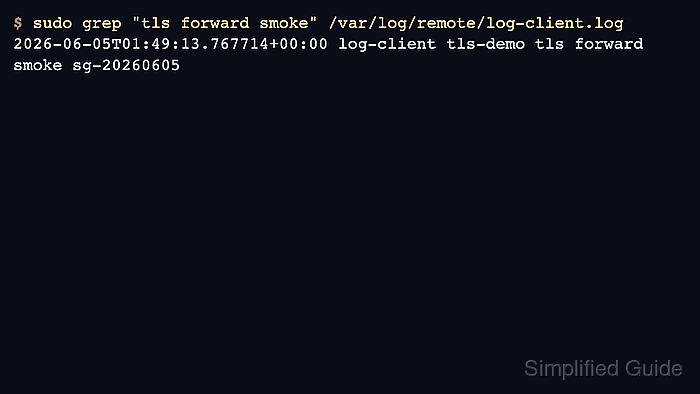
$ sudo grep "tls forward smoke" /var/log/remote/log-client.log
2026-06-05T01:49:13.767714+00:00 log-client tls-demo tls forward smoke sg-20260605
Use the receiver-side file, SIEM query, or collector search interface that normally proves remote syslog intake. The same tag and message body on the collector confirm that rsyslog accepted the local message, opened the TLS forwarding path, and delivered the test event.
If the sender has no established connection or the collector does not show the test message, check the collector listener, firewall path, CA file, certificate SAN/CN, StreamDriverPermittedPeers, and the rsyslog service journal before sending production-only logs through the action.

Mohd Shakir Zakaria is a cloud architect with deep roots in software development and open-source advocacy. Certified in AWS, Red Hat, VMware, ITIL, and Linux, he specializes in designing and managing robust cloud and on-premises infrastructures.


