How to enable a Snort ruleset
A Snort sensor only evaluates rules that are loaded into the active IPS policy or supplied for a one-off run. Enabling a ruleset means adding the tested .rules file to the Lua policy that long-running captures, pcap replays, and service units use.
Source-built Snort 3 installs commonly keep the main configuration at /usr/local/etc/snort/snort.lua. Use -R first to validate the ruleset against that configuration without changing the persistent policy, then add the file to the ips table only after it compiles cleanly.
The smoke test should run without -R after the edit. That proves the ruleset is loaded from snort.lua itself, while a matching pcap or short live run proves the enabled file can still produce the alert the sensor is expected to catch.
Related: How to install Snort community rules
Related: How to create a local Snort rule
Related: How to disable a Snort rule
Steps to enable a Snort ruleset:
- Confirm the ruleset file path.
$ ls -lh /usr/local/etc/snort/rules/local.rules
-rw-r--r-- 1 root root 104 Jun 25 02:20 /usr/local/etc/snort/rules/local.rules
Replace local.rules with the downloaded community, registered, subscriber, or site-managed ruleset file that the sensor should load.
Related: How to install Snort community rules - Test the ruleset with -R before changing the persistent policy.
$ sudo snort -c /usr/local/etc/snort/snort.lua \
    -R /usr/local/etc/snort/rules/local.rules -T
Loading /usr/local/etc/snort/snort.lua:
Loading rule args:
Loading /usr/local/etc/snort/rules/local.rules:
Finished /usr/local/etc/snort/rules/local.rules:
Finished rule args:
##### snipped #####
rule counts
       total rules loaded: 220
               text rules: 220
##### snipped #####
Snort successfully validated the configuration (with 0 warnings).
Related: How to test Snort configuration
- Open the main Snort Lua configuration.
$ sudo vi /usr/local/etc/snort/snort.lua
- Add the ruleset file to the existing ips policy.
ips =
{
    variables = default_variables,
    include = '/usr/local/etc/snort/rules/local.rules'
}
Do not replace custom ips settings, variable bindings, or existing rule includes. If the policy already uses a multiline rules block, add an include /usr/local/etc/snort/rules/local.rules line inside that block instead.
- Validate the persistent policy without -R.
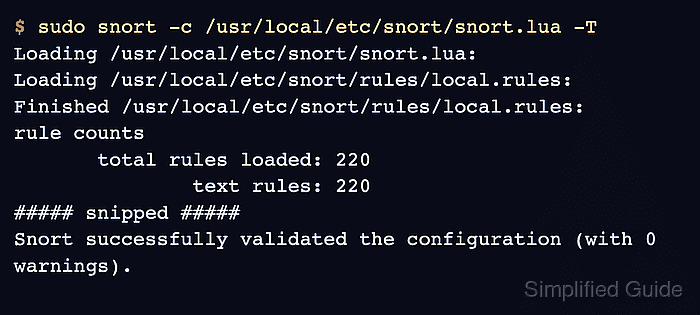
$ sudo snort -c /usr/local/etc/snort/snort.lua -T
Loading /usr/local/etc/snort/snort.lua:
Loading /usr/local/etc/snort/rules/local.rules:
Finished /usr/local/etc/snort/rules/local.rules:
##### snipped #####
rule counts
       total rules loaded: 220
               text rules: 220
##### snipped #####
Snort successfully validated the configuration (with 0 warnings).
This check proves snort.lua now loads the ruleset by itself. Restart any managed sensor only after this validation succeeds.
Related: How to test Snort configuration
Related: How to create a Snort systemd service - Replay traffic that should match a rule from the enabled ruleset.
$ sudo snort -q -c /usr/local/etc/snort/snort.lua \
    -r udp-test.pcap -k none -A alert_fast
06/25-02:20:04.819931 [**] [1:1000007:1] "LOCAL UDP ruleset test" [**] [Priority: 0] {UDP} 127.0.0.1:58705 -> 127.0.0.1:31337
The command intentionally omits -R. The alert line proves the persistent policy loaded the ruleset and matched the test packet. Use -k none only for loopback or lab pcaps with checksum metadata that blocks the test packet.
Related: How to run Snort against a packet capture
Related: How to test a Snort rule - Restart the managed Snort service after validation and smoke testing pass.
$ sudo systemctl restart snort
Use the service name and run command from the local deployment. If Snort runs manually, stop the old process and start a new run with the validated configuration.
Related: How to create a Snort systemd service - Confirm that the managed sensor is active after the restart.
$ sudo systemctl is-active snort
active