Community rules give a new Snort 3 sensor a public detection baseline before registered or subscriber rules are available. The archive from snort.org does not need an Oinkcode, so it fits lab sensors, first builds, and quick validation of a source-installed runtime.
The public download contains snort3-community.rules plus license, author, and map files. Stage the archive first, install the .rules file into /usr/local/etc/snort/rules, and keep Snort pointed at that file rather than at the whole extracted directory.
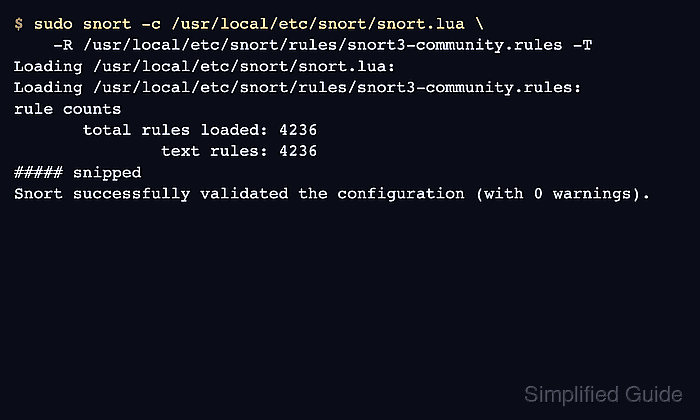
A completed install should leave the rule file readable by Snort and pass a -T validation against the active /usr/local/etc/snort/snort.lua configuration. The -R test loads the rule file for one run only; add it to the persistent ips policy only after the validation passes.
Related: How to install Snort on Ubuntu
Related: How to update Snort rules
Steps to install Snort community rules:
- Create the runtime rules directory.
$ sudo install -d -m 0755 /usr/local/etc/snort/rules
- Create a temporary staging directory.
$ workdir="$(mktemp -d)"
- Download the public Snort 3 community rules archive.
$ curl --fail --location --silent --show-error \
    --output "$workdir/snort3-community-rules.tar.gz" \
    https://www.snort.org/downloads/community/snort3-community-rules.tar.gz
- List the archive contents before extraction.
$ tar --list --gzip --file "$workdir/snort3-community-rules.tar.gz"
snort3-community-rules/
snort3-community-rules/snort3-community.rules
snort3-community-rules/VRT-License.txt
snort3-community-rules/LICENSE
snort3-community-rules/AUTHORS
snort3-community-rules/sid-msg.map
- Extract the archive into the staging directory.
$ tar --extract --gzip --file "$workdir/snort3-community-rules.tar.gz" --directory "$workdir"
- Install only the community rule file into the runtime rules directory.
$ sudo install -m 0644 "$workdir/snort3-community-rules/snort3-community.rules" \
    /usr/local/etc/snort/rules/snort3-community.rules
The archive also contains license and map files. Loading the explicit .rules file avoids asking Snort to parse non-rule text files from the extracted directory.
- Confirm that the rule file is in place.
$ ls -lh /usr/local/etc/snort/rules/snort3-community.rules
-rw-r--r-- 1 root root 1.8M Jun 25 00:26 /usr/local/etc/snort/rules/snort3-community.rules
- Validate the installed rule file against the active Snort configuration.
$ sudo snort -c /usr/local/etc/snort/snort.lua \
    -R /usr/local/etc/snort/rules/snort3-community.rules -T
Loading /usr/local/etc/snort/snort.lua:
Loading /usr/local/etc/snort/rules/snort3-community.rules:
rule counts
       total rules loaded: 4236
               text rules: 4236
##### snipped
Snort successfully validated the configuration (with 0 warnings).
Validation with -R checks the downloaded rule file without changing the persistent ips policy.
Related: How to test Snort configuration
Related: How to enable a Snort ruleset - Remove the temporary staging directory.
$ rm -rf "$workdir"

Mohd Shakir Zakaria is a cloud architect with deep roots in software development and open-source advocacy. Certified in AWS, Red Hat, VMware, ITIL, and Linux, he specializes in designing and managing robust cloud and on-premises infrastructures.


