Local Snort rules cover detections that belong to one environment, such as a custom application marker, a temporary watch item, or a lab payload. Keeping those signatures outside downloaded rulesets lets upstream rule updates replace their files without overwriting site policy.
Snort 3 can load a rule file through the ips Lua policy or for a single run with -R. For a local rule change, -R keeps the first test scoped to one file before the Lua policy is changed.
Private sid values start at 1000000 for local rules, and rev should increase whenever the detection logic changes. A small matching pcap plus alert_fast output proves both the parser and the alert path before a managed sensor is restarted.
Related: How to test a Snort rule
Related: How to enable a Snort ruleset
Steps to create a local Snort rule:
- Create the local rules directory.
$ sudo install -d -m 0755 /usr/local/etc/snort/rules
- Open the local rule file.
$ sudo vi /usr/local/etc/snort/rules/local.rules
- Add a UDP content rule with a private sid.
alert udp any any -> $HOME_NET 31337 (msg:"LOCAL UDP test"; content:"SNORTTEST"; sid:1000001; rev:1;)
$HOME_NET comes from the active Snort configuration. Use a site-specific destination, port, payload, message, sid, and rev for production rules.
- Validate the rule file against the active configuration.
$ sudo snort -c /usr/local/etc/snort/snort.lua \
    -R /usr/local/etc/snort/rules/local.rules -T
--------------------------------------------------
o")~   Snort++ 3.12.2.0
--------------------------------------------------
Loading /usr/local/etc/snort/snort.lua:
##### snipped #####
Loading rule args:
Loading /usr/local/etc/snort/rules/local.rules:
Finished /usr/local/etc/snort/rules/local.rules:
Finished rule args:
##### snipped #####
Snort successfully validated the configuration (with 0 warnings).
o")~   Snort exiting
Related: How to test Snort configuration
- Replay a pcap that contains matching UDP payload.
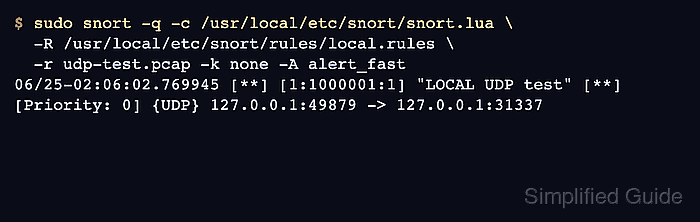
$ sudo snort -q -c /usr/local/etc/snort/snort.lua \
    -R /usr/local/etc/snort/rules/local.rules \
    -r udp-test.pcap -k none -A alert_fast
06/25-02:06:02.769945 [**] [1:1000001:1] "LOCAL UDP test" [**] [Priority: 0] {UDP} 127.0.0.1:49879 -> 127.0.0.1:31337
Use -k none for loopback-generated pcaps with checksum artifacts. Replace udp-test.pcap with a captured sample that should match the rule being created.
Related: How to run Snort against a packet capture - Open the main Snort Lua configuration.
$ sudo vi /usr/local/etc/snort/snort.lua
- Add the local rule file to the existing ips policy.
ips =
{
    variables = default_variables,
    include = '/usr/local/etc/snort/rules/local.rules'
}
Do not remove existing ips settings, rule includes, or variable bindings that the sensor already uses. If the policy uses a multiline rules block, add an include /usr/local/etc/snort/rules/local.rules line inside that block instead.
- Validate the persistent policy before restarting any managed sensor.
$ sudo snort -c /usr/local/etc/snort/snort.lua -T
Loading /usr/local/etc/snort/snort.lua:
##### snipped #####
Loading /usr/local/etc/snort/rules/local.rules:
Finished /usr/local/etc/snort/rules/local.rules:
##### snipped #####
Snort successfully validated the configuration (with 0 warnings).
o")~   Snort exiting
Restart the Snort service only after this validation succeeds.
Related: How to test Snort configuration
Related: How to create a Snort systemd service

Mohd Shakir Zakaria is a cloud architect with deep roots in software development and open-source advocacy. Certified in AWS, Red Hat, VMware, ITIL, and Linux, he specializes in designing and managing robust cloud and on-premises infrastructures.


