How to mount an NFS export on Linux
Mounting an NFS export on Linux makes a directory from a storage server available at a local path such as /mnt/projects. It is used when applications or shell users need shared files without copying them onto every client.
Linux clients use the kernel NFS filesystem and distribution client utilities. Ubuntu and Debian install the mount helper through nfs-common, while RHEL-family distributions use nfs-utils. The server must already export the path to the client's host, subnet, netgroup, or Kerberos identity.
Use the server name and export path supplied by the NFS administrator. A manual mount should work before any /etc/fstab entry is saved, because the live mount test separates server access, network reachability, and local mount-point mistakes from boot-time or persistent-mount behavior.
Steps to mount an NFS export on Linux:
- Open a terminal on the Linux client with sudo privileges.
- Install the NFS client utilities if mount.nfs is not already available.
$ sudo apt install --assume-yes nfs-common
Use sudo dnf install nfs-utils on RHEL, CentOS Stream, Fedora, and compatible systems.
- Query the server's export list from the client network.
$ showmount --exports files.example.net
Export list for files.example.net:
/srv/nfs/projects 192.0.2.0/24
Some NFSv4-only servers do not answer showmount because they do not expose the legacy mount service. If the server owner provided the exact export path, test the mount directly and compare any failure with the server-side export table.
Related: How to list NFS exports from a client
Related: How to list NFS exports on a server - Create the empty local mount point.
$ sudo mkdir --parents /mnt/projects
Files already inside /mnt/projects become hidden while the NFS filesystem is mounted there.
- Mount the export manually.
$ sudo mount -t nfs -o vers=4.2 files.example.net:/srv/nfs/projects /mnt/projects
Omit vers=4.2 when the client should negotiate the newest server-supported version automatically. Use a server-required option such as vers=3 only for older NFSv3 exports.
- Verify that the live mount uses the expected server export.
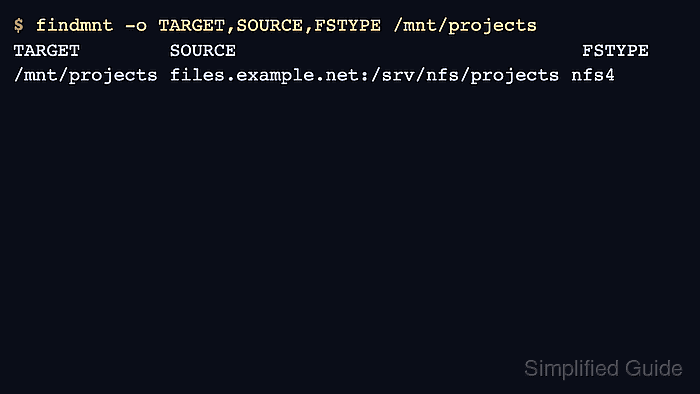
$ findmnt -o TARGET,SOURCE,FSTYPE,OPTIONS /mnt/projects
TARGET        SOURCE                               FSTYPE OPTIONS
/mnt/projects files.example.net:/srv/nfs/projects nfs4   rw,relatime,vers=4.2,proto=tcp,sec=sys
A live NFSv4 mount can show nfs4 in the kernel mount table even when the persistent /etc/fstab type is nfs with a vers= option.
- List the mounted directory as a user who should have access.
$ ls /mnt/projects
README.txt  reports
If the mount succeeds but files cannot be read or written, check the server export rule, filesystem permissions, UID/GID mapping, and any Kerberos security option required by the export.
- Unmount the manual test before testing a persistent entry.
$ sudo umount /mnt/projects
- Open /etc/fstab for editing.
$ sudoedit /etc/fstab
- Add the NFS export entry.
files.example.net:/srv/nfs/projects /mnt/projects nfs rw,vers=4.2,_netdev,x-systemd.mount-timeout=30s 0 0
Current Linux NFS client documentation uses nfs as the fstab filesystem type and a vers= option when a specific protocol version is required. _netdev marks the entry as a network filesystem for systemd ordering.
A wrong server name, export path, mount point, or required security option in /etc/fstab can delay boot or fail the first path access. Keep the manual mount test successful before relying on the persistent entry.
- Check the /etc/fstab entry for parse errors.
$ sudo findmnt --verify --tab-file /etc/fstab
Success, no errors or warnings detected
- Reload the systemd manager after changing /etc/fstab.
$ sudo systemctl daemon-reload
- Mount the persistent entry by mount point.
$ sudo mount /mnt/projects
- Verify that the persistent mount resolves to the same NFS export.
$ findmnt -o TARGET,SOURCE,FSTYPE,OPTIONS /mnt/projects
TARGET        SOURCE                               FSTYPE OPTIONS
/mnt/projects files.example.net:/srv/nfs/projects nfs4   rw,relatime,vers=4.2,proto=tcp,sec=sys