UI tests fail noisily when they ask for a screen element before the app has finished rendering, loading data, or removing a blocking overlay. XCUITest element waits let the test wait for the named UI state instead of sleeping for a fixed number of seconds.
Use the built-in appearance wait for elements that need to appear, and use the non-existence wait for elements that need to disappear. For tappable controls, a predicate wait against isHittable catches the extra state where the element exists but is still offscreen, covered, or not ready for a tap.
The app should expose stable accessibility identifiers such as sign-in-button, welcome-title, and login-progress before the UI test relies on waits. Keep wait timeouts close to the expected UI transition, and let the test fail with the element name when the expected state never arrives.
Related: How to write a first XCUITest UI test
Related: How to stabilize selectors in XCUITest tests
Related: How to set XCUITest test timeouts
Steps to wait for UI elements in XCUITest:
- Add an element wait helper to the UI test target.
- WaitForElement.swift
import Foundation
import XCTest

extension XCUIElement {
    @discardableResult
    func requireExistence(
        _ name: String,
        timeout: TimeInterval = 5,
        file: StaticString = #filePath,
        line: UInt = #line
    ) -> XCUIElement {
        XCTAssertTrue(
            waitForExistence(timeout: timeout),
            "Timed out after \(timeout)s waiting for \(name) to exist.",
            file: file,
            line: line
        )
        return self
    }

    @discardableResult
    func requireHittability(
        _ name: String,
        timeout: TimeInterval = 5,
        file: StaticString = #filePath,
        line: UInt = #line
    ) -> XCUIElement {
        let predicate = NSPredicate(format: "hittable == true")
        let expectation = XCTNSPredicateExpectation(predicate: predicate, object: self)
        let result = XCTWaiter.wait(for: [expectation], timeout: timeout)

        XCTAssertEqual(
            result,
            .completed,
            "Timed out after \(timeout)s waiting for \(name) to become hittable.",
            file: file,
            line: line
        )
        return self
    }

    func requireNonExistence(
        _ name: String,
        timeout: TimeInterval = 5,
        file: StaticString = #filePath,
        line: UInt = #line
    ) {
        XCTAssertTrue(
            waitForNonExistence(timeout: timeout),
            "Timed out after \(timeout)s waiting for \(name) to disappear.",
            file: file,
            line: line
        )
    }
}
waitForExistence(timeout:) and waitForNonExistence(timeout:) wait for existence state. The XCTNSPredicateExpectation branch is for the tappable state exposed through isHittable. Projects pinned to an older Xcode can use a predicate wait for exists == false until the toolchain is upgraded.
- Stop the test after the first required UI state fails.
- LoginUITests.swift
import XCTest

final class LoginUITests: XCTestCase {
    override func setUpWithError() throws {
        continueAfterFailure = false
    }
}
Required waits return the element so the test code stays readable, but continueAfterFailure = false prevents later taps from running after a required wait has already failed.
- Wait for the first screen element before interacting with the app.
- LoginUITests.swift
func testLoginWaitsForWelcome() throws {
    let app = XCUIApplication()
    app.launch()

    app.buttons["sign-in-button"]
        .requireHittability("Sign In button", timeout: 5)
        .tap()
}
Use a hittability wait before tap() when a button may exist before it can receive touches.
- Wait for the loading state to disappear.
- LoginUITests.swift
let progress = app.activityIndicators["login-progress"]
progress.requireNonExistence("login progress indicator", timeout: 10)
Waiting for disappearance is clearer than sleeping while the network request or animation finishes.
- Wait for the final screen state before asserting it.
- LoginUITests.swift
let welcomeTitle = app.staticTexts["welcome-title"]
welcomeTitle.requireExistence("Welcome title", timeout: 5)
XCTAssertEqual(welcomeTitle.label, "Welcome")
Keep the wait and the assertion separate. The wait proves the element is present; the assertion proves the visible state is the expected one.
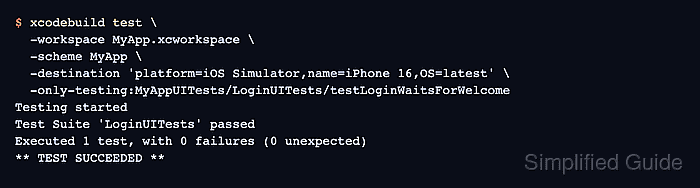
- Run the focused UI test from xcodebuild.
$ xcodebuild test \
  -workspace MyApp.xcworkspace \
  -scheme MyApp \
  -destination 'platform=iOS Simulator,name=iPhone 16,OS=latest' \
  -only-testing:MyAppUITests/LoginUITests/testLoginWaitsForWelcome
Testing started
Test Suite 'LoginUITests' passed
Executed 1 test, with 0 failures (0 unexpected)
** TEST SUCCEEDED **
Run the same test with a temporarily wrong identifier only when you need to verify the failure text. The helper should report the named state, such as Timed out after 5.0s waiting for Welcome title to exist.

Mohd Shakir Zakaria is a cloud architect with deep roots in software development and open-source advocacy. Certified in AWS, Red Hat, VMware, ITIL, and Linux, he specializes in designing and managing robust cloud and on-premises infrastructures.


