Listing tmux sessions identifies the workspaces that already exist on the tmux server before an attach, rename, or cleanup command targets the wrong shell. It is the quick inventory to run after reconnecting to a host, opening a new terminal, or checking whether background work is still waiting.
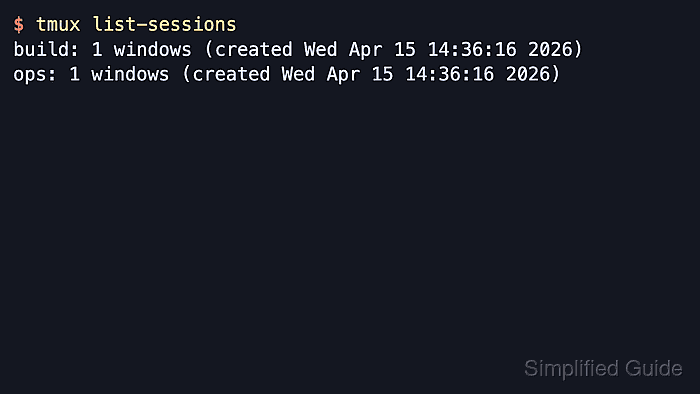
The list-sessions command asks the running tmux server for every session it manages and prints one line per session. The default output starts with the session name, then the window count and creation timestamp; tmux ls is the short alias for the same command.
A missing server is not an empty result. When no tmux server is running, list-sessions exits with a no-server message, and larger servers are easier to inspect when -F changes the output fields or -f limits the list to a named session.
Related: How to create a tmux session
Related: How to attach to a tmux session
Related: How to rename a tmux session
Related: How to kill a tmux session
Steps to list tmux sessions:
- Run the default session list to see every session currently managed by the tmux server.
$ tmux list-sessions
build: 1 windows (created Fri Jun  5 07:59:15 2026)
ops: 2 windows (created Fri Jun  5 07:59:15 2026)
The text before the colon is the session name, which is the target used by commands such as attach-session -t, rename-session -t, and kill-session -t.
- Add a custom format when you want the list to emphasize the window count or attached state instead of the default creation timestamp.
$ tmux list-sessions -F '#{session_name}: #{session_windows} windows (#{?session_attached,attached,detached})'
build: 1 windows (detached)
ops: 2 windows (detached)
-F expands tmux format strings, so you can swap in fields such as #{session_created} or #{session_attached} when a script or status check needs different details. Detached means no client is currently attached to that session.
- Filter the list when the server has many sessions and only one target name matters.
$ tmux list-sessions -f '#{==:#{session_name},ops}'
ops: 2 windows (created Fri Jun  5 07:59:15 2026)
-f keeps the normal output format but only prints sessions whose format expression evaluates true. Exact-name filters are useful before a targeted attach, rename, or kill command when similar session names exist.
- Start or create a session first when tmux reports that no server socket exists yet.
$ tmux list-sessions
no server running on /tmp/tmux-0/default
The numeric directory under /tmp/tmux-UID/ varies by user account, but the message means no tmux server is running yet, so there is nothing to list until a session starts.
Related: How to create a tmux session

Mohd Shakir Zakaria is a cloud architect with deep roots in software development and open-source advocacy. Certified in AWS, Red Hat, VMware, ITIL, and Linux, he specializes in designing and managing robust cloud and on-premises infrastructures.


