Temporary tmux session names become easy to confuse once several detached workspaces are running. Renaming the session gives scripts, status lines, and later attach commands a name that matches the work that is still running.
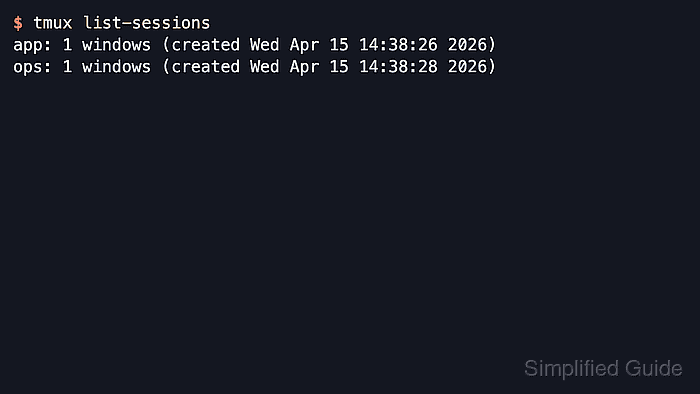
The rename-session command updates the session identifier on the active tmux server without restarting shells, windows, or panes. Commands such as attach-session, switch-client, and list-sessions see the new name immediately, so rename before other users or scripts continue to target the old label.
Session names must be unique within the same tmux server. Current tmux resolves a -t session target as an exact name first and then a prefix or pattern match unless the target begins with =, which forces exact matching. Listing sessions before and after the rename catches duplicates and wrong-target mistakes.
Related: How to list tmux sessions
Related: How to attach to a tmux session
Steps to rename a tmux session:
- List the current tmux sessions so the old name is visible before you rename anything.
$ tmux list-sessions
build: 1 windows (created Fri Jun  5 07:59:53 2026)
ops: 1 windows (created Fri Jun  5 07:59:53 2026)
Use the name at the start of the line as the -t target in the next command. If the session was created on a non-default server with -L or -S, include the same socket option when listing, renaming, attaching, or switching.
- Rename the target session to the new label.
$ tmux rename-session -t build app
The last argument is the replacement session name, so this command changes build to app immediately. Inside an attached client, the default Prefix + $ binding opens the rename prompt for the current session.
- Verify that tmux now lists the session under the new name.
$ tmux list-sessions
app: 1 windows (created Fri Jun  5 07:59:53 2026)
ops: 1 windows (created Fri Jun  5 07:59:53 2026)
Renaming changes only the session identifier. It does not stop the session, close windows or panes, or rename windows inside the session. Later attach-session -t app or switch-client -t app commands must use the new name.
Related: How to attach to a tmux session
- Use an exact-match target when several session names share a similar prefix.
$ tmux rename-session -t =app project-prod
Prefixing the target with = tells tmux to match only the exact session name instead of falling back to a prefix or pattern match.
- Choose a different replacement name if tmux reports that the requested name already exists.
$ tmux rename-session -t project-prod ops
duplicate session: ops
Session names must be unique on the same tmux server, so reuse a different name instead of trying to overwrite another running session.

Mohd Shakir Zakaria is a cloud architect with deep roots in software development and open-source advocacy. Certified in AWS, Red Hat, VMware, ITIL, and Linux, he specializes in designing and managing robust cloud and on-premises infrastructures.


