Killing a tmux session removes a terminal workspace that is no longer needed and stops every shell, editor, and job still running inside its windows and panes. Use it after detached work has finished, or when an old named session must be cleared before recreating it.
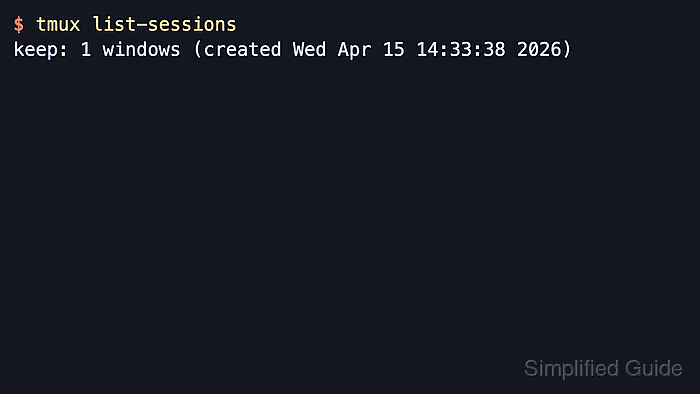
The kill-session command destroys the target session, closes windows linked only to that session, and detaches any clients attached to it. Passing the session name with -t keeps the action narrow, while -a -t reverses the cleanup by keeping one named session and removing the others.
Because this command ends the processes inside the target session, list the current sessions first, confirm the name, and verify what remains afterward. In the default tmux setup, removing the last session makes the server exit, so a follow-up list returns a no-server message instead of another session list.
Related: How to list tmux sessions
Related: How to attach to a tmux session
Steps to kill a tmux session:
- List the current tmux sessions and identify the exact target name before anything is removed.
$ tmux list-sessions
build: 1 windows (created Fri Jun  5 07:50:57 2026)
ops: 1 windows (created Fri Jun  5 07:50:57 2026)
The name before the colon is the -t target for kill-session.
- Kill only the named session that should be removed.
$ tmux kill-session -t build
Every window, pane, and running process inside build ends immediately unless that window is also linked to another session.
If tmux reports can't find session: name, list sessions again and correct the target before retrying.
- List the sessions again and confirm the removed name is gone while the remaining workspace is still present.
$ tmux list-sessions
ops: 1 windows (created Fri Jun  5 07:50:57 2026)
- List sessions before using the broader keep-one cleanup and confirm the session that should remain.
$ tmux list-sessions
keep: 1 windows (created Fri Jun  5 07:50:57 2026)
ops: 1 windows (created Fri Jun  5 07:50:57 2026)
scratch: 1 windows (created Fri Jun  5 07:50:57 2026)
- Keep one session and remove every other session when cleanup should leave a single workspace running.
$ tmux kill-session -a -t keep
The -a flag kills all sessions except the target given with -t, so confirm the kept target before running it.
- Recheck the session list after the keep-one cleanup and confirm only the intended session remains.
$ tmux list-sessions
keep: 1 windows (created Fri Jun  5 07:50:57 2026)
- Kill the final remaining session when no tmux workspaces should stay running.
$ tmux kill-session -t keep
- Confirm the default tmux server stopped after the last session was removed.
$ tmux list-sessions
no server running on /tmp/tmux-0/default
The numeric socket directory varies by user account, but the message itself is the normal sign that no tmux sessions remain.
Related: How to list tmux sessions
Related: How to create a tmux session

Mohd Shakir Zakaria is a cloud architect with deep roots in software development and open-source advocacy. Certified in AWS, Red Hat, VMware, ITIL, and Linux, he specializes in designing and managing robust cloud and on-premises infrastructures.


