Live interface monitoring lets Snort inspect packets as they arrive on a sensor port instead of reading a saved pcap file. It is the right check when the interface, DAQ module, local rules, and alert logger all need to work together before the sensor is turned into a long-running service.
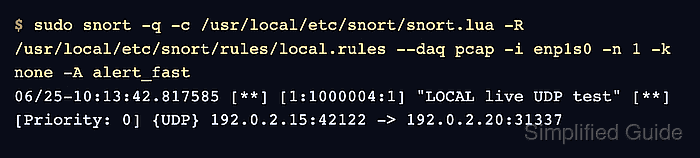
Snort 3 uses -i to listen on an interface, and the pcap DAQ runs that passive capture path unless another module is selected. A short run with -n 1 keeps the test bounded while still proving that the interface can deliver a packet into the detection engine.
Use a controlled packet that should match a known local rule before leaving Snort running unattended. A proven foreground run can write alert_fast events to /var/log/snort or move into a systemd service after the interface test shows real alerts.
Related: How to check Snort DAQ modules
Related: How to test Snort with pcap replay
Related: How to create a Snort systemd service
Steps to monitor a live interface with Snort:
- Identify the interface that receives mirrored or sensor traffic.
$ ip -brief link
lo               UNKNOWN        00:00:00:00:00:00
enp1s0           UP             52:54:00:12:34:56
Use the real sensor interface for validation and capture runs. A SPAN, TAP, or routed test path should already be delivering authorized traffic to that interface.
- Validate the configuration, local rule file, DAQ, and interface flags.
$ sudo snort -c /usr/local/etc/snort/snort.lua \
    -R /usr/local/etc/snort/rules/local.rules \
    --daq pcap -i enp1s0 -T
--------------------------------------------------
o")~   Snort++ 3.12.2.0
--------------------------------------------------
Loading /usr/local/etc/snort/snort.lua:
##### snipped #####
Loading rule args:
Loading /usr/local/etc/snort/rules/local.rules:
Finished /usr/local/etc/snort/rules/local.rules:
##### snipped #####
pcap DAQ configured to passive.

Snort successfully validated the configuration (with 0 warnings).
o")~   Snort exiting
Run the same validation with the interface and DAQ flags planned for the live command. Add --warn-all during rule or Lua changes when warnings should block handoff.
Related: How to test Snort configuration
Related: How to check Snort DAQ modules
Related: How to create a local Snort rule - Run a one-packet live test on the sensor interface.
$ sudo snort -q -c /usr/local/etc/snort/snort.lua \
    -R /usr/local/etc/snort/rules/local.rules \
    --daq pcap -i enp1s0 -n 1 -k none -A alert_fast
06/25-10:13:42.817585 [**] [1:1000004:1] "LOCAL live UDP test" [**] [Priority: 0] {UDP} 192.0.2.15:42122 -> 192.0.2.20:31337
The command waits until one packet reaches enp1s0. Add --bpf 'udp and port 31337' only when the filter matches the controlled test traffic. Remove -k none when checksum validation is required by the sensor policy.
- Create the Snort log directory for a longer foreground run.
$ sudo install -d -m 0755 -o root -g root /var/log/snort
- Run the same interface command without the one-packet limit.
$ sudo snort -q -c /usr/local/etc/snort/snort.lua \
    -R /usr/local/etc/snort/rules/local.rules \
    --daq pcap -i enp1s0 -k none -A alert_fast \
    --lua 'alert_fast = { file = true }' \
    -l /var/log/snort
alert_fast.file writes events to /var/log/snort/alert_fast.txt instead of stdout. Move this known-good foreground command into a service only after the interface test and alert file are proven.
Related: How to create a Snort systemd service - Confirm that live traffic reaches the alert file.
$ sudo cat /var/log/snort/alert_fast.txt
06/25-10:16:09.441162 [**] [1:1000004:1] "LOCAL live UDP test" [**] [Priority: 0] {UDP} 192.0.2.15:42122 -> 192.0.2.20:31337
An empty alert file usually means no matching traffic reached the interface, the local rule did not match, or the logger was not configured with alert_fast.file enabled.
Related: How to view Snort alert logs
Related: How to read Snort run statistics

Mohd Shakir Zakaria is a cloud architect with deep roots in software development and open-source advocacy. Certified in AWS, Red Hat, VMware, ITIL, and Linux, he specializes in designing and managing robust cloud and on-premises infrastructures.


