Snort shutdown statistics show what happened to traffic after a replay or sensor test finishes. They matter when an alert line alone does not prove that packets were received, decoded, inspected, and logged.
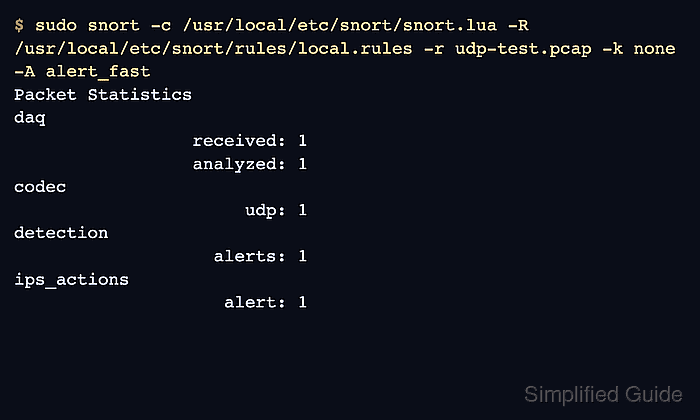
Snort 3 prints packet, module, and summary counters at shutdown when quiet mode is not used. A pcap replay with -r and a focused rule file with -R creates a controlled run where the DAQ, codec, detection, search-engine, and stream counters can be read together.
Read the counters in packet-path order. daq.received and daq.analyzed prove packet flow, codec rows prove protocol decoding, and detection.alerts with ips_actions.alert proves that a rule reached the alert action; missing values point to the earlier layer that needs attention.
Steps to read Snort run statistics:
- Run Snort against the pcap without quiet mode.
$ sudo snort -c /usr/local/etc/snort/snort.lua \
    -R /usr/local/etc/snort/rules/local.rules \
    -r udp-test.pcap -k none -A alert_fast
##### snipped #####
pcap DAQ configured to read-file.
Commencing packet processing
++ [0] udp-test.pcap
06/25-00:00:00.941429 [**] [1:1000001:1] "LOCAL UDP test" [**] [Priority: 0] {UDP} 192.0.2.10:53124 -> 192.0.2.20:31337
-- [0] udp-test.pcap
##### snipped #####
Leave -q off when the shutdown counters are the evidence. Use -k none only for lab captures whose checksums would otherwise prevent matching.
- Confirm that the DAQ received and analyzed packets.
Packet Statistics
--------------------------------------------------
daq
                    pcaps: 1
                 received: 1
                 analyzed: 1
                    allow: 1
                 rx_bytes: 52
If received is 0, the pcap, interface, permissions, or DAQ selection is the first place to inspect.
- Check that the packet decoded through the expected protocol stack.
codec
                    total: 1
                      eth: 1
                     ipv4: 1
                      udp: 1
A TCP test should show a tcp row instead. A wrong link type or empty pcap usually fails before useful detection counters appear.
- Check the detection and action counters.
detection analyzed: 1 raw_searches: 1 pkt_searches: 1 alerts: 1 total_alerts: 1 logged: 1 -------------------------------------------------- ips_actions alert: 1 - Inspect search-engine counters when a content rule stays silent.
search_engine max_queued: 1 total_flushed: 1 total_inserts: 1 total_unique: 1 qualified_events: 1 - Inspect stream counters when session handling matters.
stream_udp sessions: 1 max: 1 created: 1 released: 1 total_bytes: 10 - Read the summary timing and shutdown line.
Summary Statistics
--------------------------------------------------
timing
                  runtime: 00:00:00
                  seconds: 0.029878
                 pkts/sec: 33
o")~   Snort exiting
Use perf_monitor when a long-running sensor needs interval counters without stopping Snort.
Related: How to tune Snort performance

Mohd Shakir Zakaria is a cloud architect with deep roots in software development and open-source advocacy. Certified in AWS, Red Hat, VMware, ITIL, and Linux, he specializes in designing and managing robust cloud and on-premises infrastructures.


