Killing a Screen session removes an entire terminal workspace when the shells, editors, or background commands inside it should stop. It is the cleanup step for an abandoned or finished session, not the safe way to leave work running after a terminal closes.
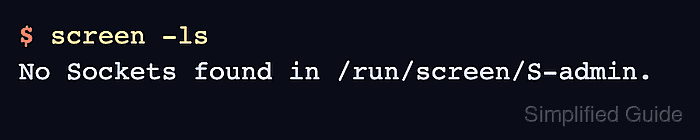
The external command screen -S work -X quit sends Screen's quit command to the named session without attaching to it. Listing first matters because Screen targets sessions by the socket name printed after the process ID, and repeated names or stale dead sockets can make a cleanup command ambiguous.
Because quit closes every window inside the target session, confirm that no shell or job in that session still needs to run. The command output below was verified in an Ubuntu 26.04 container with a detached work session owned by admin. If the list later shows a dead socket after a crash, screen -wipe cleans the stale entry; if only one program is finished, close that window instead of ending the whole session.
Steps to kill a Screen session:
- List Screen sessions and identify the exact target name before cleanup.
$ screen -ls
There is a screen on:
        14.work        (06/05/26 07:10:31)     (Detached)
1 Socket in /run/screen/S-admin.
The normal target is the name after the process prefix. Use work for this example, or the full 14.work identifier if similar names make the target unclear.
- Send quit to the target session.
$ screen -S work -X quit
This closes every window in the work session and disconnects any attached display for that session.
- List sessions again and confirm the target name is gone.
$ screen -ls
No Sockets found in /run/screen/S-admin.
If other Screen sessions still exist, the output should list those sessions but not the killed work session.
- Clean stale socket entries only when the list reports a dead session instead of a live one.
$ screen -wipe
screen -wipe removes dead socket records; it is not needed when screen -ls already reports no sockets or only live sessions.
- Use the attached-session quit key only when the current attached session should end.
C-a C-\
Screen prompts before killing all windows from an attached display, but the result is still session-level cleanup.