Machine-learning projects often need different Python and native-library versions. The official PyTorch Docker image runs tensor calculations in an isolated Python environment without installing torch on the host.
A CUDA-enabled image can also perform CPU calculations without an NVIDIA GPU. The selected image targets Linux x86-64 (amd64), so an ARM host needs working amd64 emulation to run it.
Docker must already be running in Linux-container mode with enough disk space for a multi-gigabyte image. The named container stays running after the calculation, with no host directories mounted and no network ports published.
Steps to run PyTorch in a Docker container:
- Pull the official PyTorch runtime image with an explicit release tag.
$ docker pull --platform linux/amd64 pytorch/pytorch:2.15.0-cuda13.2-cudnn9-runtime
The PyTorch image repository publishes this stable PyTorch 2.15.0 tag for Linux amd64. PyTorch is already installed in the image, so no additional pip install is needed.
- Start a named PyTorch container with two CPUs and 4 GiB of memory.
$ docker run --detach --platform linux/amd64 \
  --name pytorch-cpu --user 1000:1000 --cpus 2 --memory 4g \
  pytorch/pytorch:2.15.0-cuda13.2-cudnn9-runtime sleep infinity
Docker prints the new container ID. The sleep infinity process keeps the container available for docker exec, and --user 1000:1000 runs it without root privileges inside the container. If pytorch-cpu already exists, choose an unused name in both Docker commands rather than removing an existing container. Files created only inside the container are lost if it is removed.
Related: How to stop and remove a Docker container - Verify PyTorch inside the container with a CPU tensor calculation. Example output:
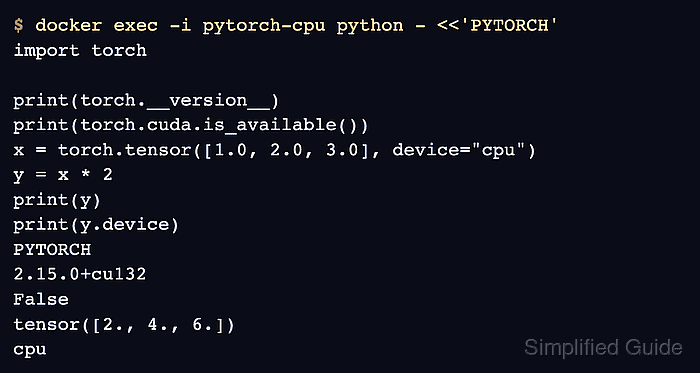
$ docker exec -i pytorch-cpu python - <<'PYTORCH'
import torch

print(torch.__version__)
print(torch.cuda.is_available())
x = torch.tensor([1.0, 2.0, 3.0], device="cpu")
y = x * 2
print(y)
print(y.device)
PYTORCH
2.15.0+cu132
False
tensor([2., 4., 6.])
cpu
The tensor should contain [2., 4., 6.] and report cpu. A False CUDA availability result is expected without GPU access; it does not prevent CPU calculations. The CUDA suffix in a version string describes the build, not GPU execution. NVIDIA GPU access additionally requires a compatible host driver and the NVIDIA Container Toolkit configured for Docker.
Related: How to enable CUDA in PyTorch