Running a Docker container creates a new filesystem and process from an image reference. The important operator boundary is whether the container should run once and exit, or stay running as a named service that can be inspected, stopped, and removed later.
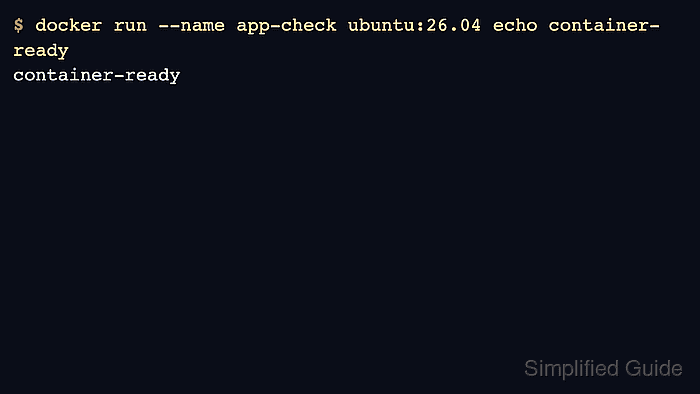
docker run pulls the image when needed, creates the container, starts it, and attaches to its output unless --detach is used. A name makes follow-up commands predictable, and a tag pins the image version instead of relying on a moving latest reference.
The first run should prove the expected command or service state before the container becomes part of a larger workflow. Port publishing, volumes, environment variables, healthchecks, and resource limits can be added once the basic run path is clear.
Steps to run a Docker container:
- Run a one-time container from a pinned image tag.
$ docker run --name app-check ubuntu:26.04 sh -c 'cat /etc/os-release'
PRETTY_NAME="Ubuntu 26.04 LTS"
NAME="Ubuntu"
VERSION_ID="26.04"
- Check the container record after the command exits.
$ docker ps --all --filter name=app-check
CONTAINER ID   IMAGE          COMMAND                  CREATED          STATUS                      PORTS     NAMES
7d2f4e18a2c1   ubuntu:26.04   "sh -c 'cat /etc/o…"    3 seconds ago    Exited (0) 2 seconds ago              app-check
- Remove the one-time container when the output is no longer needed.
$ docker rm app-check
app-check
- Start a long-running container in detached mode when the process should keep running.
$ docker run --detach --name app --restart unless-stopped registry.example.com/team/app:1.0
f81a8f3c2b9d
Use --publish, --mount, and --env-file only when the workload actually needs ports, storage, or environment values.
- Verify that the detached container is running.
$ docker ps --filter name=app
CONTAINER ID   IMAGE                                COMMAND       CREATED          STATUS          PORTS     NAMES
f81a8f3c2b9d   registry.example.com/team/app:1.0    "app"         8 seconds ago    Up 8 seconds              app

Mohd Shakir Zakaria is a cloud architect with deep roots in software development and open-source advocacy. Certified in AWS, Red Hat, VMware, ITIL, and Linux, he specializes in designing and managing robust cloud and on-premises infrastructures.


