Installing PHP directly gives Windows workstations and Linux servers a visible command-line interpreter for Composer, scheduled jobs, deployment scripts, and later web-server integration without hiding the runtime inside a bundled stack.
On Windows, the official PHP for Windows ZIP builds keep the install under a known directory such as C:\php. That path makes the selected architecture, thread model, php.ini file, and Path entry easy to inspect before a web server, Composer project, or scheduled task depends on the interpreter.
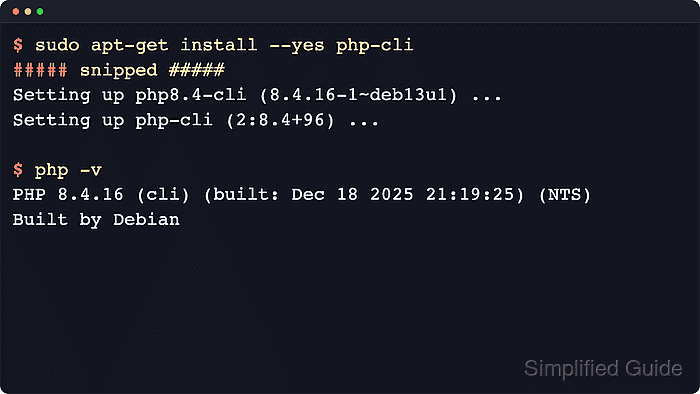
On Ubuntu or Debian, the distro-default php-cli dependency package installs the shell runtime from APT without pulling in PHP-FPM or Apache mod_php. Current checks resolve php-cli to PHP 8.5 on Ubuntu 26.04 LTS and PHP 8.4 on Debian 13 stable, so the exact php -v line and configuration directory follow the enabled repositories.
Related: How to install PHP on Ubuntu or Debian
Related: How to install PHP on CentOS, Fedora, or Red Hat
Related: How to install PHP on SUSE
Related: How to install PHP on macOS
Methods to install PHP on Windows or Linux:
Steps to install PHP on Windows or Linux:
Install PHP on Windows with the official ZIP build
Installing the official ZIP build keeps the first Windows runtime explicit. It is the clearest manual path when PHP will run from PowerShell, Composer, scheduled tasks, IIS FastCGI, or another web-server integration that should point at one reviewed interpreter directory.
Current PHP Windows builds require the Microsoft Visual C++ Redistributable for Visual Studio 2015-2022, and the downloads page recommends x64 for most Windows systems. Choose NTS for CLI or FastCGI use, and choose TS only when PHP must load directly as a multithreaded web-server module such as Apache mod_php.
- Open an elevated PowerShell session if the runtime will be installed under C:\php.
Use a writable directory such as $env:LOCALAPPDATA\Programs\PHP instead when administrative access to C:\ is not available, and substitute that path in the remaining commands.
- Install the matching Microsoft Visual C++ Redistributable for Visual Studio 2015-2022 before unpacking PHP.
Use the x64 redistributable for x64 builds and the x86 redistributable for x86 builds. Current PHP builds require Windows 8 or Windows Server 2012 or newer.
- Download the current official Windows ZIP build from php.net.
For a normal command-line install, choose VS17 x64 Non Thread Safe from the current PHP 8.5 section. The current downloads page publishes PHP 8.5.7 builds dated 2026-Jun-02, but the exact archive name changes with later releases.
- Extract the downloaded archive into C:\php.
PS> New-Item -ItemType Directory -Path C:\php -Force

    Directory: C:\

Mode                 LastWriteTime         Length Name
----                 -------------         ------ ----
d-----          6/6/2026  09:18 AM                php

PS> Expand-Archive -Path "$env:USERPROFILE\Downloads\php-8.5.7-nts-Win32-vs17-x64.zip" -DestinationPath C:\php -Force
Replace the ZIP filename with the exact archive downloaded from the PHP for Windows page if a newer release is available.
- Copy the bundled development template to php.ini inside the extracted directory.
PS> Copy-Item C:\php\php.ini-development C:\php\php.ini
Use php.ini-production instead when the runtime is being prepared for a server-focused baseline.
Related: How to find PHP configuration files
- Add C:\php to the user Path value.
PS> $userPath = [Environment]::GetEnvironmentVariable('Path', 'User')
PS> if (($userPath -split ';') -notcontains 'C:\php') {
>>   [Environment]::SetEnvironmentVariable('Path', "$userPath;C:\php", 'User')
>> }
Do not replace the existing Path value with only C:\php. Append the PHP directory so existing user commands continue to resolve.
- Open a new terminal session and verify that PowerShell resolves the extracted interpreter and its matching php.ini file.
PS> (Get-Command php).Source
C:\php\php.exe

PS> php -v
PHP 8.5.7 (cli) (built: Jun  2 2026 21:21:24) (NTS Visual C++ 2022 x64)
Copyright (c) The PHP Group
Zend Engine v4.5.7, Copyright (c) Zend Technologies

PS> php --ini
Configuration File (php.ini) Path: C:\WINDOWS
Loaded Configuration File:         C:\php\php.ini
##### snipped #####
The first php -v line should show the downloaded release, the cli SAPI, and the selected thread model.
Related: How to check PHP version
Install PHP on Ubuntu or Debian with APT
Installing PHP from APT keeps Ubuntu and Debian on the packaged runtime path for local scripting, automation, containers, and later web-server integration. The package manager handles library dependencies, security updates, and matching extension packages after the first install.
The php-cli package is a small dependency package that points at the distro-default versioned CLI build. Add separate php-* packages only after the base interpreter works, so database drivers, XML parsers, cURL support, PHP-FPM, and web-server modules stay intentional follow-up choices.
- Refresh the package index before checking or installing new packages.
$ sudo apt-get update
- Inspect which versioned PHP CLI package the current repositories expose before installing it.
$ apt-cache policy php-cli
php-cli:
  Installed: (none)
  Candidate: 2:8.5+99ubuntu1
  Version table:
     2:8.5+99ubuntu1 500
##### snipped #####

$ apt-cache depends php-cli
php-cli
  Depends: php8.5-cli
Current Ubuntu 26.04 LTS checks map php-cli to php8.5-cli. Current Debian 13 stable checks map the same package to php8.4-cli with php-cli 2:8.4+96.
- Install the default packaged PHP command-line interpreter.
$ sudo apt-get install --yes php-cli
##### snipped #####
Setting up php8.5-cli (8.5.4-0ubuntu1.1) ...
Setting up php-cli (2:8.5+99ubuntu1) ...
The broader php metapackage can pull in a web-facing SAPI such as Apache mod_php, PHP-FPM, or php-cgi. Keep the first install on php-cli when only the shell runtime is needed.
Related: Install PHP-FPM on Ubuntu or Debian
- Verify that the php command is available and reports the packaged runtime.
$ php -v
PHP 8.5.4 (cli) (built: May 25 2026 12:19:37) (NTS)
Copyright (c) The PHP Group
Built by Ubuntu
Zend Engine v4.5.4, Copyright (c) Zend Technologies
    with Zend OPcache v8.5.4, Copyright (c), by Zend Technologies
Current Debian 13 stable reports PHP 8.4.21 (cli) from the default package set instead.
Related: How to check PHP version
- Check which php.ini file the CLI runtime loaded.
$ php --ini
Configuration File (php.ini) Path: "/etc/php/8.5/cli"
Loaded Configuration File:         "/etc/php/8.5/cli/php.ini"
Scan for additional .ini files in: "/etc/php/8.5/cli/conf.d"
##### snipped #####
Related: How to find PHP configuration files
- Install the extensions required by the application after the base interpreter is working.
$ sudo apt-get install --yes php-curl php-mysql php-xml
These unversioned package names resolve to the distro-default branch, such as php8.5-curl on current Ubuntu 26.04 LTS or php8.4-curl on current Debian 13 stable.
- Confirm that the requested modules are now loaded by the CLI runtime.
$ php -m
[PHP Modules]
calendar
Core
ctype
curl
##### snipped #####
mysqli
mysqlnd
##### snipped #####
pdo_mysql
##### snipped #####
xml
xmlreader
xmlwriter
xsl
Zend OPcache
If the host also serves PHP through Apache or PHP-FPM, restart that web-facing runtime after adding modules so it loads the new extension set.
Related: How to show loaded PHP extensions

Mohd Shakir Zakaria is a cloud architect with deep roots in software development and open-source advocacy. Certified in AWS, Red Hat, VMware, ITIL, and Linux, he specializes in designing and managing robust cloud and on-premises infrastructures.


