Installing PHP on macOS gives local development shells, Composer commands, deployment helpers, and one-off scripts a maintained interpreter without depending on Apple-managed or app-bundled runtimes.
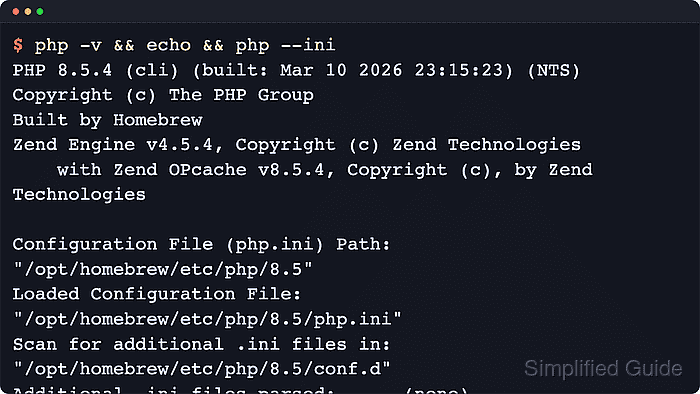
The supported package-manager path for current macOS systems is Homebrew. The unversioned php formula currently tracks the PHP 8.5 branch, installs the CLI binary, and includes helpers such as php-fpm and php-config under the same Homebrew prefix.
A working Homebrew setup is required before starting because current macOS releases no longer include a bundled PHP runtime. Apple Silicon installs normally use /opt/homebrew, Intel installs usually use /usr/local, versioned formulae such as php@8.4 remain separate for pinned projects, and an older php earlier in PATH can still mask the new runtime until the shell path is corrected.
Related: Install Homebrew on macOS
Steps to install PHP with Homebrew on macOS:
- Check the Homebrew prefix so the later binary and configuration paths are easier to recognize.
$ brew --prefix
/opt/homebrew
Apple Silicon Macs normally use /opt/homebrew. Intel Macs usually use /usr/local.
- Refresh Homebrew formula metadata before resolving the current PHP formula.
$ brew update
Homebrew often refreshes metadata automatically before brew install, but an explicit update surfaces tap or formula issues before the package transaction. If the refresh cannot reach the Homebrew API or taps, resolve that connectivity problem before continuing because the install step will fail for the same reason.
- Install the maintained PHP formula from Homebrew.
$ brew install php
If Homebrew reports that php is already installed and up-to-date, the runtime is already present and the next verification step can be used immediately. The unversioned php formula tracks the newest maintained branch, while versioned formulae such as php@8.4 and php@8.3 stay available separately for pinned project requirements.
- Confirm that Homebrew now records the PHP formula as installed in the current prefix.
$ brew list --versions php
php 8.5.6
The output shows the formula name and the installed package version. Exact patch numbers change as Homebrew publishes newer bottles. If the output is empty, the install did not complete in the current Homebrew prefix.
- Verify that the installed CLI interpreter answers from the Homebrew build.
$ php -v
PHP 8.5.6 (cli) (built: May  5 2026 21:19:36) (NTS)
Copyright (c) The PHP Group
Built by Homebrew
Zend Engine v4.5.6, Copyright (c) Zend Technologies
    with Zend OPcache v8.5.6, Copyright (c), by Zend Technologies
The first line confirms the active version and the cli SAPI. Build timestamps and extension lines vary by formula revision and architecture.
Related: Check PHP version
- List every php match in PATH so an older shim, symlink, or alternate install is visible before local projects start using the wrong runtime.
$ type -a php
php is /usr/local/bin/php
php is /opt/homebrew/bin/php
The first match is the command the shell runs. If that path is not under the prefix reported by brew --prefix, review the older entry before relying on the install for project commands.
- Check the active CLI configuration path after the installation.
$ php --ini
Configuration File (php.ini) Path: "/opt/homebrew/etc/php/8.5"
Loaded Configuration File:         "/opt/homebrew/etc/php/8.5/php.ini"
Scan for additional .ini files in: "/opt/homebrew/etc/php/8.5/conf.d"
Additional .ini files parsed:      (none)
Homebrew installs php-fpm and the matching php-fpm.ini tree with the same formula, but a background service is only necessary when a local web server or socket-based workflow will use that FastCGI runtime. Start it later with brew services start php only when it is actually needed.
Related: Find PHP configuration files

Mohd Shakir Zakaria is a cloud architect with deep roots in software development and open-source advocacy. Certified in AWS, Red Hat, VMware, ITIL, and Linux, he specializes in designing and managing robust cloud and on-premises infrastructures.


