Installing PHP-FPM on Ubuntu or Debian adds the FastCGI service layer that web servers use to hand PHP requests off to a separate worker manager. That is the packaged path used by Nginx and by Apache hosts that proxy PHP through proxy_fcgi instead of embedding PHP directly in the web-server process.
The php-fpm metapackage installs the distro-default versioned PHP-FPM branch together with its matching binary, systemd unit, and configuration tree under
/etc/php/<version>/fpm/
. The packaged www pool uses a versioned listener name, so the installed branch determines the socket path, service name, and validation command used in the later steps.
Repository selection and local policy decide what actually lands on the host. Current package checks map php-fpm to php8.5-fpm on Ubuntu 26.04 LTS and to php8.4-fpm on Debian 13 stable, while minimal containers and chroots often block service auto-start through policy-rc.d. Check the resolved package and listener path before pointing a web server or automation at the new PHP-FPM service.
Related: Install PHP on Ubuntu or Debian
Related: Create a PHP-FPM pool
Steps to install PHP-FPM on Ubuntu or Debian:
- Refresh the APT package index before resolving or installing the distro-default PHP-FPM package.
$ sudo apt-get update
- Check which versioned package the php-fpm metapackage resolves to on the current host.
$ apt-cache depends php-fpm
php-fpm
  Depends: php8.5-fpm
Current Ubuntu 26.04 LTS resolves php-fpm to php8.5-fpm, while current Debian 13 stable resolves it to php8.4-fpm. The matching branch determines the binary, unit, and socket names used in the remaining steps.
- Install the distro-default PHP-FPM package set.
$ sudo apt-get install --yes php-fpm
When apt-cache depends php-fpm does not return a dependency on Ubuntu, enable the universe component for the active release first.
- Confirm the installed binary, unit file, and packaged configuration paths.
$ ls -1 /usr/sbin/php-fpm* /usr/lib/systemd/system/php*-fpm.service /etc/php/*/fpm/php-fpm.conf /etc/php/*/fpm/pool.d/www.conf
/etc/php/8.5/fpm/php-fpm.conf
/etc/php/8.5/fpm/pool.d/www.conf
/usr/lib/systemd/system/php8.5-fpm.service
/usr/sbin/php-fpm8.5
The same command on current Debian 13 stable shows the matching 8.4 paths and binary name instead.
Related: Find PHP configuration files
- Test the installed PHP-FPM configuration with the versioned binary that matches the detected branch.
$ sudo php-fpm8.5 -t
[05-Jun-2026 21:43:23] NOTICE: configuration file /etc/php/8.5/fpm/php-fpm.conf test is successful
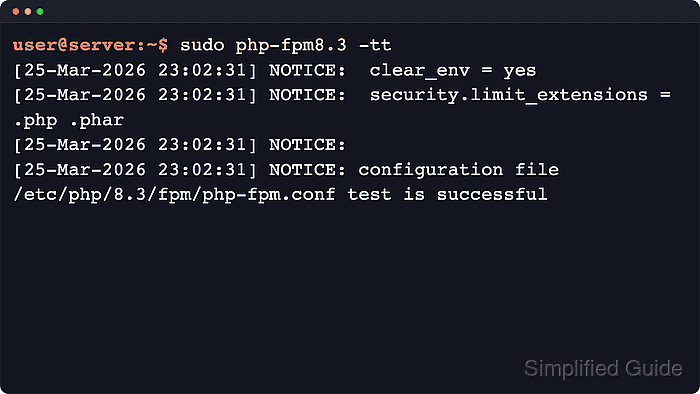
Use the binary from the installed branch, such as php-fpm8.4 on current Debian 13. The -t form reports a successful parse, while -tt prints the resolved configuration before exiting.
- Check the listener configured for the packaged www pool before pointing the web server at it.
$ grep -H '^listen = ' /etc/php/*/fpm/pool.d/www.conf
/etc/php/8.5/fpm/pool.d/www.conf:listen = /run/php/php8.5-fpm.sock
Current Debian 13 stable uses the same layout with
/run/php/php8.4-fpm.sock
. Custom pools can replace the default socket with a different socket path or a TCP listener.
Related: Create a PHP-FPM pool
- Enable and start the detected PHP-FPM unit on a normal systemd host.
$ sudo systemctl enable --now php8.5-fpm
Use the versioned unit discovered earlier when the host installed a different branch. Containers and chroots often leave the package installed but stopped because policy-rc.d blocks service actions during package installation.
Related: Manage the PHP-FPM service
- Verify that PHP-FPM is active and that the expected socket exists.
$ systemctl is-active php8.5-fpm
active

$ ls -l /run/php/php8.5-fpm.sock
srw-rw---- 1 www-data www-data 0 Jun  5 21:45 /run/php/php8.5-fpm.sock
If the socket check fails, re-read the listen value in
/etc/php/<version>/fpm/pool.d/www.conf
and inspect the service logs before changing the web-server upstream.
Related: Manage the PHP-FPM service

Mohd Shakir Zakaria is a cloud architect with deep roots in software development and open-source advocacy. Certified in AWS, Red Hat, VMware, ITIL, and Linux, he specializes in designing and managing robust cloud and on-premises infrastructures.


