Installing distro-packaged PHP on Ubuntu or Debian adds a supported interpreter for Composer runs, cron jobs, deployment hooks, and one-off maintenance scripts without turning the first install into a web-server setup decision.
On both distro families, the php-cli package resolves the default CLI runtime for the enabled repositories. That dependency package pulls in the matching versioned interpreter, while optional capabilities such as cURL, MySQL drivers, and XML parsers stay in separate php-* packages so the base install stays small and explicit.
The exact branch follows the active package sources. Current package checks map php-cli to PHP 8.5 on Ubuntu 26.04 LTS and to PHP 8.4 on Debian 13 stable, so pinned archives or third-party repositories can change both the resolved package names and the configuration paths that appear after install.
Related: Install PHP-FPM on Ubuntu or Debian
Related: Find PHP configuration files
Steps to install PHP on Ubuntu or Debian:
- Refresh the package index so APT resolves PHP packages from the currently enabled repositories.
$ sudo apt-get update
- Check which versioned CLI package the php-cli dependency package resolves on the current host.
$ apt-cache depends php-cli
php-cli
  Depends: php8.5-cli
Current package checks map php-cli to php8.5-cli on Ubuntu 26.04 LTS and to php8.4-cli on Debian 13 stable. Checking the dependency first keeps multi-version hosts and pinned-repository systems from installing the wrong branch by assumption.
- Install the distro-packaged PHP command-line runtime.
$ sudo apt-get install --yes php-cli
Current Ubuntu 26.04 LTS package checks resolve this to php8.5-cli, while current Debian 13 stable package checks resolve it to php8.4-cli. This page keeps the first install on the CLI runtime only; add PHP-FPM separately when the host also needs a web-facing FastCGI service.
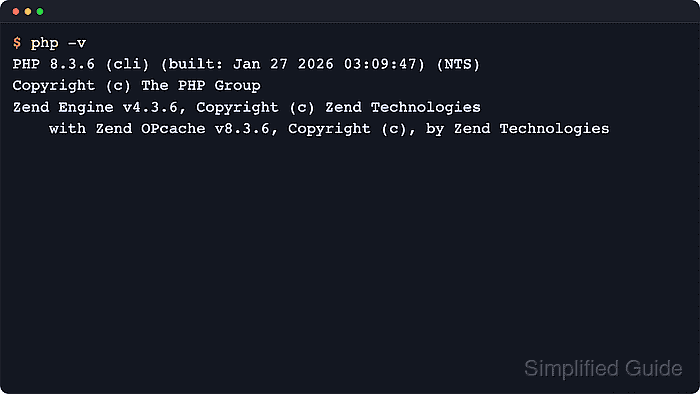
- Verify that the php command is available and reporting the installed CLI runtime.
$ php -v
PHP 8.5.4 (cli) (built: May 25 2026 12:19:37) (NTS)
Copyright (c) The PHP Group
Zend Engine v4.5.4, Copyright (c) Zend Technologies
    with Zend OPcache v8.5.4, Copyright (c), by Zend Technologies
Check the first line for the dotted release and the cli SAPI. The exact version changes with the distro release and enabled repositories.
Related: How to check PHP version
- Install only the extension bundles the application needs after the base interpreter is working.
$ sudo apt-get install --yes php-curl php-mysql php-xml
The unversioned php-* packages follow the distro-default PHP branch, so current Ubuntu 26.04 resolves them to matching php8.5-* packages while current Debian 13 resolves them to matching php8.4-* packages. Use explicit versioned package names only when a host intentionally carries more than one branch.
- Confirm that the requested modules are loaded by the same CLI runtime that the application will use.
$ php -m
[PHP Modules]
calendar
Core
##### snipped #####
curl
dom
##### snipped #####
mysqli
mysqlnd
PDO
pdo_mysql
##### snipped #####
xml
xmlreader
xmlwriter
xsl

[Zend Modules]
Zend OPcache
The php-mysql bundle loads mysqlnd, mysqli, and pdo_mysql, while php-xml adds xml, xmlreader, and xmlwriter. When shell output and web output later disagree, compare the active configuration files before changing extensions.
Related: Show loaded PHP extensions

Mohd Shakir Zakaria is a cloud architect with deep roots in software development and open-source advocacy. Certified in AWS, Red Hat, VMware, ITIL, and Linux, he specializes in designing and managing robust cloud and on-premises infrastructures.


