Enabling the PHP-FPM status page gives a live view of pool health before upstream timeouts, 502 responses, or vague application slowdowns turn into guesswork. Queue depth, worker counts, accepted connections, and slow-request counters make it easier to tell whether the bottleneck is the PHP pool itself or a different layer in the request path.
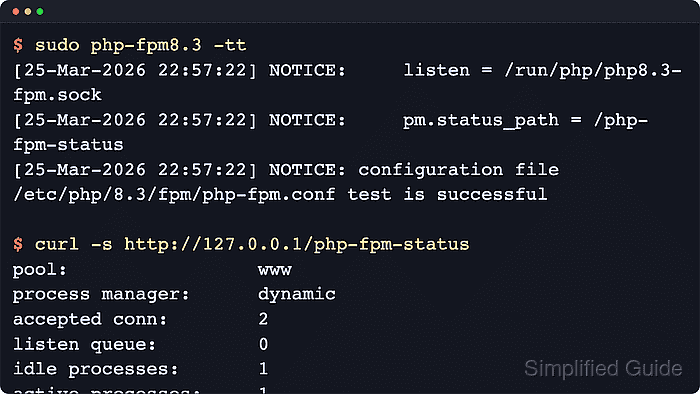
A pool answers status requests only after pm.status_path is set in that pool configuration and the web server forwards the matching URI directly to the same FastCGI socket or TCP listener. Current PHP documentation also supports pm.status_listen as a separate status-only listener, and the endpoint can return plain text, JSON, XML, HTML, or OpenMetrics output, with optional full process details.
Examples below use the current Ubuntu 26.04 LTS packaged layout with Apache proxying to the same PHP-FPM pool that serves the site. Replace 8.5 with the installed branch on Debian or Ubuntu hosts, and use the unversioned /etc/php-fpm.d layout on Fedora, Red Hat, or CentOS Stream systems. Keep the status URI restricted to localhost or trusted monitoring addresses, make sure rewrite rules do not swallow the endpoint, and validate both PHP-FPM and Apache before reloading either service.
Related: How to create a PHP-FPM pool
Related: How to enable the PHP-FPM slow log
Steps to enable the PHP-FPM status page:
- Locate the PHP-FPM pool file that serves the site.
$ ls /etc/php/*/fpm/pool.d/*.conf
/etc/php/8.5/fpm/pool.d/www.conf
Edit the pool that actually serves the application instead of assuming the default www pool. On RHEL-family hosts, the default pool file is usually /etc/php-fpm.d/www.conf.
- Create a timestamped backup of the target pool file before editing it.
$ sudo cp /etc/php/8.5/fpm/pool.d/www.conf /etc/php/8.5/fpm/pool.d/www.conf.bak-$(date +%Y%m%d%H%M%S)
A broken pool file can keep PHP-FPM from reloading cleanly, so a rollback copy shortens recovery time.
- Open the target pool file in a text editor.
$ sudo vi /etc/php/8.5/fpm/pool.d/www.conf
Use the discovered path when the host installs a different PHP branch or the unversioned /etc/php-fpm.d layout.
Related: How to find PHP configuration files
- Add the status-page directive inside the selected pool section.
pm.status_path = /php-fpm-status
The value must start with a leading slash and it must match the URI that the web server forwards to the same pool listener. Use pm.status_listen instead when health checks need a separate listener that can answer even if the main pool is saturated.
- Test the PHP-FPM configuration before reloading the service.
$ sudo php-fpm8.5 -tt
[05-Jun-2026 21:53:08] NOTICE: [global]
##### snipped #####
[05-Jun-2026 21:53:08] NOTICE: [www]
[05-Jun-2026 21:53:08] NOTICE:     listen = /run/php/php8.5-fpm.sock
[05-Jun-2026 21:53:08] NOTICE:     pm.status_path = /php-fpm-status
[05-Jun-2026 21:53:08] NOTICE:     pm.status_listen = undefined
##### snipped #####
[05-Jun-2026 21:53:08] NOTICE: configuration file /etc/php/8.5/fpm/php-fpm.conf test is successful
Use the binary that matches the installed package set, such as php-fpm8.4 on Debian 13 or the unversioned php-fpm binary on RHEL-family systems. The -tt check prints the effective pool values as well as the final syntax result.
Do not reload the service until the test is successful.
- Reload the PHP-FPM service so the pool starts recognizing the status URI.
$ sudo systemctl reload php8.5-fpm
Replace php8.5-fpm with the installed unit name when the host uses another PHP branch or the unversioned php-fpm service.
- Open the active Apache site or server configuration that already proxies the application to the target pool.
$ sudo vi /etc/apache2/sites-available/portal.example.test.conf
Use the active virtual-host or server file instead of dropping the status mapping into an unrelated site definition.
- Add a dedicated Apache location rule that passes the status URI directly to the same PHP-FPM listener.
<Location "/php-fpm-status">
    Require local
    ProxyPass "unix:/run/php/php8.5-fpm.sock|fcgi://localhost/"
</Location>
Keep the socket or TCP address aligned with the pool listen value reported by the PHP-FPM test output. An exact Location block is sufficient for this endpoint because the goal is one fixed URI, not a regex match.
Place the mapping ahead of rewrite rules or front-controller fallbacks that would otherwise turn /php-fpm-status into an application request.
- Test the Apache configuration before reloading it.
$ sudo apachectl configtest
Syntax OK
Use apache2ctl configtest or httpd -t when the platform does not provide apachectl.
Related: How to test Apache configuration
- Reload the Apache service so the status mapping becomes reachable.
$ sudo systemctl reload apache2
On RHEL-family hosts, the unit is usually httpd.
- Query the status URI from localhost to confirm that the pool metrics are exposed.
$ curl -s -H 'Host: portal.example.test' http://127.0.0.1/php-fpm-status
pool:                 www
process manager:      dynamic
start time:           05/Jun/2026:21:53:08 +0000
start since:          2
accepted conn:        1
listen queue:         0
max listen queue:     0
listen queue len:     0
idle processes:       1
active processes:     1
total processes:      2
max active processes: 1
max children reached: 0
slow requests:        0
memory peak:          0
The counters, queue length, and timestamps vary with pool settings and live traffic. The important result is a real PHP-FPM status block instead of application output, a rewrite target, or an error response.
Add the virtual-host name with a Host header when the status mapping lives inside a name-based site definition. Switch to the exact site URL instead of 127.0.0.1 when the endpoint is only exposed on HTTPS or behind an internal reverse proxy. The same endpoint also supports ?full, ?json, ?xml, ?html, and ?openmetrics query parameters on current PHP-FPM releases.

Mohd Shakir Zakaria is a cloud architect with deep roots in software development and open-source advocacy. Certified in AWS, Red Hat, VMware, ITIL, and Linux, he specializes in designing and managing robust cloud and on-premises infrastructures.


