Managing the Apache service is what turns certificate renewals, virtual host edits, and module changes into a controlled maintenance task instead of a live outage. Knowing when to reload, restart, stop, or start the web server keeps changes predictable and shortens recovery time when a deployment behaves badly.
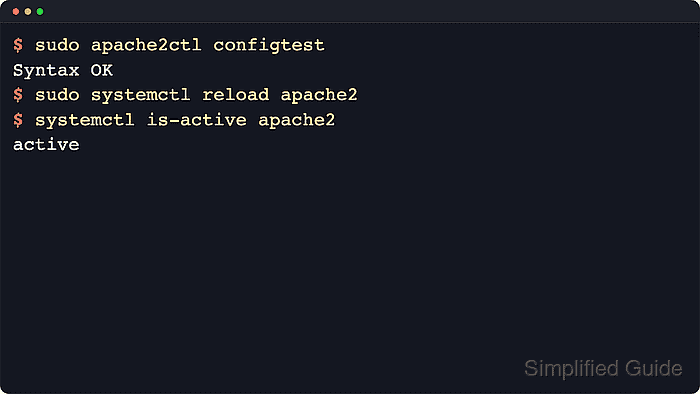
On current Linux distributions, systemd usually controls Apache as a service unit, and the packaged unit delegates start, reload, and stop actions to the Apache control wrapper. Debian and Ubuntu typically expose apache2.service with the apache2ctl wrapper, while Red Hat-family systems usually use httpd.service with apachectl, but the lifecycle flow is the same.
A syntax test should happen before every reload or restart because a service command still depends on Apache accepting the loaded configuration. The steps below use the current Debian and Ubuntu apache2 defaults confirmed against a current package environment, and the notes call out the common httpd substitution for RHEL-style systems.
Related: How to enable or disable Apache modules
Related: Apache command names by distribution
Use systemctl reload apache2 on systemd hosts. Compatibility paths such as service apache2 reload, /etc/init.d/apache2 reload, and apache2ctl graceful reach the same packaged Apache control layer when those interfaces are present.
Steps to manage the Apache web server service:
- Open a terminal session with an account that can use sudo.
- Test the Apache configuration before changing the running service state.
$ sudo apache2ctl configtest
AH00558: apache2: Could not reliably determine the server's fully qualified domain name, using 192.0.2.10. Set the 'ServerName' directive globally to suppress this message
Syntax OK
Syntax OK is the parser result. Add a global ServerName if the AH00558 warning should be removed before handoff. On current Debian and Ubuntu packages, apachectl is a symlink to apache2ctl. On RHEL-family systems, use sudo apachectl configtest or sudo httpd -t.
- Reload the service to apply configuration changes without a full stop.
$ sudo systemctl reload apache2
systemctl reload asks the service to re-read Apache's configuration, not the systemd unit file. On hosts where the compatibility layer is still in use, sudo service apache2 reload or sudo apache2ctl graceful performs the same Apache-side reload.
- Restart the service when a full process reinitialization is required.
$ sudo systemctl restart apache2
A restart can drop in-flight requests and briefly interrupt keepalive clients. Use it for module, binary, or environment changes that a reload does not fully apply.
- Stop the service when the site must stop accepting requests.
$ sudo systemctl stop apache2
Stopping the web server makes every site handled by that instance unavailable until the service starts again.
- Start the service again after maintenance or recovery work.
$ sudo systemctl start apache2
Substitute httpd for the unit name on RHEL-family systems: sudo systemctl start httpd.
- Check the active state when a quick health answer is enough.
$ systemctl is-active apache2
active
systemctl is-active returns a zero exit status only while the named unit is running, which makes it useful in scripts and post-change checks.
- Review the full unit status when a reload or restart does not behave as expected.
$ sudo systemctl status --no-pager --full apache2
● apache2.service - The Apache HTTP Server
     Loaded: loaded (/usr/lib/systemd/system/apache2.service; enabled; preset: enabled)
     Active: active (running) since Sat 2026-06-06 11:32:32 UTC; 8ms ago
       Docs: https://httpd.apache.org/docs/2.4/
   Main PID: 298 (apache2)
     Status: "Processing requests..."
      Tasks: 55 (limit: 14335)
     Memory: 113.9M (peak: 114.5M)
        CPU: 31ms
##### snipped #####
The current Debian and Ubuntu unit calls apachectl underneath, with ExecReload=/usr/sbin/apachectl graceful and ExecStop=/usr/sbin/apachectl graceful-stop. If the unit is not active, inspect sudo journalctl --unit=apache2.service --no-pager --lines=20 before retrying.
- Disable the service from starting automatically at boot when the host should not run Apache after reboot.
$ sudo systemctl disable --now apache2
Synchronizing state of apache2.service with SysV service script with /usr/lib/systemd/systemd-sysv-install.
Executing: /usr/lib/systemd/systemd-sysv-install disable apache2
Removed '/etc/systemd/system/multi-user.target.wants/apache2.service'.
The --now option stops the running service immediately after removing the boot-time symlink.
- Enable the service to start automatically at boot and start it immediately.
$ sudo systemctl enable --now apache2
Synchronizing state of apache2.service with SysV service script with /usr/lib/systemd/systemd-sysv-install.
Executing: /usr/lib/systemd/systemd-sysv-install enable apache2
Created symlink '/etc/systemd/system/multi-user.target.wants/apache2.service' → '/usr/lib/systemd/system/apache2.service'.
On RHEL-family systems, the same command is typically sudo systemctl enable --now httpd.
- Confirm that the server answers HTTP requests after the service change.
$ curl -I -sS http://127.0.0.1/
HTTP/1.1 200 OK
Date: Sat, 06 Jun 2026 11:32:33 GMT
Server: Apache/2.4.66 (Ubuntu)
Last-Modified: Sat, 06 Jun 2026 11:31:25 GMT
ETag: "29b0-653941e119d40"
Accept-Ranges: bytes
Content-Length: 10672
Vary: Accept-Encoding
Content-Type: text/html
Use the real site hostname, HTTPS URL, or a matching Host header when the default localhost vhost is not the site being managed.

Mohd Shakir Zakaria is a cloud architect with deep roots in software development and open-source advocacy. Certified in AWS, Red Hat, VMware, ITIL, and Linux, he specializes in designing and managing robust cloud and on-premises infrastructures.


