A DataFrame often contains more records than the next calculation needs. A boolean mask gives every row a True or False decision while keeping matching records in their original order.
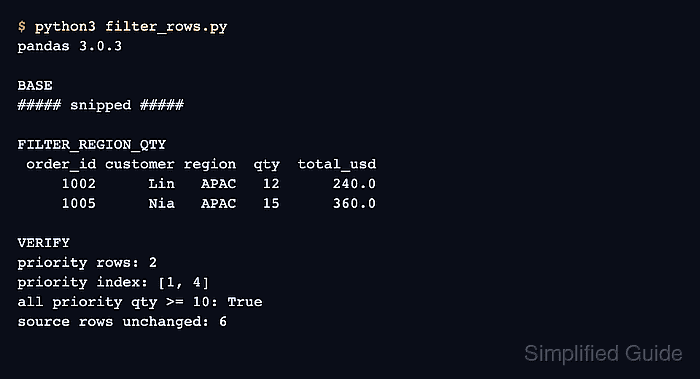
The .loc indexer accepts a boolean Series for its row selector and an explicit list for its column selector. Keeping both selectors in one expression makes the returned fields clear, and the filtered result preserves the source index labels.
Combine conditions with & or |, and place each comparison in parentheses so Python evaluates the comparisons before the boolean operators. Use Series.isin() for membership checks; Python and and or cannot combine a Series element by element.
Related: How to create columns in pandas
Related: How to sort a pandas DataFrame
Steps to filter pandas DataFrame rows:
- Create the sample orders DataFrame in filter_orders.py.
- filter_orders.py
import pandas as pd

orders = pd.DataFrame(
    {
        "order_id": [1041, 1042, 1043, 1044, 1045, 1046],
        "region": ["EMEA", "APAC", "AMER", "EMEA", "APAC", "AMER"],
        "quantity": [4, 12, 8, 15, 18, 11],
        "status": ["open", "open", "open", "paid", "open", "open"],
    }
)
The sample orders object stands in for the DataFrame already loaded by the working application.
- Define the eligible regions beneath the DataFrame.
eligible_regions = ["EMEA", "APAC"]
- Build the boolean mask beneath the region list.
priority_mask = (
    orders["region"].isin(eligible_regions)
    & (orders["quantity"] >= 10)
    & (orders["status"] == "open")
)
Parentheses around every comparison preserve the intended evaluation order. Without them, Python can change the expression or raise an ambiguous truth-value error.
- Select matching rows with the required output columns beneath the mask.
priority_orders = orders.loc[
    priority_mask,
    ["order_id", "region", "quantity", "status"],
]
The mask selects rows before the comma, while the list selects columns after the comma.
Related: How to select DataFrame rows and columns with loc and iloc in pandas - Append fail-capable assertions beneath the filtered selection.
assert priority_orders.index.tolist() == [1, 4]
assert priority_orders["region"].isin(eligible_regions).all()
assert priority_orders["quantity"].ge(10).all()
assert priority_orders["status"].eq("open").all()
The script exits with an AssertionError if the selected rows or any filter condition no longer match the expected result.
- Append the DataFrame print call beneath the assertions.
print(priority_orders.to_string())
- Review the completed filter_orders.py file.
- filter_orders.py
import pandas as pd

orders = pd.DataFrame(
    {
        "order_id": [1041, 1042, 1043, 1044, 1045, 1046],
        "region": ["EMEA", "APAC", "AMER", "EMEA", "APAC", "AMER"],
        "quantity": [4, 12, 8, 15, 18, 11],
        "status": ["open", "open", "open", "paid", "open", "open"],
    }
)

eligible_regions = ["EMEA", "APAC"]

priority_mask = (
    orders["region"].isin(eligible_regions)
    & (orders["quantity"] >= 10)
    & (orders["status"] == "open")
)

priority_orders = orders.loc[
    priority_mask,
    ["order_id", "region", "quantity", "status"],
]

assert priority_orders.index.tolist() == [1, 4]
assert priority_orders["region"].isin(eligible_regions).all()
assert priority_orders["quantity"].ge(10).all()
assert priority_orders["status"].eq("open").all()

print(priority_orders.to_string())
- Run filter_orders.py to confirm that only qualifying orders remain.
$ python3 filter_orders.py
   order_id region  quantity status
1      1042   APAC        12   open
4      1045   APAC        18   open

Mohd Shakir Zakaria is a cloud architect with deep roots in software development and open-source advocacy. Certified in AWS, Red Hat, VMware, ITIL, and Linux, he specializes in designing and managing robust cloud and on-premises infrastructures.


